Introdução

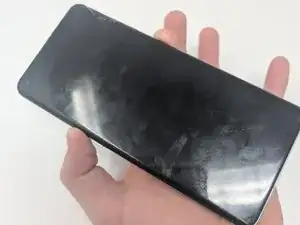
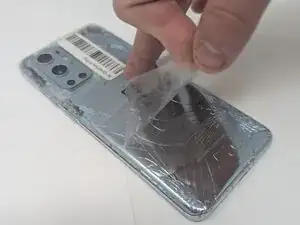
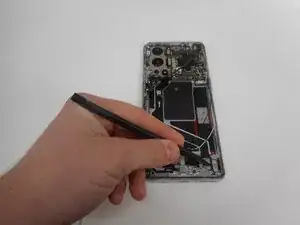
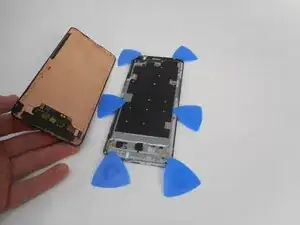
Is your screen on your OnePlus 9 Pro cracked or shattered? If so, then use this guide to replace it.

When removing a cracked screen, it is important to tape the screen first to avoid the glass going everywhere.

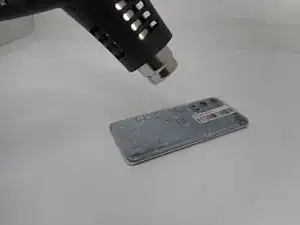
When using a heat gun, always use caution since there is a chance to burn skin or surrounding areas of the workplace.

  1. xMreHtRPd4NqBVST
    • For your safety, discharge your battery below 25% before disassembling your phone. This reduces the risk of a dangerous thermal event if the battery is accidentally damaged during the repair. If your battery is swollen, take appropriate precautions.

    • Unplug any chargers/peripheries and power off your phone.

  2. 11ZpSXJxehXZUEmy
  3. cxRCoCiTOHy2y3wj
    cxRCoCiTOHy2y3wj
    asBQLijAtskjmips
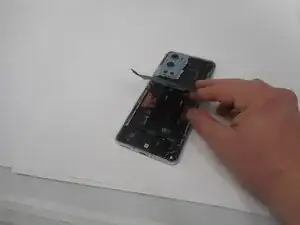
    • Use a hair dryer to lightly heat the perimeter of the rear glass.

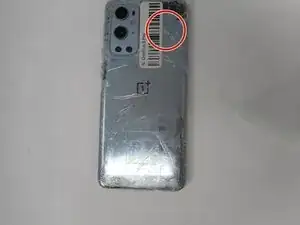
    • Additionally, heat the top-right corner, as there is adhesive further inside of phone in that one spot.

    • Do not hold the hair dryer in one spot on the phone for too long to prevent damage to internal parts of the phone.

  4. qGQDJDFUxOYOcSOY
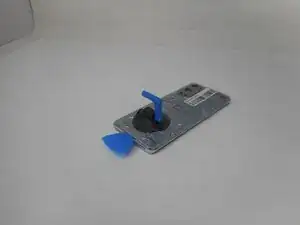
    • Apply a suction handle as close to the bottom edge as possible.

    • Pull up on the suction handle with strong, steady force to create a gap between the glass and the frame.

    • If you have trouble creating a gap, apply more heat to further soften the adhesive.

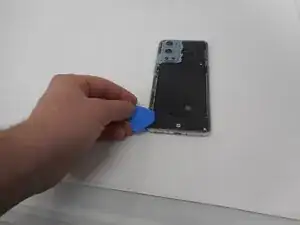
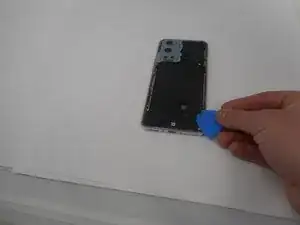
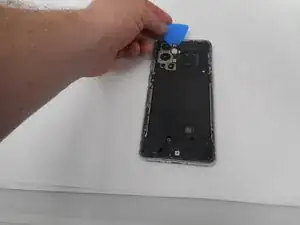
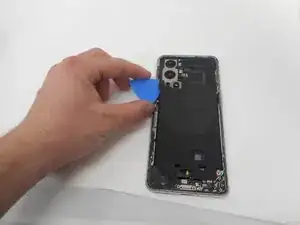
    • Insert an opening pick into the gap.

  5. tF1BmEcNeGVg6cGc
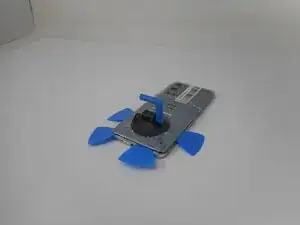
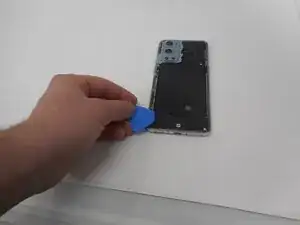
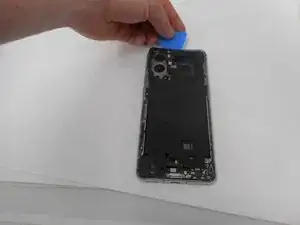
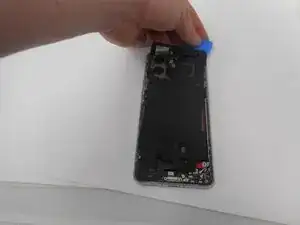
    • Slide the opening pick around the perimeter of the rear glass to slice the adhesive.

    • Insert additional opening picks as you slice the adhesive to prevent the adhesive from resealing.

    • If the adhesive becomes hard to cut, it has most likely cooled down. Use your hair dryer to reheat it.

  6. AiEeiCMwr3gqfDww
    AiEeiCMwr3gqfDww
    AwuHOrYHnQCnNVPq
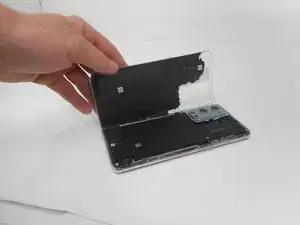
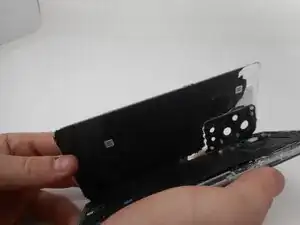
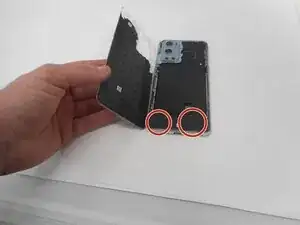
    • Carefully lift the rear glass up and off of the phone.

    • During reassembly secure the rear glass with pre-cut adhesive or double-sided adhesive tape. After installing the rear glass, apply strong, steady pressure to your phone for several minutes to help the adhesive form a good bond—a stack of heavy books works well.

  7. g1tRWVAGy2DyllMx
    g1tRWVAGy2DyllMx
    6sNcC11NYbJOeFOg
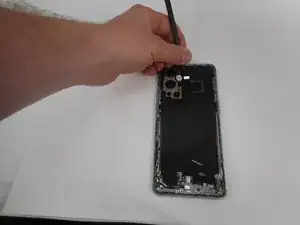
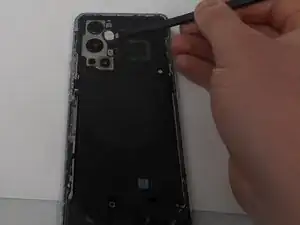
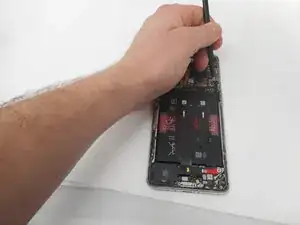
    • Use one of the opening picks to remove the adhesive on the lower part of the wireless charging cable

  8. AROvLRMxG4tNcmS2
    AROvLRMxG4tNcmS2
    12xUCpYxNtkBv6gm
    MZITfEZgqBJaeCSL
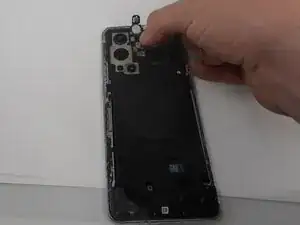
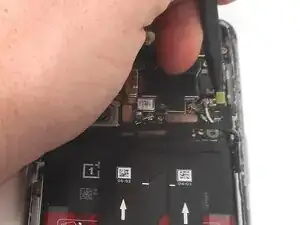
    • Unplug the press connector ribbon cable attached to the flash module by inserting a spudger under the bottom edge and prying straight up.

    • Use an opening pick to remove the flash module by the camera.

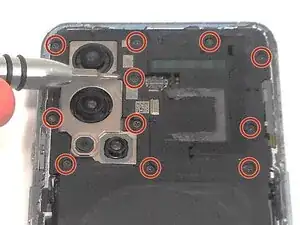
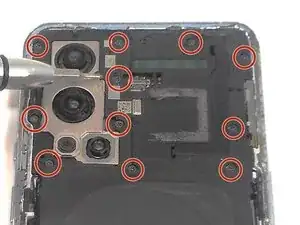
    • Use a Phillips #000 screwdriver to remove the eleven 4.9 mm-long screws holding the motherboard cover to the phone.

    • Use an opening pick to pry off the motherboard cover.

  9. sTFd3MWHpxvT2RGj
    • Use a Phillips #000 screwdriver to remove five screws that secure the lower daughterboard cover.

    • Two of the screws have a white head and are 4.8 mm-long. They go in the bottom right corner of the daughter and mother board.

    • The other three screws are black and are also 4.8 mm-long.

  10. Jqy2lusECxY2amiy
    Jqy2lusECxY2amiy
    XinuQDOQT3GcApiM
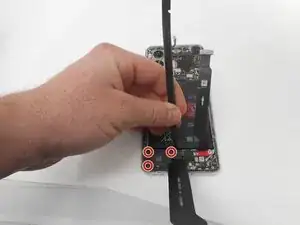
    • Disconnect the two interconnect cables by inserting a spudger under each lip and prying straight up.

  11. Lqnx1K1aDKCqUJxF
    • Remove the three screws from the loudspeaker using a Phillips #000 screwdriver.

  12. WCADDPYP3juuaLKR
    • Use the spudger to pry up and remove the loudspeaker.

  13. FOZxJE6DxRPl4ZtQ
    FOZxJE6DxRPl4ZtQ
    bO3kWRhxovrAkNdp
    uyJMB3SJTKTtSRnr
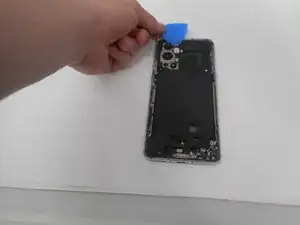
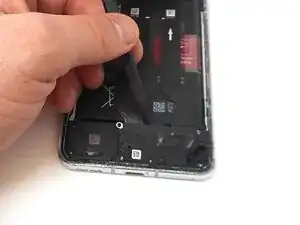
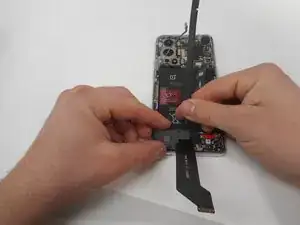
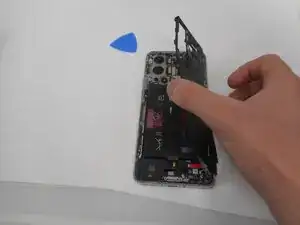
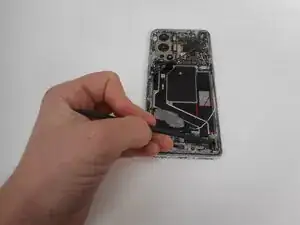
    • Use an opening pick or tweezers to carefully peel back the adhesive on the bottom of the wireless charging module.

    Nicht das Plektrum wie im ersten Bild ansetzen! Direkt darunter ist ein Flex Kabel, das man genau so durchtrennt.

    Besser von der ganz unteren Kante anfangen, den Kleber abzuhebeln.

    Lukas -
  14. nYxmymAPQPWQoGi6
    nYxmymAPQPWQoGi6
    c161KPWdEFUFdCiK
    MJPwQipMC3jyWGVU
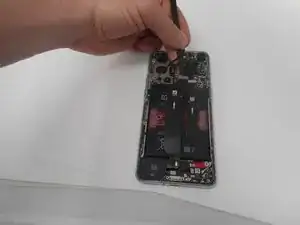
    • Pry on the bottom of the flash module off using a pick and use tweezers to get under the module without ripping it.

    • Be careful unplugging the module as the cable is very delicate.

  15. pNWyxA6BfHDYqvwT
    • Use a Phillips #000 screwdriver to remove the eleven 4.8 mm-long screws securing the motherboard cover.

  16. rq3NsaQ5UopRDxDM
    rq3NsaQ5UopRDxDM
    Bko45bmKNyOQ2VEZ
    McF6mZBN3KWsNxcO
    • Pry around the phone with picks to remove the motherboard cover.

  17. go4mtqyj3GSrbDWI
    • Lift off the motherboard cover.

  18. cPqCBaEBgMbXdiAj
    cPqCBaEBgMbXdiAj
    LZW34fUEJBwtwOMv
    • Pry up and disconnect the press connector ribbon cable in the top right with a spudger.

    • Make sure not to damage them in the process.

  19. 12JL1CpP2wmyZaDI
    12JL1CpP2wmyZaDI
    W4xVF6HBJyNXSYIf
    6JCTrgRgJIWH1kul
    • Use a spudger to disconnect the two interconnect cables from the motherboard by prying the connector straight up from its socket.

  20. EsmhMLXwIhFfu1ZH
    EsmhMLXwIhFfu1ZH
    GavyXeDAdMujADy5
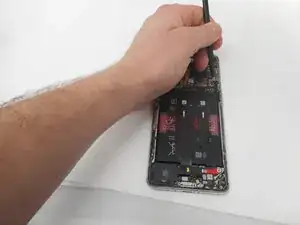
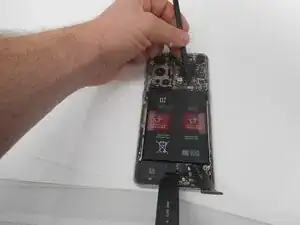
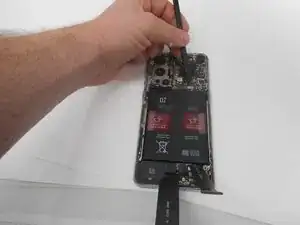
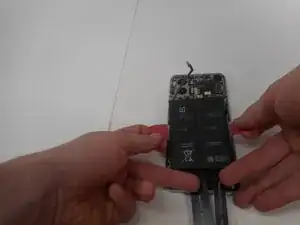
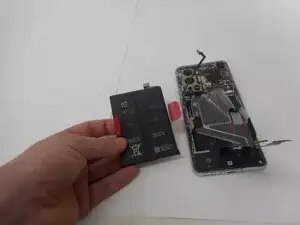
    • Take care not to bend or puncture battery during the removal procedure—a bent battery may leak dangerous chemicals or cause a fire.

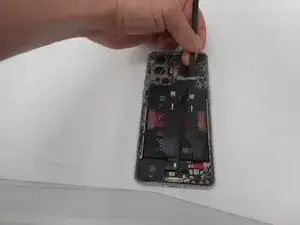
    • Remove the battery from the phone by slowly pulling up on the red tabs.

    • If you're having trouble lifting the battery out of its recess, apply a heated iOpener to the screen side for two minutes to loosen the battery adhesive.

    • A hair dryer, heat gun, or hot plate may also be used, but be careful not to overheat the device.

  21. rvWFhSmBYbb4qBIA
    rvWFhSmBYbb4qBIA
    KgOnohgdUi2NPDU4
    • Use the spudger to unplug the ribbon cable that connects the screen to the rest of the phone.

  22. KDPEo3kjxGBrPySF
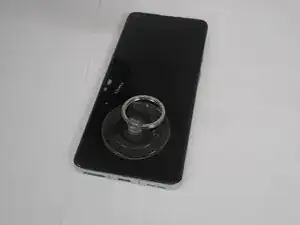
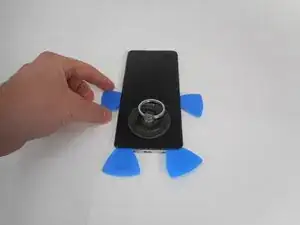
    • Place the suction cup on the glass towards the bottom of the screen.

  23. EmonMLavrXf6QoaV
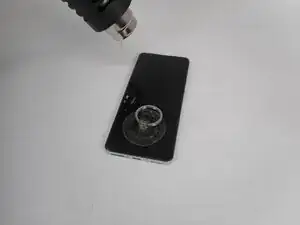
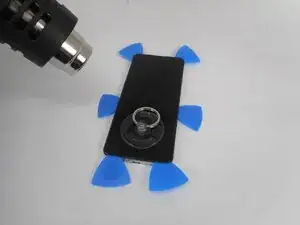
    • Heat the adhesive holding the screen onto the phone by using the heat gun on the edges of the screen.

    • Be sure to use caution when using the heat gun.

  24. TSds55ttBW6KHFG5
    TSds55ttBW6KHFG5
    aNoTRrJ2LIKSEIgU
    LZHsnBNXeEiqgZfB
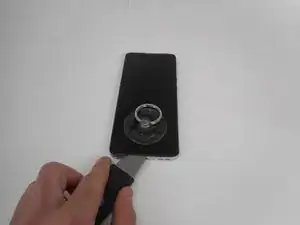
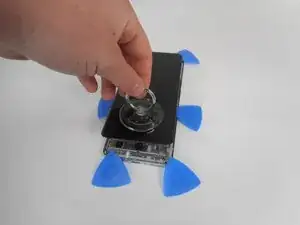
    • Put the jimmy into the bottom edge of the screen.

    • Use an opening pick to slice the adhesive, and place opening picks around the perimeter as you slice to avoid the adhesive from resealing.

    • Reheat the screen as needed.

  25. xmDJt5Hpwh31vPjP
    xmDJt5Hpwh31vPjP
    sODBX3YXr1YmOfsb
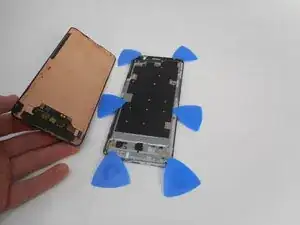
    • Carefully pull up on the suction cup to pull the screen away from the phone.

Conclusão

To reassemble your device, follow the above steps in reverse order.
Take your e-waste to an R2 or e-Stewards certified recycler.
Repair didn’t go as planned? Try some basic troubleshooting or ask our Answers community for help.
Averie

Membro desde: 17/02/25

285 Reputação

0 comentários