Introdução

  1. ZxWMmLN4nYwHr2fN
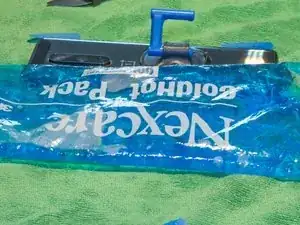
    • Heat up the back edge of the phone with the iOpener / any HotPack.

    • Start with a long edge as it is easier to open the back cover in the next step.

    • You may also use a hair dryer or heat gun to heat the adhesive.

    • Be careful not to overheat the phone - the screen and internal battery are susceptible to heat damage.

  2. ouDIiDlru3kTvwYV
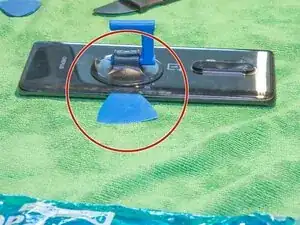
    • Insert the opening pick in the middle of the phone where you heated it. Slide it along the edge to cut through the adhesive.

    • This can be a bit tricky, don't use any sharp objects as you can damage the case. It's reccomended that you use a plastic wedge tool such as the one by iFixit, as it has a thicker ledge to prevent you from slicing too far in.

    • If it does not work, try heating the edge again.

    • Don't insert the opening pick too far. There are no flex cables in the way, but the wireless charging coil could be damaged.

  3. VjZWwLOQ6EXZZvIg
    VjZWwLOQ6EXZZvIg
    ScKmfETaBO1WbN5u
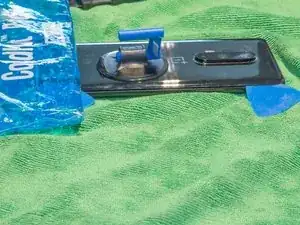
    • Leave the opening picks once you managed to open one side.

    • Use heat on the next edge to open it.

    • Repeat steps 2 and 3 for all four edges.

  4. rQPlBsMOfqCckrd1
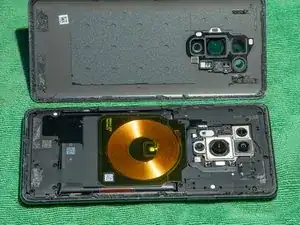
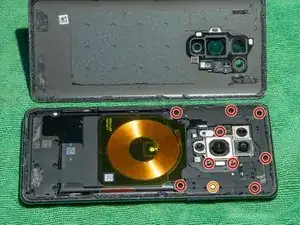
    • Remove these screws (Phillips 00).

    • Remove this Phillips 00 screw. You can remove the white paper with tweezers or just push the screwdriver through the paper.

  5. vPxYYhZrZbcHC3mA
    vPxYYhZrZbcHC3mA
    B2ZCMYsFDrxcgdOS
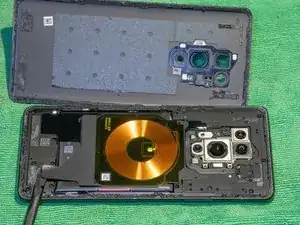
    • Carefully lift the two stickers which hold the wireless charging coil down.

  6. h2ZiuvTcwRvOZiMh
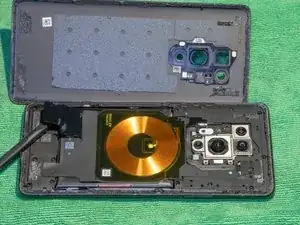
    • Lift the charging coil.

    • Remove the two Phillips 00 screws below the coil.

  7. 2iem5ajVQueSJddj
    • Remove the top cover / coil assembly.

    Note for this step: the top cover / coil assembly is clipped in place. Gently run an opening pick or an iFixit Opening Tool around the edge of the assembly from the bottom edge (with the two screws in the previous step) to get the assembly out.

    Rain Shinotsu -

  8. TYoyPBlMnl4EFRAf
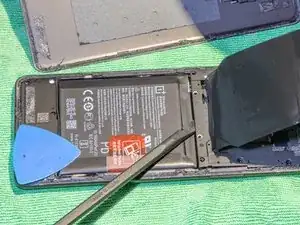
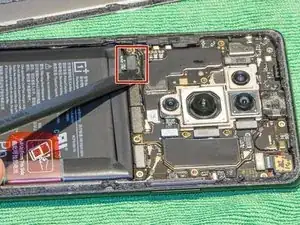
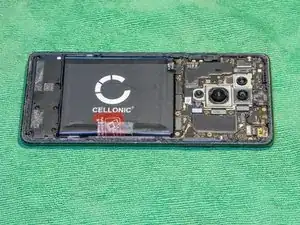
    • Disconnect the battery.

  9. URosgkYHGFAoISGh
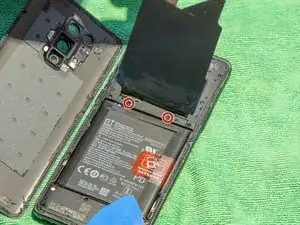
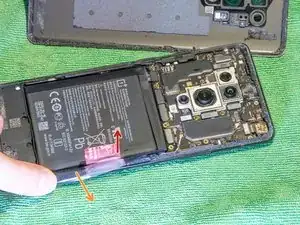
    • Pull the red pulling tab away from the battery.

    • Separate the red pulling tab from the black adhesive.

    • After separating, hold the black adhesive down and pull the red tab up vertically to remove the battery.

    • Make sure not to bend the battery too heavily.

    For this step, you may want to use a plastic card, such as a credit card or one of iFixit's own, to get some extra leverage. But be careful not to slide it too much, as the adhesive wraps around the battery. Also, like the guide already mentions, be super careful not to bend the battery; this would pose a severe safety hazard.

    Rain Shinotsu -

  10. LBC1GfoQyNfkH5hL
    LBC1GfoQyNfkH5hL
    1USpLxxmXGUuiiUo
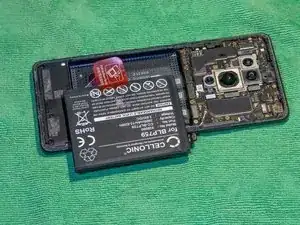
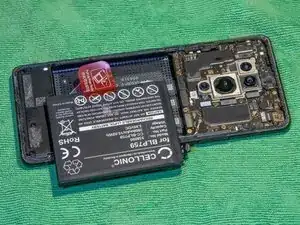
    • Remove the red pulling tab from the old battery and stick it on the under side of the new battery.

    • This makes it easier to replace the battery again.

    • Insert the new battery.

    • Wrap the black adhesive strips on both sides around the battery to secure it.

  11. hlKJxUIfHArtRSkH
    • Remove the old adhesive and replace it with new adhesive strips.

    • Reverse from step 8 to assemble the phone.

    Make sure to remove the adhesive from both the phone and the back cover. You may be able to pick it up with your tweezers in some spots, but in general, you'll want to use something like a plastic spudger (the pointy end works great). You won't get everything this way, but once you have it down to just a few small spots and a thin layer, you can use cotton swabs (Q-tips) with isopropyl alcohol (no less than 70% concentration) to wipe the rest away. It's a drag, but with patience and elbow grease, it'll all come off like it was never even there. Let the edge dry completely before applying the new adhesive; IPA is volatile, so it won't take long.

    Rain Shinotsu -

    I forgot to mention, when you're finished reassembling the device, you should clamp the phone together around the edges for about 30 minutes to make sure the adhesive holds strong. If you don't have clamps, you can put something like a stack of books on top of it instead; 3–5 kg (6.6–11 lb) should suffice.

    Rain Shinotsu -

Conclusão

To reassemble your device, follow these instructions in reverse order.

Manuel Graf

Membro desde: 21/01/20

193 Reputação

Um comentário

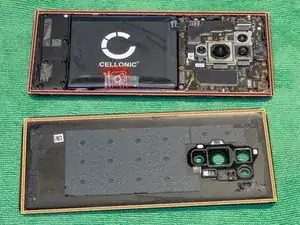
be carefull: the adhesives of the back cover are not only on the edge, but also on the 4 corners (see the back cover on photo of step 4). You should carefully cut these off from the short edges, BEFORE trying to lift the cover.

LeFils -