Introdução

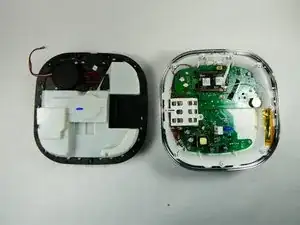
If your OneLink Safe and Sound won't connect to your phone via Bluetooth it could be due to a malfunctioning Bluetooth module. This guide will walk you through opening the device and removing/replacing the Bluetooth module. The only knowledge needed is identifying the different cables used to connect the top half to the bottom half. Before replacing the Bluetooth module, please refer to the OneLink Safe and Sound Troubleshooting page for other fixes to this problem. Also before removing the OneLink from the ceiling, make sure to turn off power at your building's junction box. With the right tools you can expect to completely replace the Bluetooth module and restore it to working order.

  1. uglrHRHnDweYQm4F
    uglrHRHnDweYQm4F
    TWdMto3ggFfQG5vY
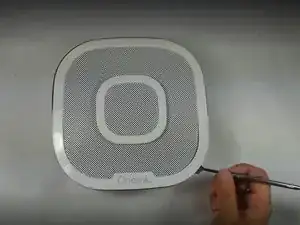
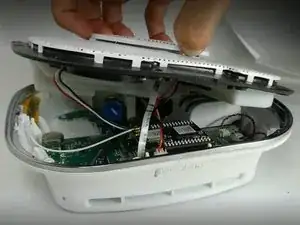
    • Run the metal spudger under the plastic rim and around the perimeter, on the top of the device to loosen the adhesive.

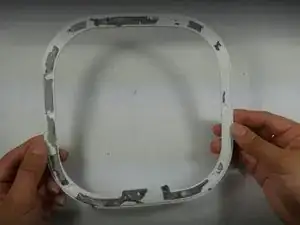
    • Remove plastic rim.

  2. lx2ZSfqEviaEqOjt
    lx2ZSfqEviaEqOjt
    gPLcncqWIFOaPYWe
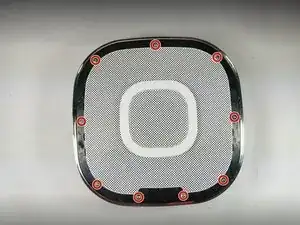
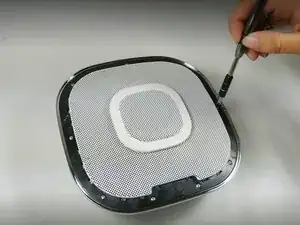
    • Use a Phillips #0 screwdriver to remove nine screws from the top of the device.

  3. LaCPXH4HQEaCXDkn
    LaCPXH4HQEaCXDkn
    xiNSFkGhx5O3CsyC
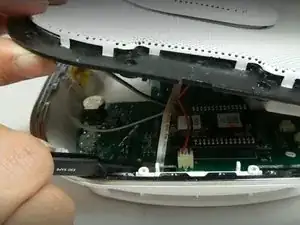
    • Don't yank or pull the lid off as there are ribbons and cables connecting the top of the device to the motherboard. They need to be disconnected before the top is removed.

    • Use tweezers or a spudger to disconnect the ribbon from the motherboard.

    Thanks to all contributors! Instructions were very clear and reference to compatible batteries on Amazon was extremely helpful. Purchased battery, foam tape, and heat shrink butt solder connectors on Amazon. https://a.co/d/05SNuF3I Our unit is working perfectly again.

    Ann B. -

  4. nEEVGBeYNkSIYqCF
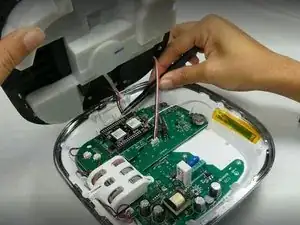
    • Use tweezers to unplug the speaker cable from the motherboard.

  5. EnmXY4LVaETUUS2N
    EnmXY4LVaETUUS2N
    VvGBmHZ5vfmFfRbJ
    • Use the plastic opening tool to remove the microphone connection from the motherboard.

    • Remove the top of the device.

  6. oAvduyZUuLlonuDM
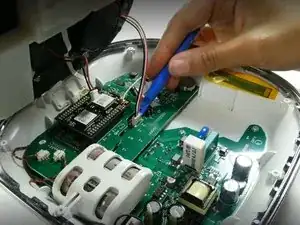
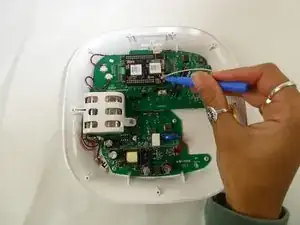
    • Use the opening tool to disconnect the Wi-Fi cable from the Bluetooth module.

  7. IEXCbRI6tK51DIAv
    IEXCbRI6tK51DIAv
    SeXnnkeIOBwKVlts
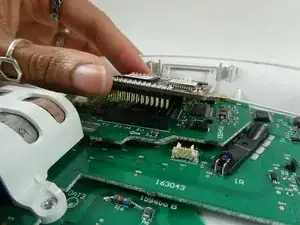
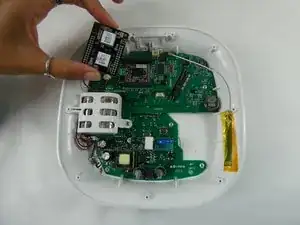
    • Lift the Bluetooth module off of the daughterboard.

    • Lift it straight up to avoid bending the delicate pins that connect the Bluetooth module to the board.

Conclusão

To reassemble your device, follow these instructions in reverse order.

Arianna Roberts

Membro desde: 10/11/22

687 Reputação

0 comentários