Introdução
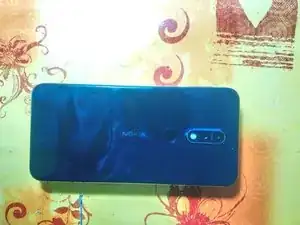
Guia básico para a abertura e substituição da porta de usb e o seu PCB.


-
-
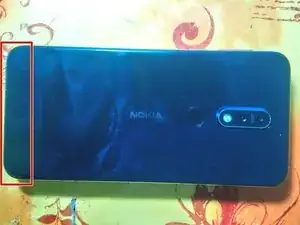
Aqueça a parte traseira do telefone e insira uma palheta de abertura.
-
Após inserir a palheta. vá á volta do telefone com a mesma, separando o adesivo da placa traseira de telefone.
-
-
-
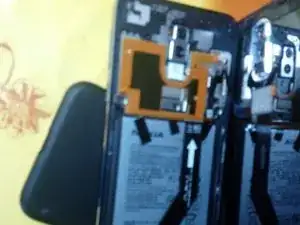
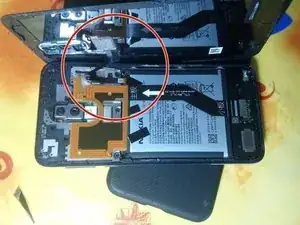
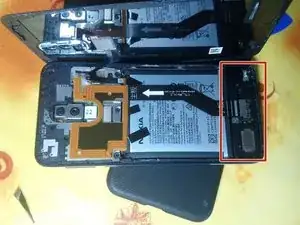
Após separar as duas partes, rode o ecrã para a direita tendo cuidado para não danificar o fio do sensor de impressão digital.
-
-
-
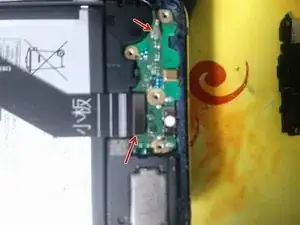
Remova ambos os conectores.
-
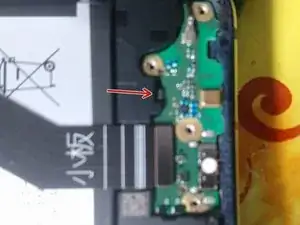
Agora retire o PCB da ficha usb-c pela parte posterior.
-
Substitua o PCB por um novo.
-
Para fechar o dispositivo, siga os passos de forma inversa.

11 comentários
One has to be very careful not to break the backside glass (I wasn’t that lucky). Other than that, very easy replacement
Thank you for sharing this. Where to buy a new “charging port”?
Did you find a good reseller?
Thanks
Greetings
Sorry for the delay, I bought mine form Telebit.pt
But depending from where you are i would recommend you look at local/country specific stores.
Otherwise you could always go to ebay, but you need to be more warry of parts numbers and origins.
Goat -
Hi same question where to buy the charging port ?
Thanks.
Bonjour,
Même question où avez vous acheter le port de chargement?.
Merci.
Greetings
Sorry for the delay, I bought mine form Telebit.pt
But depending from where you are i would recommend you look at local/country specific stores.
Otherwise you could always go to ebay, but you need to be more warry of parts numbers and origins.
.
Goat -