Introdução
This repair will be going through removing and replacing the motherboard of a Nokia 5310b Xpress Music device. It is important to have a working motherboard in the device because it connects and controls the most essential electronic pieces of the device. A damaged or flawed motherboard will result in the device failing to turn on, not charging, not displaying clearly, having random freezes, or showing error messages. This can be caused by harsh handling of the phone, excessive water damage or simply a defective piece of the electronic.
Before using this guide, you can ensure that the problem is a resultant of the motherboard by replacing the battery or trying a different charger to see if that fixes the issue first.
To complete this guide you must be able to remove a screw with a screwdriver and use a spudger properly.
Before removing and replacing the motherboard, make sure that the phone is powered off and not connected to a power source (for example: charging).
Ferramentas


-
-
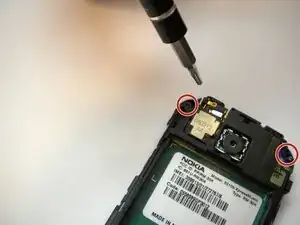
On some models, the front case is screwed down from the back. Follow steps 5 and 6 first to remove the camera cover and two T6 screws, BEFORE removing the faceplate.
-
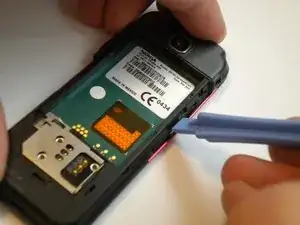
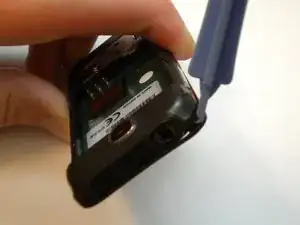
Find a small latch under the music keys and in the middle of each side of the faceplate.
-
Gently lift the edges of the front faceplate off the phone using a spudger.
-
-
-
Flip the phone over to the front side.
-
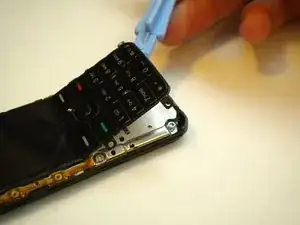
Lift up the keypad from the bottom with either a spudger or your finger.
-
-
-
Flip the phone over to the back side.
-
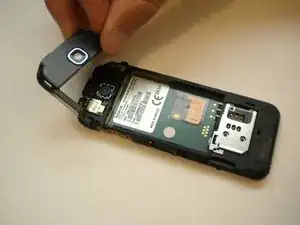
Unsnap the back camera cover from the phone.
-
Lift to remove the back camera cover from the phone after it has been unsnapped.
-
-
-
Remove the two screws on either side of the camera with the T6 Torx screwdriver.
-
Flip the phone over to the front side.
-
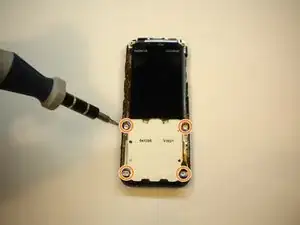
Remove the 4 screws located at each corner of the white keypad base using the T6 Torx screwdriver.
-
-
-
Flip the phone over to the back side.
-
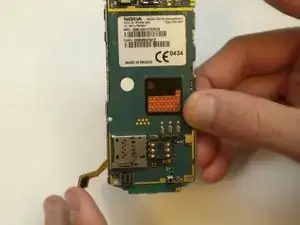
Unclip the faceplate plug (ribbon) located in the lower left corner of the motherboard.
-
-
-
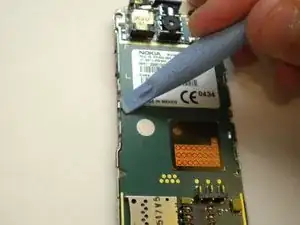
Use a spudger to gently pry the two metal clips in the middle of the left and right sides of the motherboard slightly to provide enough room to lift the motherboard out.
-
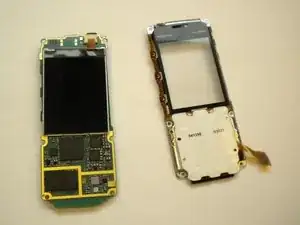
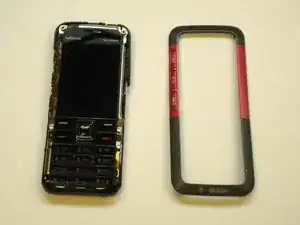
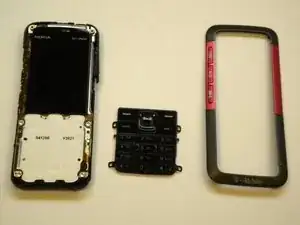
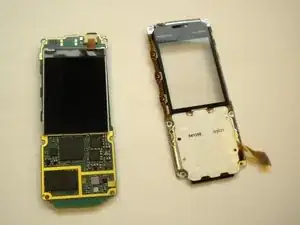
At this point the phone should come apart into two pieces (the motherboard/LCD screen and the faceplate).
-
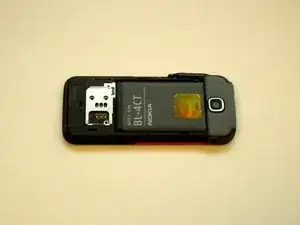
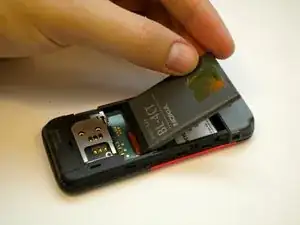
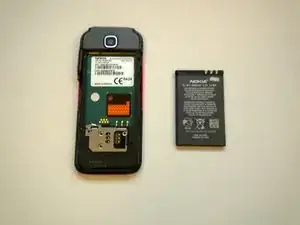
To reassemble your device, follow these instructions in reverse order. Take your e-waste to an R2 or e-Stewards certified recycler.

Um comentário
Step 5 and 6 must be performed before step 3, otherwise, you will dislodge the thread from the front plate. so you have to remove the camera cover first, remove the 2 screws then you can remove the front plate without breaking anything.