Introdução

  1. pueJPNL3ruoRnBhS
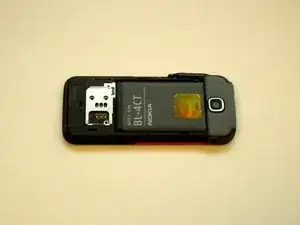
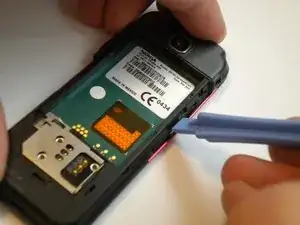
    • Slide the black battery cover down and off the phone with your thumb to remove it.

    • The battery cover is not shown in this picture

  2. 3yuFXuHK2pERNmvm
    3yuFXuHK2pERNmvm
    vwaHTxtqMEWflSmm
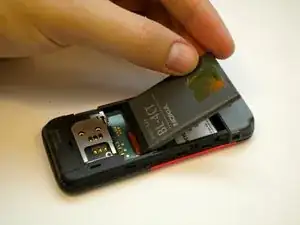
    • Gently lift the battery with a fingernail to remove it from the back of the phone.

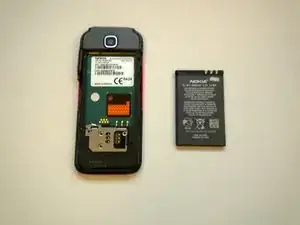
    • Keep the battery removed for the next steps

    • The battery may be replaced or repaired at this step.

  3. vUAohEYGWUjXbkvY
    vUAohEYGWUjXbkvY
    bDeVcaWFrZfSUXAE
    6PTUjTa15utAhgNA
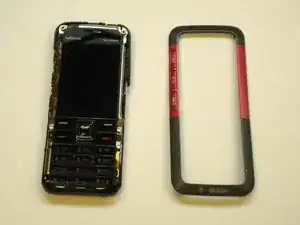
    • On some models, the front case is screwed down from the back. Follow steps 5 and 6 first to remove the camera cover and two T6 screws, BEFORE removing the faceplate.

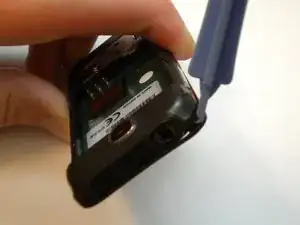
    • Find a small latch under the music keys and in the middle of each side of the faceplate.

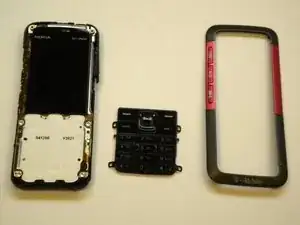
    • Gently lift the edges of the front faceplate off the phone using a spudger.

    Before doing this step, first remove the camera cover and the two t6 screws from the back (steps 5 and 6). Otherwise you will break the cover. This may be a factor only for some revisions (RM-304)

    s c -

  4. JwCAIHBbmTPHNJma
    JwCAIHBbmTPHNJma
    eBI6WHukRPW2Njij
    • Flip the phone over to the front side.

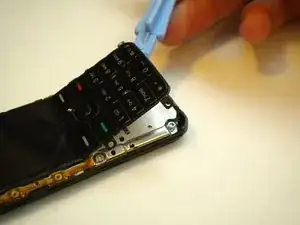
    • Lift up the keypad from the bottom with either a spudger or your finger.

    • At this time the keypad can be removed and replaced.

Conclusão

To reassemble your device, follow these instructions in reverse order.

Max Kirby

Membro desde: 01/05/11

518 Reputação

0 comentários