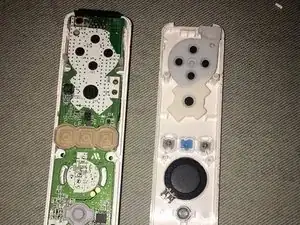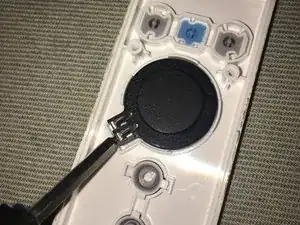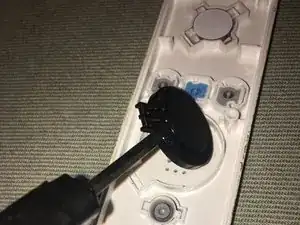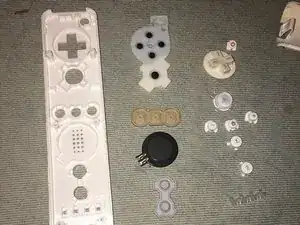
Introdução

The Wii was first released on November 19, 2006.

The model number of the original Wii remote that appears in this guide is: RVL-003.

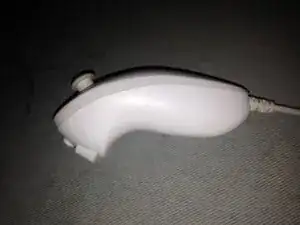
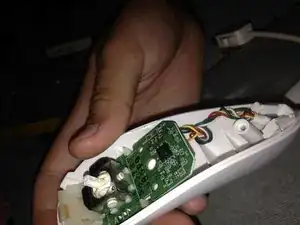
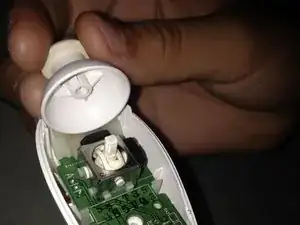
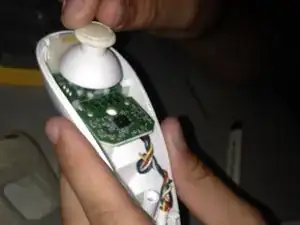
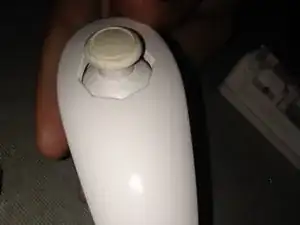
This guide will also show how to tear down a Wii nunchuk.

The model number of the Wii nunchuk is RVL-004.

  1. ZfWPJkyS3VmlLwkD
    ZfWPJkyS3VmlLwkD
    oeJ3nhWdaIySRScL
    FdlBPoNaDWTjWSP5
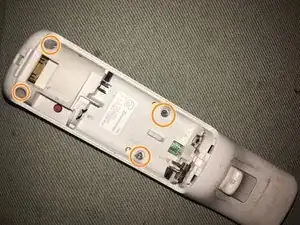
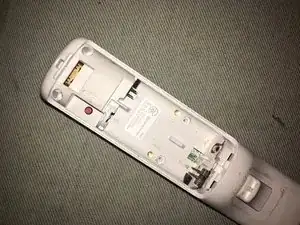
    • Remove the battery cover from the remote and batteries inside.

    • Unscrew the four visible Y1 tri-point screws on the remote.

  2. yx2vDmZkRlgYaNqS
    yx2vDmZkRlgYaNqS
    ctUNyYwjOHtVaLYa
    2ODOFnFmCUqxgL6B
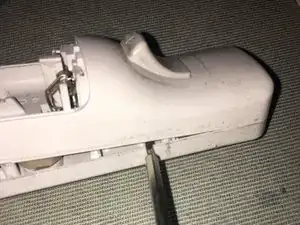
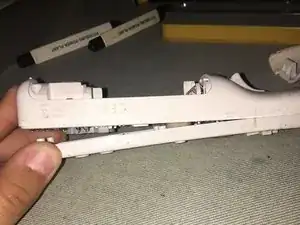
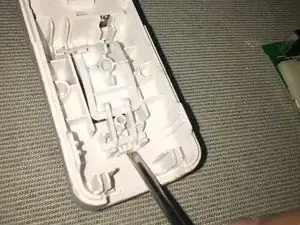
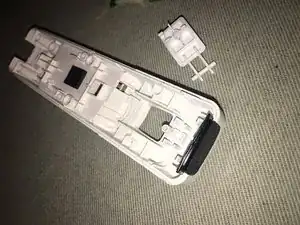
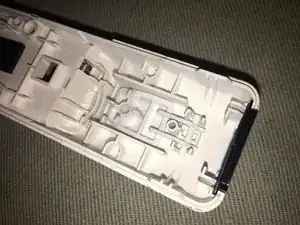
    • Use a pry tool to gently pry apart the white tabs near the top of the controller.

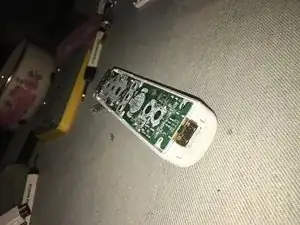
    • Once you open up the remote, the two halves of the Wii remote should be separated.

    • There is a high chance that some of the plastic tabs may break off during the process, but the remote will still be able to be reassembled later without them.

  3. QFkTkHTcGY2acsqO
    QFkTkHTcGY2acsqO
    AMRTOtK2ucepOEtf
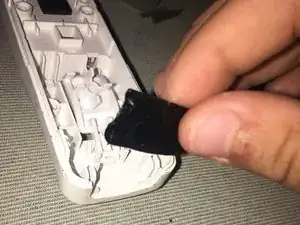
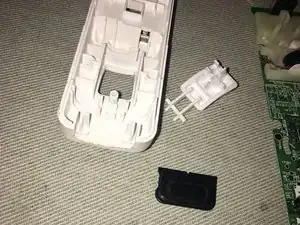
    • Use a pry tool or your fingers to remove the speaker piece from the remote.

    • Avoid puncturing the speaker! Although this won't outright break the speaker, the quality of the Wii remote's sound will become worse if punctured.

  4. bGfjokVLHofFQY1d
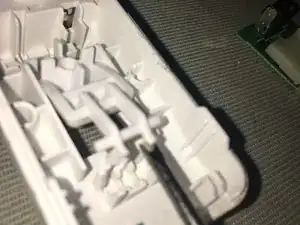
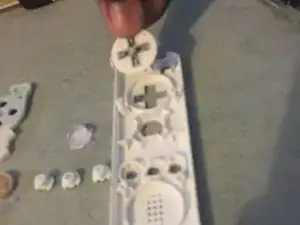
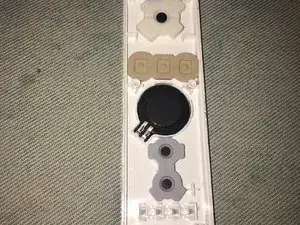
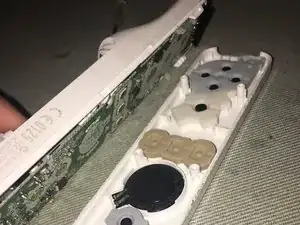
    • Simply remove the rest of the buttons and the conductive rubber pad button contacts.

    • Make sure to keep the buttons organized and close by, as they are very small and can easily be lost.

  5. A3KSFqlE4lJarrJu
    A3KSFqlE4lJarrJu
    xCCeX25QVl6KlvtV
    IaIILGtyuFOLNyAG
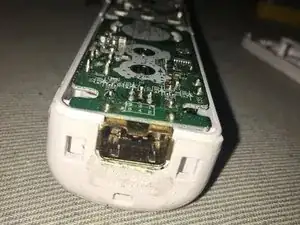
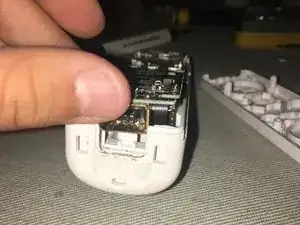
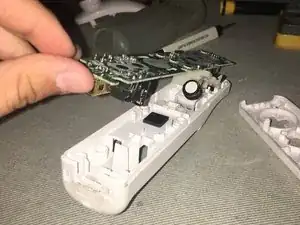
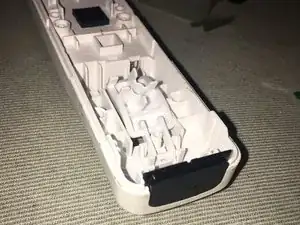
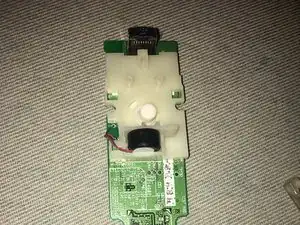
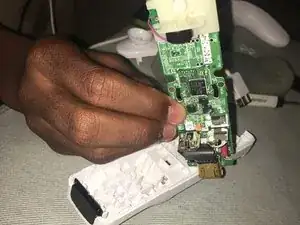
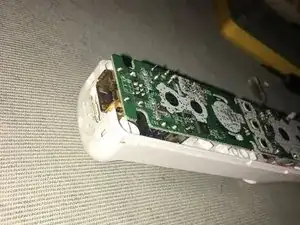
    • Go back to the side of the remote with the motherboard.

    • Gently lift and remove it from the base.

    • Be gentle while pulling out the motherboard, making sure not to rip the wires from the rumble motor.

  6. LKmysASAQoaVcVIv
    LKmysASAQoaVcVIv
    EJXlbZkOVks1GUXB
    • Pull out the IR sensor screen.

  7. 6w2dYTgeoKCU2Uee
    6w2dYTgeoKCU2Uee
    Tk3qVhN4CSQ3Jcda
    rxWZU1nCeMlJbupa
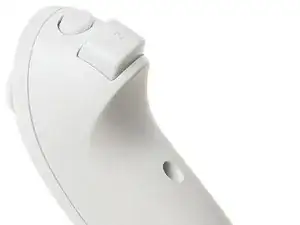
    • Find the white tabs facing where the IR sensor screen was.

    • Place a tool under one tab and push up until both tabs pop out of place to remove the B trigger button.

    If you’re trying to clean the Wiimote, stop here. The next step details how to extract the rumble motor and it’s housing. You only need to disassemble the casing to clean the Wiimote.

    Chef Anthony -
    Others might actually need complete disassembly if they seek to remove residue from AA batteries that have leaked.

    Tai Lam -
  8. kFYmd1EEvKCeXKAY
    kFYmd1EEvKCeXKAY
    tvxJCDBIN2NRClTN
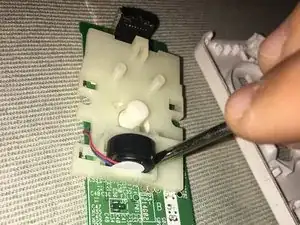
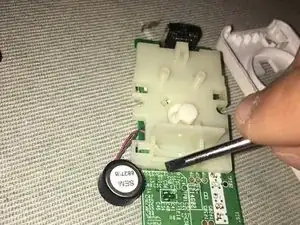
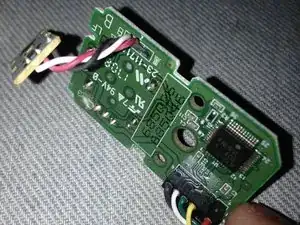
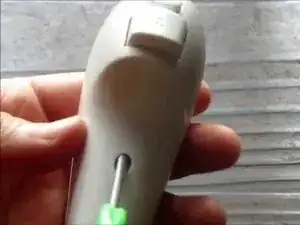
    • Use a tool and place it under the rumble motor. Gently lift and remove it from the plastic housing.

    • Be careful while unseating the rumble motor so that the wires don't rip.

  9. aCcP2oUtEqX3LtYy
    aCcP2oUtEqX3LtYy
    yKRbtCCXbYaWk6GN
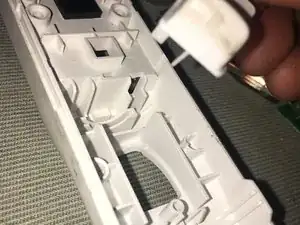
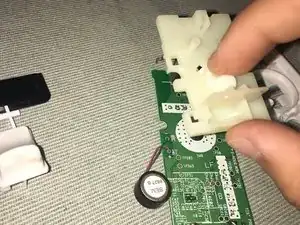
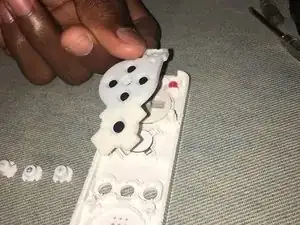
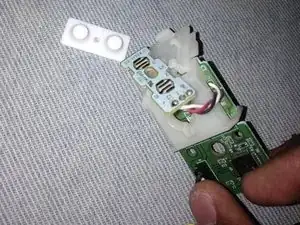
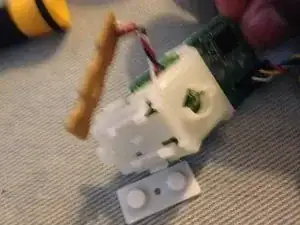
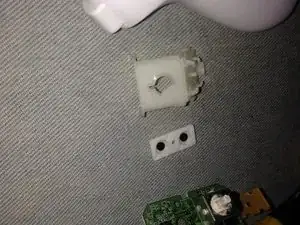
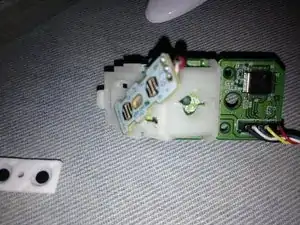
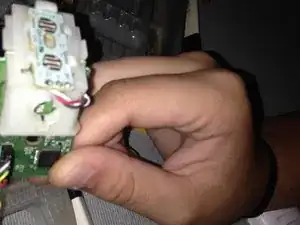
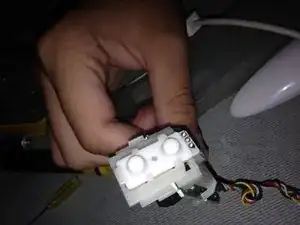
    • To remove the plastic housing, you have to locate the two white tabs. Use your thumbs to gently pull them apart so that the plastic housing is removed from the motherboard.

    • Remove the rubber button from the plastic housing.

  10. AxKQu4e5PGUJI6YA
    AxKQu4e5PGUJI6YA
    CrlClfBiMGZt1u3f
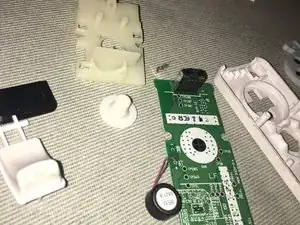
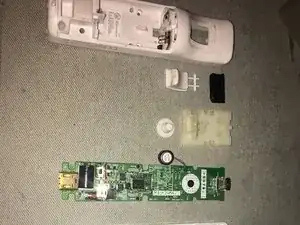
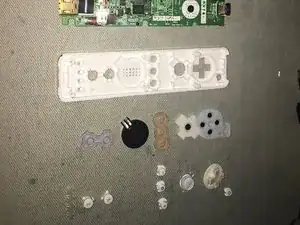
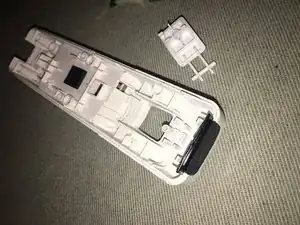
    • All the pieces of the Wii remote are now disassembled.

    • Please check the photos on the left to make sure you have every single piece.

  11. MVWb4fRCQD1wXXDx
    MVWb4fRCQD1wXXDx
    QiQTxwGIALgnB1RK
    d2EOJfFqkEVhejLy
    • Now the Wii remote will be reassembled.

    • Return the the buttons back to their original locations, and then place the corresponding rubber pad button contacts on top of the buttons.

  12. c1SgyGyTSFpNaV4B
    • Place the rubber pad button contact for the B trigger button on the plastic housing.

    • Align the two white tabs with the two indents on the sides and slide the plastic housing into place on the motherboard.

    • Seat the rumble motor back to its original location.

    • Make sure your are putting the white plastic housing on the correct side of the motherboard, as shown in Step 8.

  13. JiSDg1jMOw5JKBKu
    JiSDg1jMOw5JKBKu
    pcg3XjZTEgY1y1oa
    • Return the IR sensor screen to its location and slide it back into place.

    • Make sure the sensor screen is facing the correct direction.

  14. FCsw52EP5aPfRGc1
    FCsw52EP5aPfRGc1
    mhGE1GPtkwBZ4ckV
    • Place the B trigger button back in its location and press the two white tabs into place so that it makes a click.

  15. T4ic3QluBdC52nTg
    T4ic3QluBdC52nTg
    5QGT1uepjeGjwh3d
    KhIDBdArmAAuAIJV
    • Lay the motherboard on top of the back side of the remote and push down gently until the motherboard is flush with the top edge of the Wii remote.

    • Make sure the rumble motor is facing down while putting it back in place.

  16. Au6xcrkBqsXfMrQ1
    Au6xcrkBqsXfMrQ1
    VKXXveIkJtMWPJkr
    AQnopPGyKHJGMgbS
    • Face the bottom half of the Wii remote, with the motherboard side facing downwards, towards the top half of the Wii remote with the rubber pad button contacts facing upwards.

    • Align the sides and press together until all clips click into place.

    • Tighten all four Y1 tri-point screws.

  17. sqwLaXYqaGRMZlX4
    sqwLaXYqaGRMZlX4
    Aj3d1ICUpg5qpwoS
    • There are two small Y1 tri-point screws that need to be loosened on the bottom of the remote.

    Hi, what kind of screws are they?

    What kind of screwdriver do you recommend to use?

    Thank you

    luca -

    The screw bit you need is the Y1 tri-point screw. (The necessary tools, including this, are listed at the beginning of the guide, and also this was mentioned in Step 1 for the Wii remote disassembly. The Wii nunchuck also uses the same screw bit as the Wii remote.)

    Tai Lam -

    Correction. Tri-point Y0 not Y1!

    HatKid Shawn -

    I had used the larger driver bit size that worked to prevent stripping the screw, though I do remember both Y0 and Y1 both worked.

    Tai Lam -

  18. RJE5LGSgvnnPetHL
    RJE5LGSgvnnPetHL
    tpGCtrbkPWHiQMwv
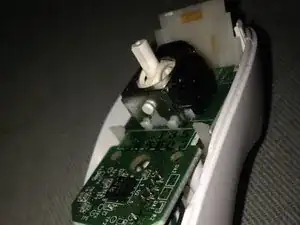
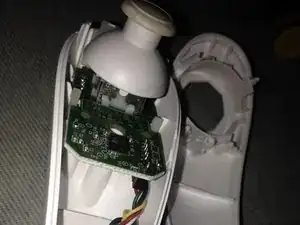
    • Once the screws are removed, you can remove the top half of the chassis off.

    • You may use an opening tool to assist with this step, such as the iFixit opening pick as an example.

    • Next gently pull off the thumb stick.

    There is this little tab on either side of the accessory that can break if force the top off, the nunchuck will still function if you break it.

    Maverick -

  19. nUoLLHNFfMb6KXFI
    nUoLLHNFfMb6KXFI
    GjgksFLbEMBuNBHX
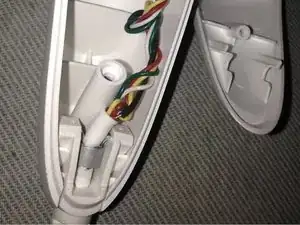
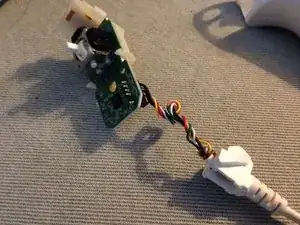
    • The cable that plugs into the Wii remote needs to be removed from the whole nunchuk by pulling upwards on the strain relief boot.

    • The cable and circuit board assembly can still function when plugged into a Wii remote without the nunchuck's controller housing.

  20. gGAfwiDk6ltFHdJX
    gGAfwiDk6ltFHdJX
    i1Q2squYOipxsNZU
    • Flip the wires over and remove the white conductive rubber pad button contact for the C and Z trigger buttons.

    • This will make it easier to slide the daughter board out from the white plastic housing cage for the C and Z trigger buttons in the next step.

  21. 22mEBqHfSVqyCWIH
    22mEBqHfSVqyCWIH
    yjNblEYRiCv6VTOQ
    • Then, remove the plastic housing cage that connects the C and Z button daughterboard to the Wii nunchuck's motherboard by unhooking the clips that hold onto the motherboard.

    The nunchuck cable is soldered onto the nunchuck's main PCB, so you'll need a soldering iron to unsolder the old cord and also the solder on the new cord.

    Tai Lam -

    If you are source a new nunchuck cable and plan to resolder a new connector, then only proceed if you're comfortable with the following. The connectors on the nunchuck connector are press-fit connectors, so the solder when melted will flow up and reach the other side of the PCB. So, the "normal" way of desoldering won't work here: there will be always be solder holding each of the connector leads in their respective vias on the non-exposed side of the connector. Basically, the connector fits in the connector vias via friction, so the connector won't simply fall out if you were desoldering a "normal" and much larger through-hole component. The most expedient method is inevitably destructive, but it's what I had to do to replace a fraying nunchuck cable.

    Tai Lam -

    Use side cutter snips to cut off the exposed connector terminals, as much as you can so that it is flat on the side of the PCB with exposed connection leads. Use solder wick (with flux) as much as possible to absorb any solder in the vias, but it won't be clean. Then, cut off the cable. Also cut the plastic package of the connector around halfway. Try your best to cut &/or pry off any remaining plastic. Try your best to leave part of the formerly encased metal leads, as they will greatly assist in removing the connector pins. Use metal tweezers to hold on one side of the board to pull out each of the remaining cut connector terminals while heating up the other side with the soldering iron. After each terminal is removed, use a solder sucker (with help of heat from a soldering iron on the other side) to remove any remaining solder. If the remains of a connector pin really gets stuck, then use a very small safety pin to push out the pin on one side with a solder iron on the other side.

    Tai Lam -

    Take advantage of the fact that the new cable has press fit connectors. As long as the traces &/or vias are intact enough after desoldering, then simply physically sliding the new cable into the connector vias will still work when plugging in just the PCB with connector (and no other parts of the nunchuck chassis fitted on). It is safe enough to test if the nunchuck functions electrically before soldering the connector. Solder on the connector so that it stays mechanically still when the nunchuck is reassembled. You may test the nunchuck before putting the chassis parts back on again to ensure there are no bridging/shorts when soldering the connector pins by hand. When the resoldering of the connector pins is good, then you can reassemble the nunchuck chassis.

    Tai Lam -

    I would take extra caution to not accidentally melt the joystick stand or any neighboring SMT components - you want to be careful to not accidentally desolder the nearby tiny resistor &/or capacitor that are next to the connector vias. Please pick a smaller tip for the soldering iron when reworking the nunchuck controller, as it will help prevent these accidents from occurring.

    (As this repair is tough, this is why you don't see anyone talking about this and/or videos that show how this repair is done.)

    (Do yourself a favor and don't pick this as your first project where you learn how to solder and desolder. I'm honestly not sure this endeavor succeeded without some luck.)

    Tai Lam -

    An alternate strategy is to simply attempt to melt all 5 connector joints and attempt to pull off the connector while the solder is liquefied - although I don't know if this pragmatically feasible.

    Tai Lam -

  22. RLuOKHCoRqwqu6yS
    RLuOKHCoRqwqu6yS
    kUoWkKBLuOhkTMQg
    uwH1T6sTrQVgji2Z
    • Begin reassembly by mounting the white plastic housing cage back onto the motherboard.

    • Slide the daughterboard for the C and Z buttons upwards into the plastic housing cage. Make sure not to force the daughterboard during this process to prevent breaking it.

    • Then slide the white conductive rubber pad button contact for the C and Z buttons on top of the daughterboard.

  23. xNZGgOvPWLwXhoYE
    xNZGgOvPWLwXhoYE
    6Ll2i23lUNlpYdRn
    • Seat the motherboard assembly, with the complete C and Z button housing cage, and Wii nunchuck cable back into the bottom half of the Wii nunchuck.

    • Seat the Wii nunchuck cable into the bottom half of the Wii remote.

    • Take care when putting the wires for the Wii nunchuck cable back in the Wii remote's bottom half of the remote casing, because they can easily fall out if not seated correctly.

  24. IRZYKhK6lfWOFtq2
    IRZYKhK6lfWOFtq2
    GsULFYMemL6qLRkX
    • Then press the analog stick onto the Wii nunchuck's analog stick stem to reattach it.

  25. 3A2NUsPofMRHJEFv
    • Lastly push the top half of the Wii nunchuck back on top of the bottom half of the remote. Screw the two Y1 tri-wing screws on the bottom half of the remote to complete the reassembly.

Conclusão

To reassemble your device, follow these instructions in reverse order.

Linda Bowers

Membro desde: 24/10/16

886 Reputação

8 comentários

Great guide! I took one of my remotes apart some years ago. Now, with fresh tri-wing driver in hand, I am ready to reassemble the thing. Problem: where to solder the green ground? It currently is fused to the nunchuk connector housing, but where does the other end go??? Wish I'd noted that, back then

K. Lehnert -

Very accurate guide! I was able to clear debris between the buttons with ease.

Aiden -

Hello do you have tutorials for unassembly nunchuck's connector please?

Patrick WAI KHAI SONE -

You have to unsolder the cable if you want to replace it. See this replacement cable for the Wii nunchucks, where the description says at the bottom:

Tai Lam -

Thank you ! My A button registered the click half the time : turns out it had corrosion, now it works like a charm !

CreaZyp! -

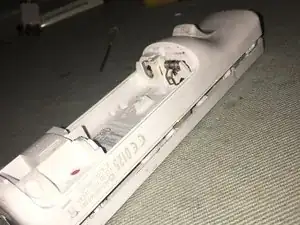
I want to take the springs off the wii Remotes Back. The ones that are still in the back during Step 10.

Emmanuel Ladejobi -

* The battery contacts that remain on the rear half of the plastic chassis can be pushed out, as both terminals are actually on the same metal plate. This is how you would clean, if battery corrosion got on this pair of battery contacts. See this video (timestamped, and watch for about 10 seconds) to see how to take out this metal plate. If battery corrosion isn't that bad, then maybe you can just use vinegar to clean away the corrosion, as shown in this video (timestamped).

* On the other hand, the other 2 battery contacts are both each individual metal contacts, and each is soldered onto the main PCB of the Wii remote. If you really need to replace these battery contacts, then you'll have to unsolder either one or both of these terminals, as shown in this video (starting with the device already disassembled). This site sells new battery contacts as a spare part.

Tai Lam -

It was nice and easy. I had the Wii Remote RVL-003 to repair, but it is very similar. Thanks a lot!

Bartosz Hasnik -