Introdução

  1. gXfBHfPtG6XRSXso
    gXfBHfPtG6XRSXso
    IofAKVONKEHOLcWZ
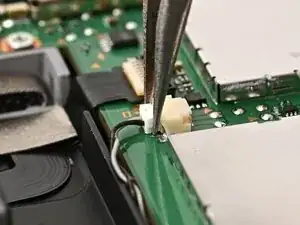
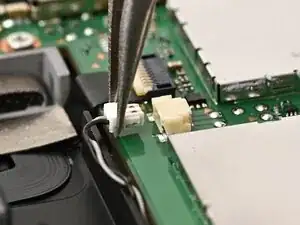
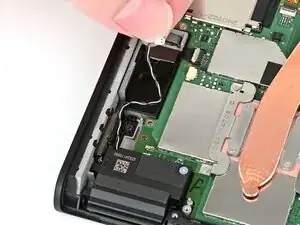
    • Use tweezers or your fingers to firmly grip the right speaker cable's white JST connector and pull straight away from its socket to disconnect it.

  2. YCfeGmY6CdDx5lSQ
    YCfeGmY6CdDx5lSQ
    BiXRnuMAjErYDK1s
    C2w6vhdaReiyqyPI
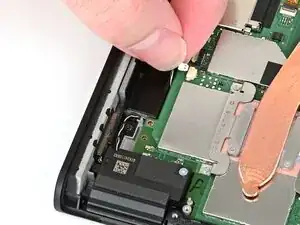
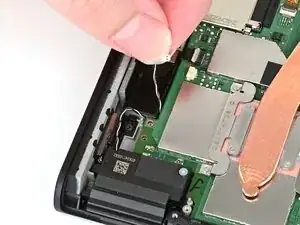
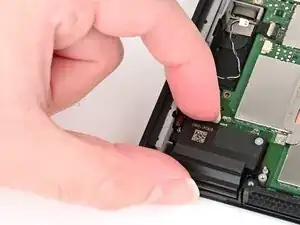
    • Pull the right speaker cable out from beneath the board until it's free.

  3. fuZ3d1jNLrBIBvTZ
    fuZ3d1jNLrBIBvTZ
    nswGCAGIqmwHTAwm
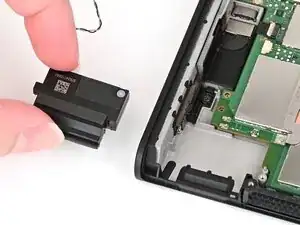
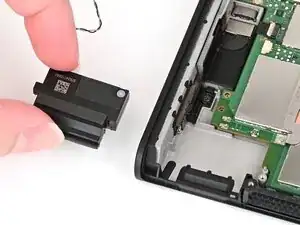
    • Pick up the right speaker by its housing and remove it.

Conclusão

To reassemble your device, follow these instructions in reverse order.

Nick Schultz

Membro desde: 24/03/24

45909 Reputação

0 comentários