Introdução

  1. CRyykHLHvwlPKM5y
    CRyykHLHvwlPKM5y
    prtKJljcSVchAuCP
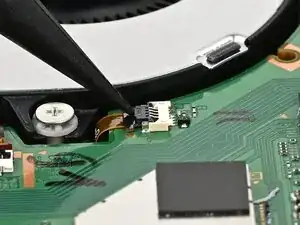
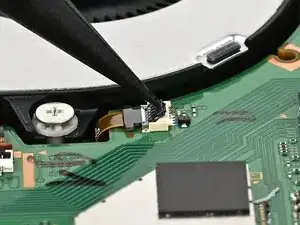
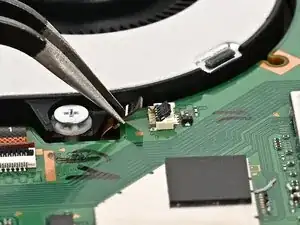
    • Use the point of a spudger to flip up the locking flap on the fan cable ZIF connector, located next to the fan on the console's board.

  2. 4QBYtvPXlANLKrBR
    4QBYtvPXlANLKrBR
    eD5DiLWVBrGjt6T2
    vFYf1nLbNDxNGeQP
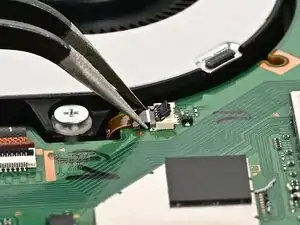
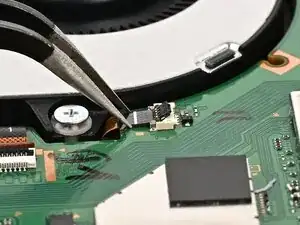
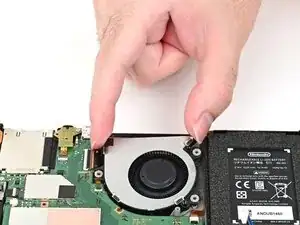
    • Use tweezers or your fingers to gently pull the cable out of its socket.

    • If you're using tweezers, pull the cable out by its "wings" instead of gripping the cable itself.

  3. N1aIEH5HFNENKevO
    N1aIEH5HFNENKevO
    D6YpjmKgyhPNSEG3
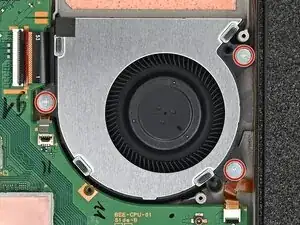
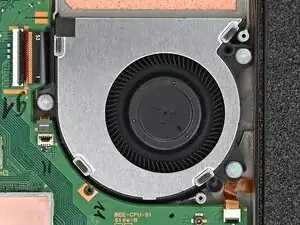
    • Use a JIS 00 driver to remove the three 5.2 mm‑long silver screws securing the fan.

  4. LYqjEdhfNLluKUoN
    LYqjEdhfNLluKUoN
    lynkDqVpQSCfqtyy
    qOvYnIopb1MAFced
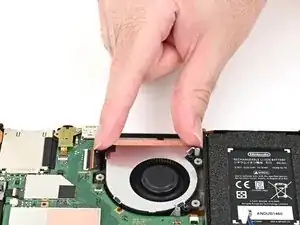
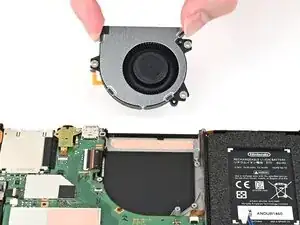
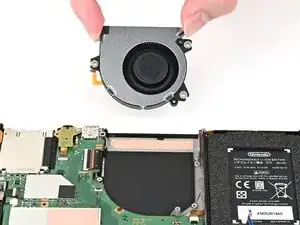
    • Slide the fan out of its recess to free its cable, then pick it up to remove it.

Conclusão

To reassemble your device, follow these instructions in reverse order.

Nick Schultz

Membro desde: 24/03/24

45909 Reputação

0 comentários