Introdução

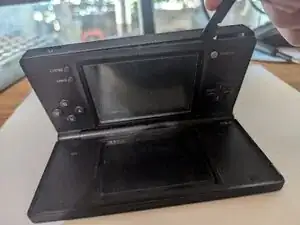
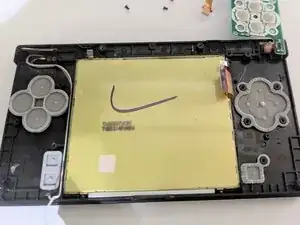
If the buttons on your Nintendo DSi aren't working properly, the input button pads may need to be cleaned or replaced. This guide will show you how to access, remove, and replace these input button pads.

Because this device has been released for several years, the battery may be swollen. If the battery is swollen, make sure you handle it carefully and properly dispose of it. A swollen battery can explode or potentially cause a fire.

Before you begin with this repair, please ensure the system is turned off and has no power source plugged in.

  1. ZdU1FfJOi2IUiGb3
    ZdU1FfJOi2IUiGb3
    cPYoFEWosYV2anax
    ccXMmtAjmliXOKVN
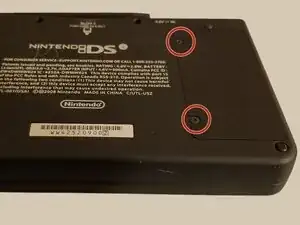
    • Remove the two 4 mm Phillips #00 screws from the battery cover and remove the cover.

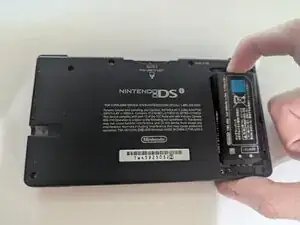
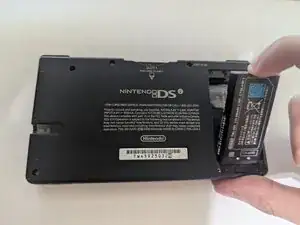
    • Remove the battery from its socket.

  2. cQfMSkGsHUKTigXO
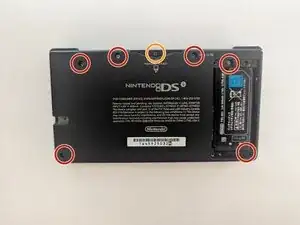
    • Use a Phillips #00 screwdriver to remove the following 7 Phillips screws from the back of the DSi:

    • Six 5 mm-long screws

    • One 2.5 mm-long screw

  3. 5wQluDPdDwZvmgKP
    5wQluDPdDwZvmgKP
    AWs5GfdRhwcVPXuZ
    jRg1v2sGt15oDH5M
    • Open and turn the DSi over so the screen is resting on the table

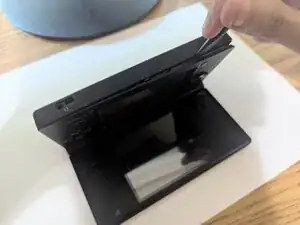
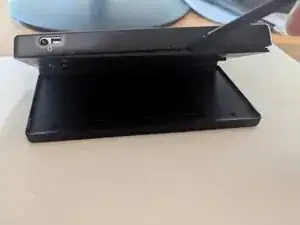
    • Insert the end of a spudger in between the outer casing and the lower casing and work it around the edge to release the clips holding them together.

  4. GNAOfGiRBoI5cZTJ
  5. Zvcn5RTR262dTkiX
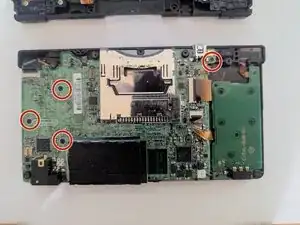
    • Remove the four 2.5 mm Phillips #00 screws from the board.

  6. StRBg6YiwoCc2xI2
    StRBg6YiwoCc2xI2
    rVIaRTLIGZYJfQCP
    FTTQ1HT11HB2oXwY
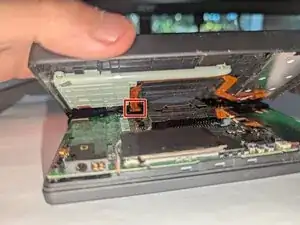
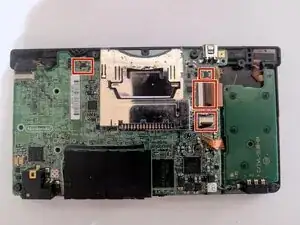
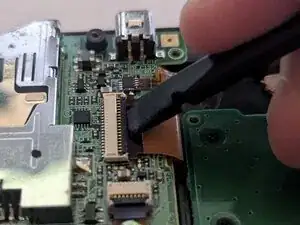
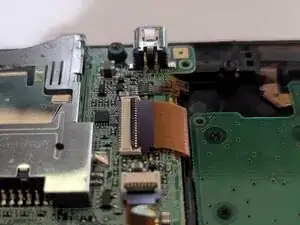
    • To remove the four ribbon cables, lift the black locking flaps with a spudger.

    • Then, with the pointed edge of a spudger, pull the ribbon cable away from the connection point.

  7. DFFIffWR5bUEgc5Y
    DFFIffWR5bUEgc5Y
    MbqFrDMHEZMKyM2q
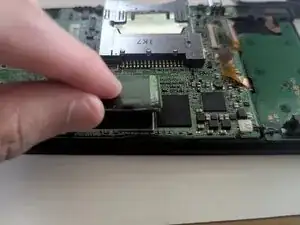
    • Slowly lifting the Wi-Fi card from the board to remove it.

    • Slide a thin, ESD-safe pry tool or angled tweezers under the metal neck of the Wi-Fi connector (as close to the head as possible) and lift straight up from the board.

    • When working with these connectors, it's important to always lift the head straight up. If pried on at an odd angle, you risk breaking the socket off of the board underneath.

    • Use tweezers to hold the connector in place over its socket and gently press down with your finger or a spudger—the connector should "snap" into place. If you're having trouble, reposition the head and try again.

    • Don't try to force the connector into place or you may permanently damage it.

  8. CEH6dhDROnd2ZIXV
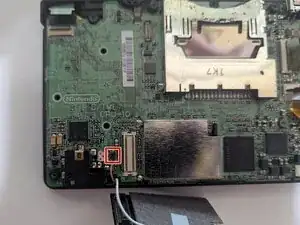
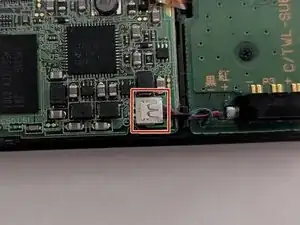
    • Push the tab up and away to release the battery cable connector from the socket on the board.

    • Use a spudger if you are having a hard time releasing the connector.

    • Take your time with this cable as it is hard to remove. Be careful that you don't pull on the wires as they can be easily damaged.

  9. QsYqRvDAE1dFiylL
    QsYqRvDAE1dFiylL
    aQkH3aSHvmiTMHUv
    mPD2DsGSOtX1gPT1
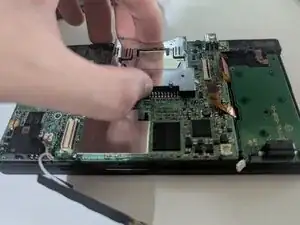
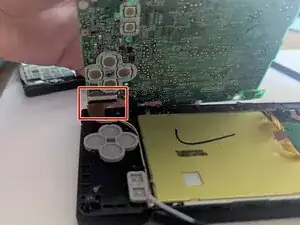
    • Hold onto the game cartridge slot and lift the board off the chassis.

    • You may need to slowly move/wiggle the board around to lift it.

    • Slowly flip the board on its back, as there is still a ribbon cable on the backside.

    • Unlock the black flap of the ZIF connector and use a spudger or tweezers to remove the ribbon cable.

  10. UESM3mXThTWY3umE
    UESM3mXThTWY3umE
    3ooErPOPhsLGBZVR
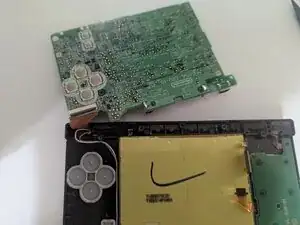
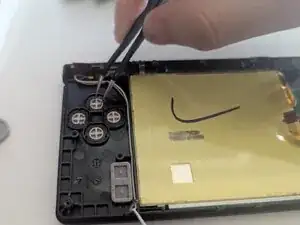
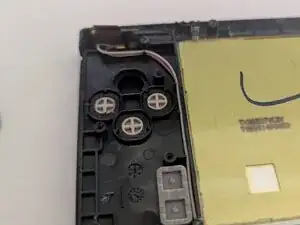
    • You now have access to the input button pads of the A, B, X, Y, and Start/Select buttons.

    • Remove them from the system.

    • To replace the pads, set them in the correct spot and press down gently.

    • Sometimes, all the input pad needs is some cleaning to work properly again. Try that out before completely replacing the button pads.

  11. PqsH24kEg6wRMdcX
    PqsH24kEg6wRMdcX
    QinKHdW5BRq2CTeC
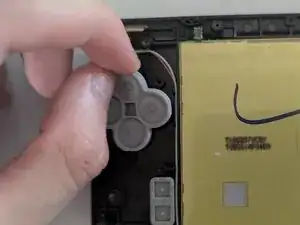
    • You may want to remove the buttons themselves to clean them. Using tweezers, lift the buttons out.

    • To place them back, simply put them back into their slot, and they will be good to go.

  12. PPZSRixKmOWWUAIT
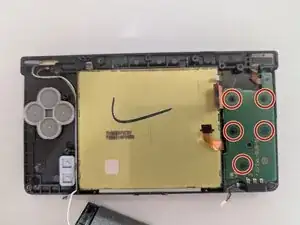
    • Remove the five 2.5 mm Phillips #00 screws securing the second board.

  13. UZbHfX3Fn3hQMDfi
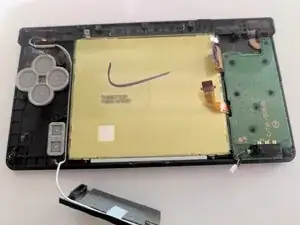
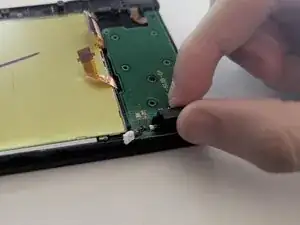
    • Slowly lift the board and flip it over.

    • Be gentle as there is one ribbon cable attached under the board.

    • It is not necessary to remove that cable.

  14. rSboIkVAZrJebCJU
    rSboIkVAZrJebCJU
    KkJFpuapGJCRi3EN
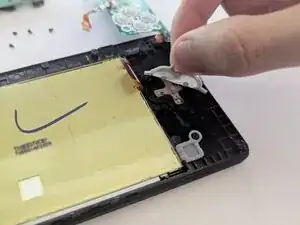
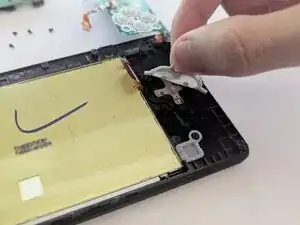
    • Remove and replace or clean the arrow and power input button pads.

Conclusão

To reassemble your device, follow these instructions in reverse order. Take your e-waste to an R2 or e-Stewards certified recycler.

BL2005

Membro desde: 09/04/25

253 Reputação

0 comentários