Introdução
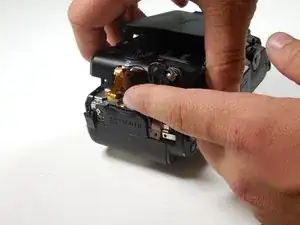
This guide showcases how to replace the back casing on a Nikon COOLPX p7700 camera. By following these seven simple steps, you should comfortably be able to remove the casing on the camera to get to the inside.
Ferramentas

-
-
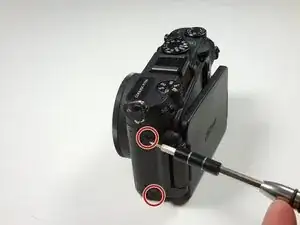
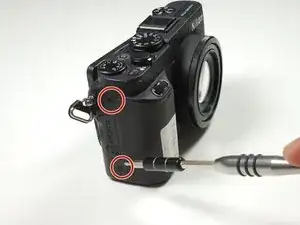
Turn camera to the left side and remove the two 4.3 mm black side screws using the Phillips #00 screwdriver.
-
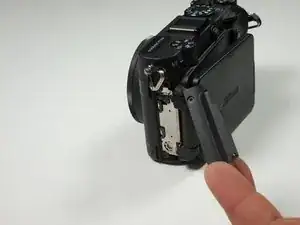
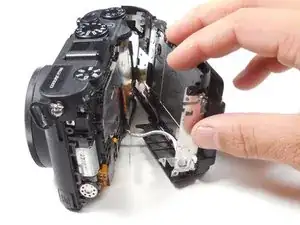
Remove the side panel.
-
-
-
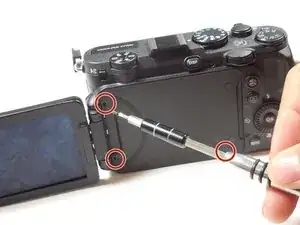
Open the touch screen, and remove the three 4.3 mm black screws inside using the Phillips #00 screwdriver.
-
-
-
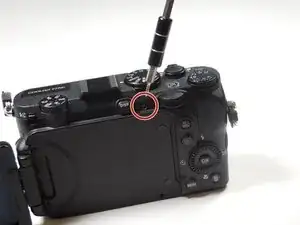
Remove the 4.3 mm black screw on top of the camera, right above where the screen folds out. Use the Phillips #00 screwdriver.
-
-
-
Remove the two 4.3 mm black screws on the right side of the camera using the Phillips #00 screwdriver.
-
-
-
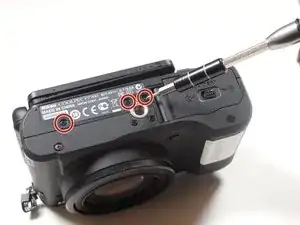
Remove the 4.3 mm black screws on the bottom of the camera using the Phillips #00 screwdriver.
-
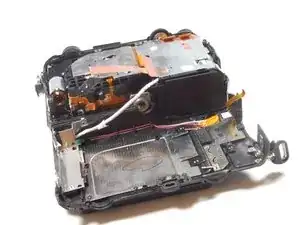
To reassemble your device, follow these instructions in reverse order.

My camera doesn't start
Marco Matembo -
My camera doesn't start I don't know what to do in Nikon Coolpix 7700
Marco Matembo -