Introdução

  1. miwjjftFuQahBFjY
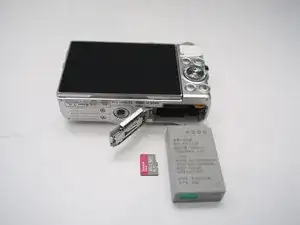
    • Remove Micro SD card and Battery

  2. jHqwA5ycCkLXhSTr
    jHqwA5ycCkLXhSTr
    hFPpRQwyS2XVApFp
    ecY1VSgGJWOJxG2m
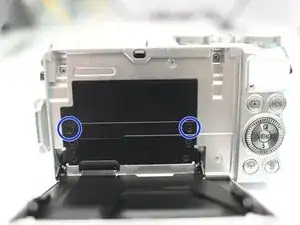
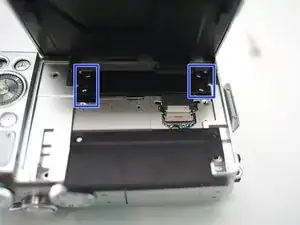
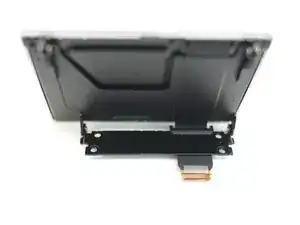
    • Remove 2 screws

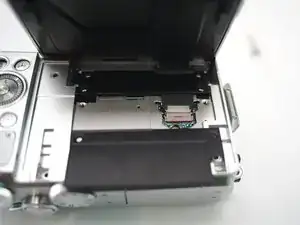
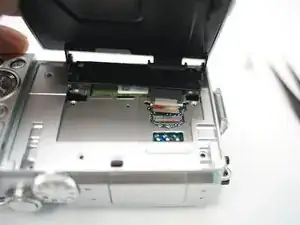
    • Open plastic LCD connector cover

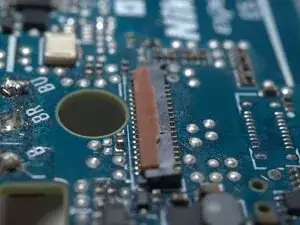
    • Lift FPC connector latch

    • Detach LCD FPC

    Hi I am struggling to lift up the FPC connector. Any advice?

    Ciara C -

    Locking machenism of this FPC connector is quite uncommon, I will upload some more photos to show you the details.

    Terrance -

    done. please check inserted step3 below.

    Terrance -

  3. SXPOKZbE1K3wOCLX
    SXPOKZbE1K3wOCLX
    SwiilWAIAAfeVoUc
    JdaTKEWYoHhKEfdd
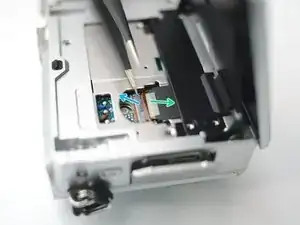
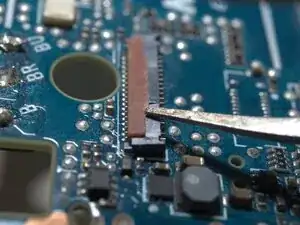
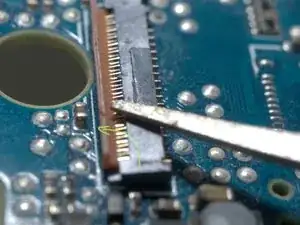
    • The FPC cable is inserted from right side of this photo.

    • Insert a fine tip tweezer or any thin flat tip tool under the latch, and gentally lift it.

    • The latch rotates CCW for about 90 degrees

  4. VCfwG2EXmQr4QnEd
    VCfwG2EXmQr4QnEd
    PRwPgENrYlbS2MOF
    twbGddOLkalKPVt3
    • Remove 4 screws

    • Remove LCD module

Conclusão

To reassemble your device, follow these instructions in reverse order.

Terrance

Membro desde: 18/11/09

6997 Reputação

0 comentários