Introdução
If your Motorola Moto G Power 5G screen is broken, has cracks, black spots, or lines across it or if parts of the screen don’t respond to touch, that’s a sign your screen is not working. Flickering or has a blank display also means the screen is likely damaged. These instructions show you how to replace your screen.


-
-
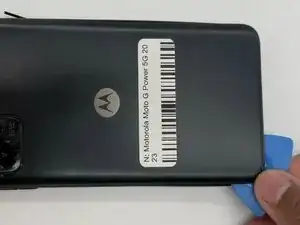
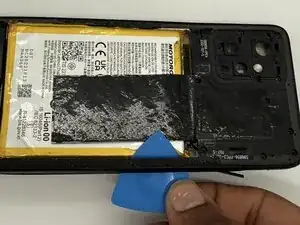
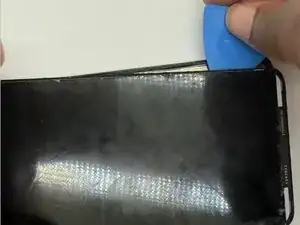
Slide an iFixit opening pick along the edge of the phone to loosen the back. Work slowly around the phone until the back cover begins to lift.
-
-
-
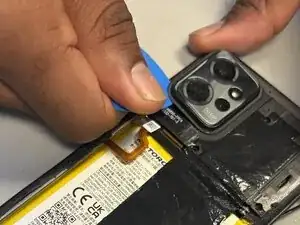
Use the iFixit opening pick to gently remove the back camera cover.
-
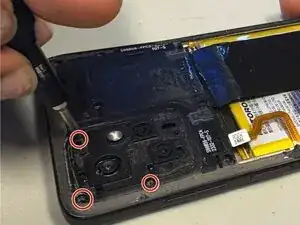
Remove the three 2.2 mm screws that were underneath the back camera cover using a Torx T5 screwdriver.
-
-
-
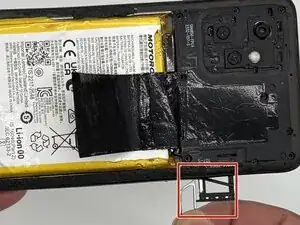
Insert SD Card remover into the hole next to the SD Card holder and remove the whole SD Card and its holder.
-
-
-
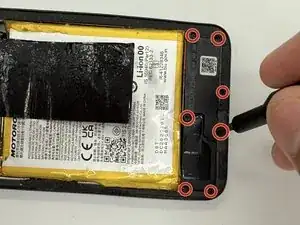
Remove the outer casing from the phone by sliding along the edges. Start from underneath the section of where the SD card was removed.
-
-
-
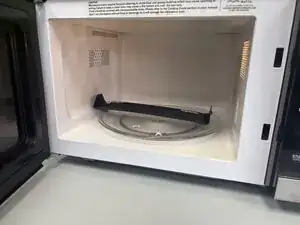
Warm up an iFixit iOpener for 30 secs.
-
Place the iFixit iOpener on the battery to loosen the screen's adhesive.
-
To reassemble your device, follow these instructions in reverse order.