Introdução

The rear cameras are always at risk of being damaged if they are dropped. If the images in your camera appear blurry or have lines through them, it may be the result of a broken rear camera.

  1. iUv1vfKMFlND1D5H
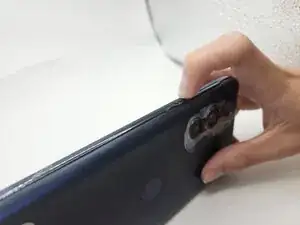
    • Press and hold the power button for 7 seconds.

    • You will know the phone is fully powered off when the Motorola logo appears on the screen.

  2. 6heNFC5IOMgUNEUS
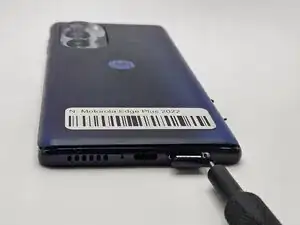
    • Insert a paperclip or SIM card ejector into the small hole located at the bottom of phone.

    • Gently push to release and remove the SIM card.

  3. WSnaDSuY3OxyZfi4
    WSnaDSuY3OxyZfi4
    mH36l24gCyOXwhcD
    WUiBEGMefLqdxGGO
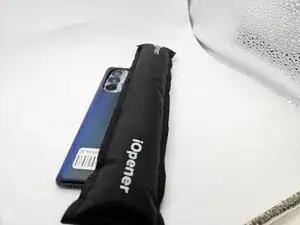
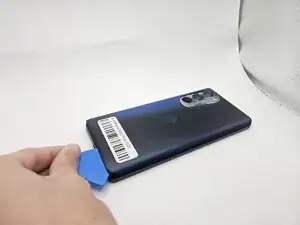
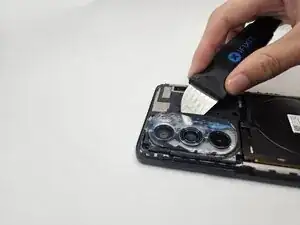
    • Use an iOpener, heat gun, or hairdryer to gently heat the perimeter of the phone.

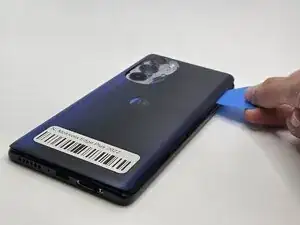
    • Insert and slide the iFixit opening pick around heated edges to sever the adhesive securing the rear cover.

  4. fKvrCbmspWRvwkWP
    fKvrCbmspWRvwkWP
    sHTUcUcAqMAtVH6G
    eTbBjTZoAgxblkXf
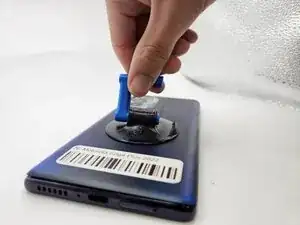
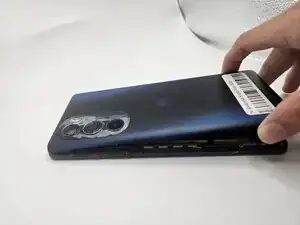
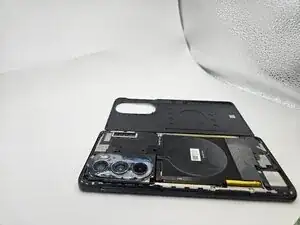
    • Gently remove the back cover using the suction handle or your bare hands.

  5. EA2sGlD2PFYKgYCs
    EA2sGlD2PFYKgYCs
    rmlG5fgAcZHCITVE
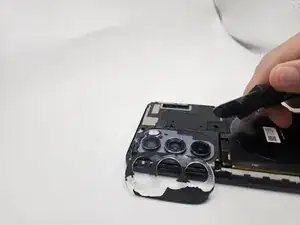
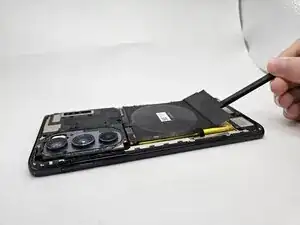
    • While applying light pressure, remove the camera bezel cover by sliding the jimmy along the edges.

  6. OQEpD5TkYCnMGWoI
    OQEpD5TkYCnMGWoI
    FDcohT6g1QCjUK2b
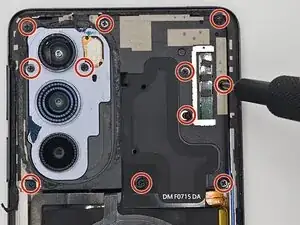
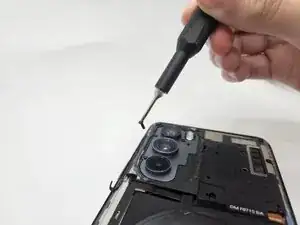
    • Use a Phillips #00 screwdriver to remove the twelve 1.5 mm black screws.

    • In case a screw gets lost, the exact specifications for all screws in this guide are OEM MOTOROLA EDGE+ PLUS 5G UW.

  7. FQebn5VAieftTNJP
    FQebn5VAieftTNJP
    gBKd6LAyPrQvLWwJ
    54oTN2FumAiUtCNh
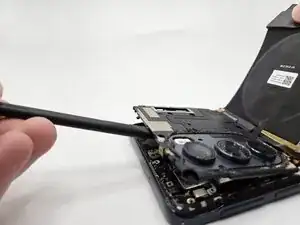
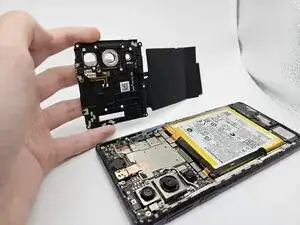
    • Remove the logic board by lifting gently with the flat end of the spudger.

  8. 1YErxBe33xW3LUbG
    1YErxBe33xW3LUbG
    lUdphZKxtcJOIQ6Q
    oDEm5jOXrnLQuWBL
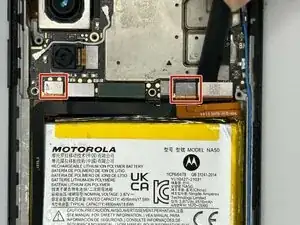
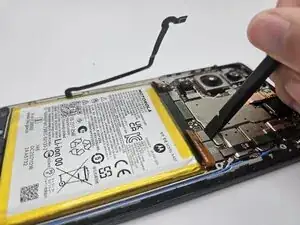
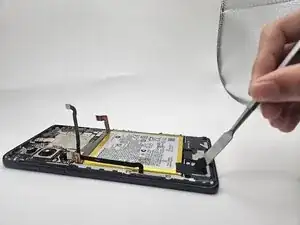
    • Use the flat end of a spudger to to pry up and disconnect the two press connectors on either side of the battery.

    • Located in the bottom left corner of the battery, remove the tape (black in the image) with a spudger.

  9. yEJ2GtaBTbxsVLuW
    yEJ2GtaBTbxsVLuW
    bWBouwNoTXKETPqp
    J3DQOhSBHPM2xWoO
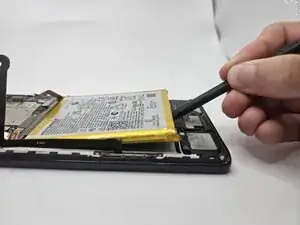
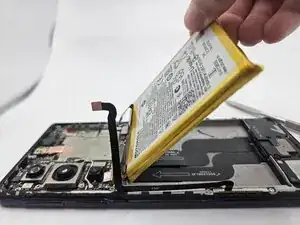
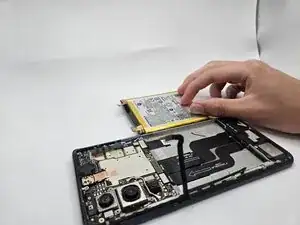
    • Gently lift the battery up using the black spudger and remove.

    • Applying too much force when removing the battery may damage it. Take care not to bend, warp, or puncture the battery.

    • Apply a few drops of isopropyl alcohol if the battery is tightly adhered.

    I find that 3-in-1 oil works great with a pry tool for these adhesives

    Nicholas Forystek -

  10. qAWxlhUZoxV646yc
    qAWxlhUZoxV646yc
    eoxk2EBnfB2uYKEU
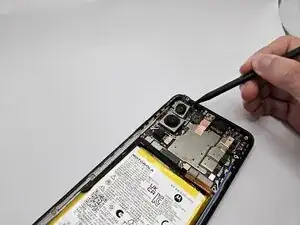
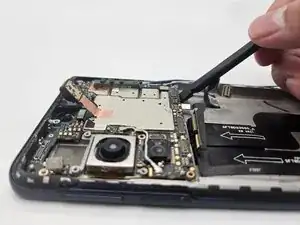
    • Use the flat end of a spudger to disconnect the upper camera press connector.

    • Wedge the spudger under the camera and apply pressure until it dislodges.

  11. SiFCMZPATudwUXcL
    SiFCMZPATudwUXcL
    eY2vHDtRDQQjAMY2
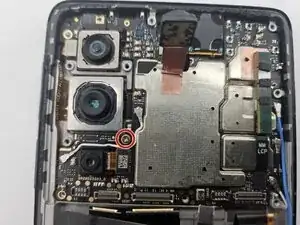
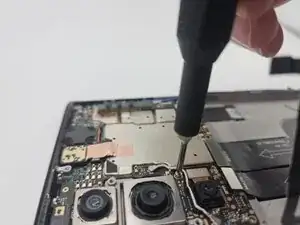
    • Use a Phillips #00 screwdriver to remove the single 1.5 mm silver screw on the motherboard.

  12. Eb1v51CdO1NwNCmv
    Eb1v51CdO1NwNCmv
    mQubyQUqNNrOVorE
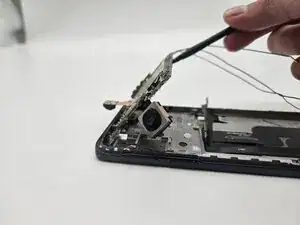
    • Use the black spudger to remove the motherboard by lifting at the base of the board as seen in the image.

    • Blue and black wires may become disconnected when removing the mother board. The wires can be reconnected once the camera - attached to the motherboard - is replaced.

  13. nvyTaVLUE1CuGoFV
    nvyTaVLUE1CuGoFV
    wVUZUQvCmpRrnYj4
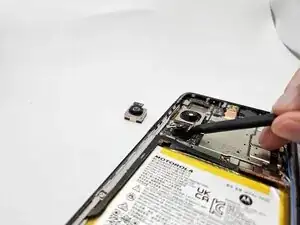
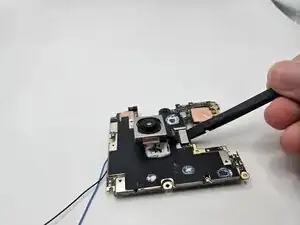
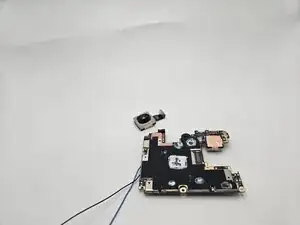
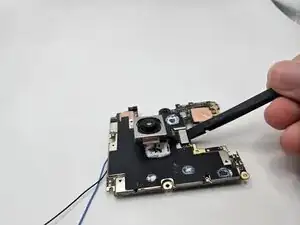
    • Using the flat end of the black spudger, lift under the silver connector ribbon to remove the final camera.

Conclusão

To reassemble your device, follow the above steps in reverse order.
Take your e-waste to an R2 or e-Stewards certified recycler.
Repair didn’t go as planned? Try some basic troubleshooting or ask our Answers community for help.

Ilan Neiman

Membro desde: 10/09/25

303 Reputação

0 comentários