Introdução

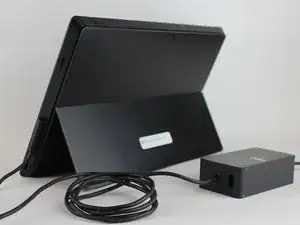
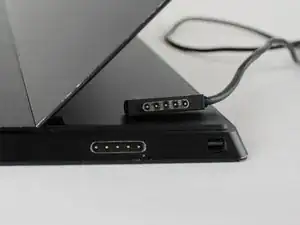
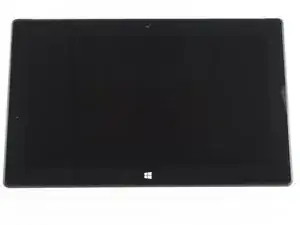
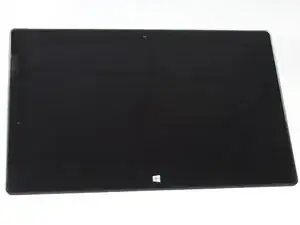
If your screen is unresponsive to touch, cracked, or flickering than placing your screen may solve these problems.

  1. fMQEhD2v4jxPLDyL
    fMQEhD2v4jxPLDyL
    YOwSEmD5FQ3exqEC
    • To avoid electrical shocks, unplug and turn off your Surface Pro 2 before proceeding.

  2. TYSheDpff1mufOPB
    • Avoid any skin or eye contact with the heating pad or heating gun because they may cause bodily harm.

    • Using a heating pad or heating gun, heat the edges of the screen to soften the glue. This area extends roughly one inch from the edge of the device.

    • The glue is under the darker border of the device display.

  3. BQXsTnlvGB6KWIPD
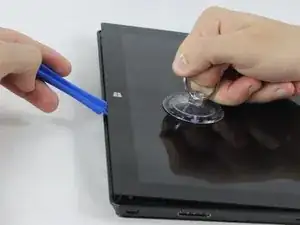
    • Using a plastic opening tool and a suction cup as needed for leverage, gently insert one edge of the opening tool under the corner of the screen.

    • If the tool does not easily slide under the screen, return to heating before proceeding.

    • Slowly work the tool around the entire edge of the screen.

  4. GTvUuc5OeoXXvjTx
    GTvUuc5OeoXXvjTx
    5bEqNLbgsZZ6S3AO
    2JPfNVPcjeMHmhQr
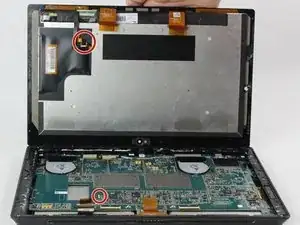
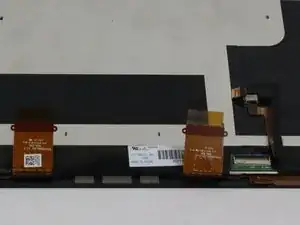
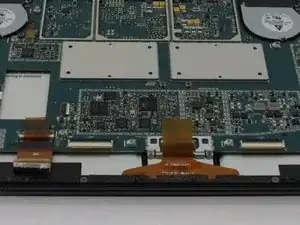
    • Detach the orange cables that connect the screen to the motherboard by pulling on the small tabs. Using the nylon spudger, release these cables.

    • Please note the third small connector in red.

    • Allow the glue to cool before letting it come into contact with any other surface.

Conclusão

To reassemble your device, follow these instructions in reverse order.

Mathew B

Membro desde: 19/09/16

323 Reputação

6 comentários

After replacing the screen my surface will turn on but the screen is just black.... in device manager its showing up as a 'Digital Flat Panel'

yet the screen is still black.. faulty replacement panel???

austin jones -

Same thing happening to me… :(

Marco -

I did this procedure but i dont know why the display is not working it blink and then turnoff can somebody help me how to fix this problem

Smart Instruments -

I purchased a screen replacement (LCD and Digitizer), but apparently, the flex from the motherboard to the screen (the small connector in red as well as the one on the lcd) are missing. Is there a way or place I can purchase just those flex? Or do I need to get a whole new motherboard?

Roselite -

Myne doesn't boot. The display is dack nothing happens. It's like it's not charging. What do I do. Thanks

ARCHER TABULEY -

I might know why it is blank for y’all since I’ve just had the problem when I was doing maintenance on my surface pro 2

[note i take my surface pro 2 apart]

When I went to plug back in the display cable nothing showed up I flipped the cable around nothing but touch is working and the laptop does see the display and when I unplugged i it showed it being plugged in and unplugged

[note DO NOT UNPLUG ANYTHING WHEN THE LAPTOP IS RUNNING I KNOW WHAT IM DOING]

So ether i ripped a bit of the cable or the connector is damaged

King puro -