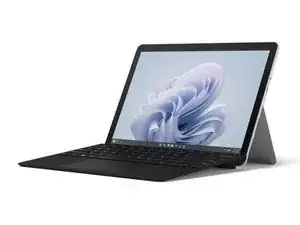
Introdução
This video provides a simplified, visual walkthrough of Microsoft Surface Go 4 repairs. The video covers the kickstand, display, antenna deck, rear camera, front camera, IR camera, motherboard, speaker, SD slot, and blade connector. It's not intended to replace the detailed instructions and safety information provided in the Microsoft Service Guide. Always review the instructions and safety information in the Service Guide before opening your device or attempting repairs.
Chapters
00:00 Preparation
Disassembly
00:43 Kickstand
01:34 Display
04:27 Antenna Deck
04:44 Rear Camera
05:07 Front Camera
05:19 IR Camera
05:33 Motherboard
06:28 Speaker
06:49 SD Slot and Blade Connector
Reassembly
07:23 SD Slot and Blade Connector
07:51 Speaker
08:12 Motherboard
09:05 IR Camera
09:15 Front Camera
09:26 Rear Camera
09:39 Antenna Deck
09:51 Display
11:25 Kickstand
Ferramentas


Peças




After your repair, test your Surface Pro with Microsoft's Surface Diagnostic Toolkit.
Take your e-waste to an R2 or e-Stewards certified recycler.
Repair didn’t go as planned? Try some basic troubleshooting, or ask our Answers community for help.

Kleine Anmerkungen zur Anleitung:
Den Akku würde ich immer als letztes verbinden, bzw. so spät wie möglich - aber sicher nicht bevor die Kamera Module wieder angeschlossen sind.
Die Lautsprecherabdeckung kann man wiederverwenden, wenn die nicht komplett zerstört ist.
Das Display erst komplett verkleben, nachdem man mit dem SDT einen kompletten Funktionstest gemacht hat (sonst muss man das auf blöd wieder öffnen)
Stephan Schmuck -