Introdução
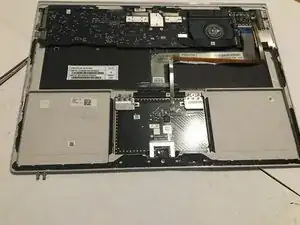
This guide takes a deep dive into dissassembling and replacing the battery of the Microsoft Surface Book Keyboard. The steps are nearly identical between sizes.


-
-
You should use an iFixit jimmy tool, a set of screwdrivers conaining a Torx T4, and a phillips bit, and an iOpener. You can be risky like me and use a hair dryer and a scraper! The T4 is necessary though
-
-
-
-
-
Heat up the area until unpleasant to touch using a heat gun or hair dryer.
-
This should be around 130 degrees Fahrenheit.
-
-
-
Use your jimmy to GENTLY pry the cover up. This is hard. It will take a while if you suck like me.
-
-
-
Insert jimmy.
-
Tilt the jimmy flat.
-
Give a pick a little room to insert.
-
pull out the jimmy.
-
Insert into a different location on the device
-
-
-
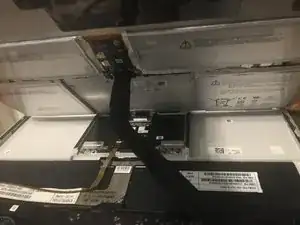
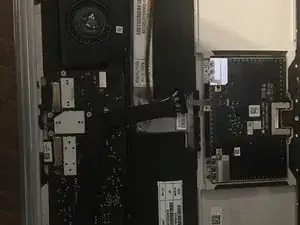
Disconnect the ribbon cable from the battery to the motherboard. you can disconnect it from the battery side.
-
-
-
Grab a nonmetal bucket, and fill it with sand. (1/2 gallon should do it)
-
This is in case the batteries get punctured or catch fire when being removed.
-
-
-
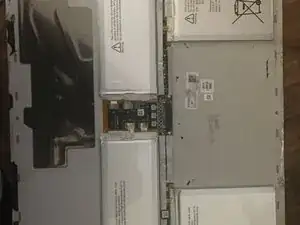
Gently, take your opening picks, and VERY, VERY gently, scrape the adhesive out from under the battery.
-
Put the batteries in the bucket and take them to a nearby battery recycling facility. battery recycling facility list
-
-
-
Unpackage your new, beautiful, fantastic Surface Book Keyboard battery.
-
Take that battery, and take some of that adhesive, stick it to the back of the battery.
-
Put it on the backplate.
-
Plug in the connector that was keeping you from being able to pull the backplate off.
-
Congratulations! You did it!
TYSM for reading this guide!
To reassemble your device, follow these instructions in reverse order. Just don't pry in reverse. That won't work.

Um comentário
Which adhesives should I purchase for this replacement?