Introdução
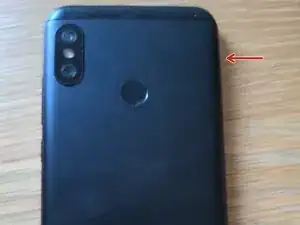
This guide will help you replace the battery in your Mi A2 Lite, model number M1805D1SG.
If you need to order a battery, its model number is BN47 and can be found on sites such as AliExpress.


-
-
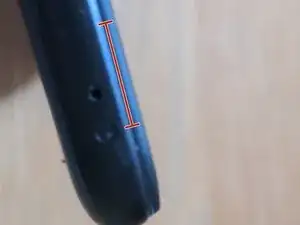
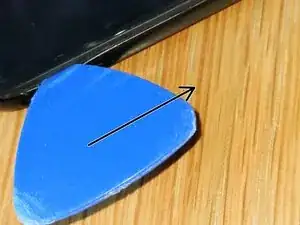
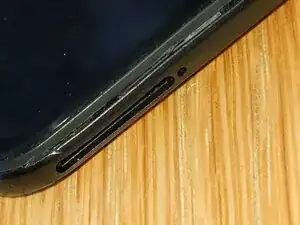
Start by inserting a plastic pick into the area above the SIM card tray. Then slide it down the long edge of the phone - you should see the plastic start to separate if you do it right.
-
Continue prying all the way around the phone, until the back cover is free to come off. (Don't remove it yet, there is still a ribbon cable!)
-
-
-
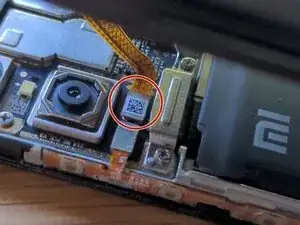
Use a plastic tool or spudger to pry up the press connector shown in the photo
-
Now the back cover can be removed and set aside.
-
-
-
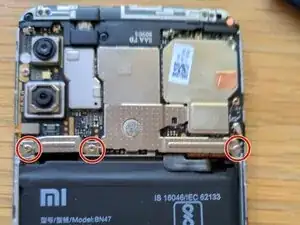
Unscrew the three Phillips #0/#00 screws shown in red
-
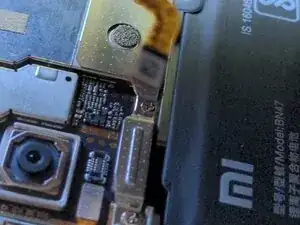
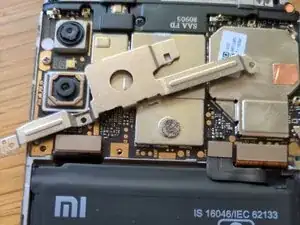
Then pry up the metal shield that covers the battery connector. I don't recommend metal tools in case you cause a short.
-
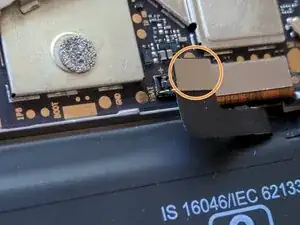
Set aside the shield and pry up the press connector for the battery.
-
-
-
Though this step is optional, skipping it will mean you are more likely to break the adhesive strips in the next step.
-
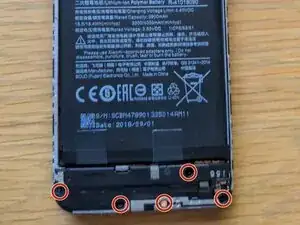
Remove the five Phillips screws shown in red. One of them is covered by a security sticker which you can remove with tweezers.
-
Carefully pry up the speaker module and set it aside.
-
-
-
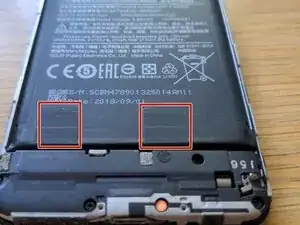
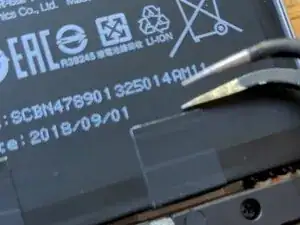
Using tweezers, firmly grip one of the black pieces of tape, and start peeling it up.
-
When the tape is free, you should see part of the white stretch release adhesive. This is easy to break, so make sure you pull gently and at a low angle.
-
Keep on pulling the adhesive until it is completely removed; it shoud stretch to many times its original length.
-
If the strip breaks off underneath the battery, don't panic! Have a look at the next step.
-
Repeat for the other adhesive strip.
-
-
-
Using a syringe, apply 99% isopropyl alcohol into the area under the broken strip. Wait a few minutes for it to flow under the battery and break up the adhesive.
-
Now the battery can be removed with a plastic pick or suction cup. If the adhesive is still strong, don't force it, just apply more alcohol.
-
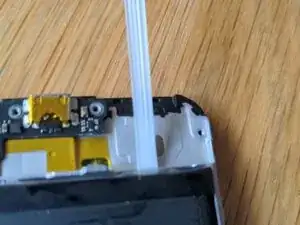
To reassemble your device, follow these instructions in reverse order.
Check out this guide on installing new adhesive strips.
Don't forget to take your old Li-Po battery to a recycling centre!