Introdução

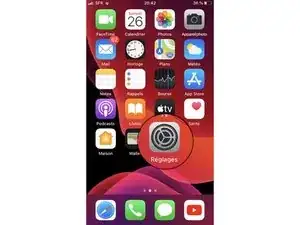
  1. u5D26PEKTjLGmtkR
    • Ouvrir l'app Réglages.

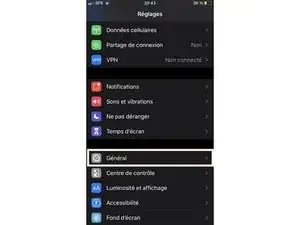
  2. YZklyiMXaBT3NbFF
    • Balayez l'écran pour trouver la catégorie Général. Puis sélectionnez-la.

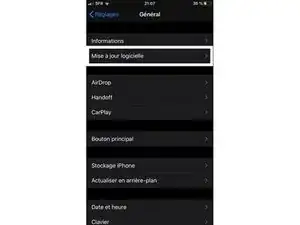
  3. dWd6HaTDLUyYovO3
    • Sélectionner le menu Mise à jour logicielle.

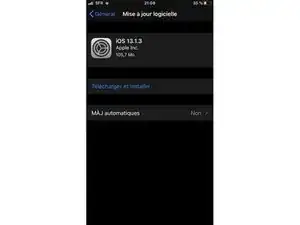
  4. aGdKDR2u5gtOyxr4
    • Si une mise à jour est demandée, sélectionnez Télécharger et installer.

    • Votre appareil doit être en WiFi et branché sur secteur ou être chargé à plus de 50%.

Conclusão

Pour réassembler votre appareil, suivez les instructions dans l'ordre inverse.
Tom

Membro desde: 23/10/19

403 Reputação

2 comentários

Question: what to do when (after pressing the update button) your iPad tells you that it's up to date, and doesn't offer any other option?

Joe Garza -

Hello !
It means that your iPad already have the latest firmware version available. The last iPadOS version is not compatible with every iPad, you can find thoses informations on the Apple website:

https://support.apple.com/en-us/HT213411

Wiwok -