Introdução

This guide shows how to remove and replace the facial interface (aka face padding, face cushion, or face cover) for the Meta Quest 2.
  1. B31djmGYZZHCBoti
    B31djmGYZZHCBoti
    OEu2hrgBLV4wSLKR
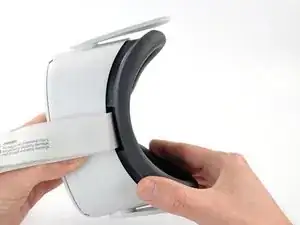
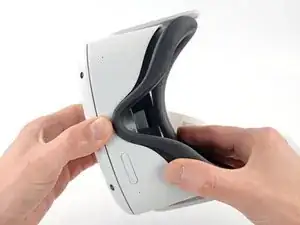
    • Grasp and pull on the nose section of the facial interface to unclip it from the headset.

    Photos of each step and interim made this guide so easy to follow.

    For.The.Tech.Of.It -

  2. Be2J2NaNLeqZuRhi
    Be2J2NaNLeqZuRhi
    BFoGtcvupgIvCQIK
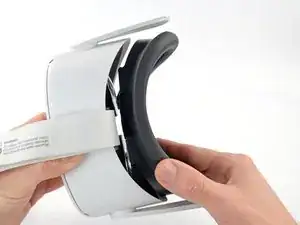
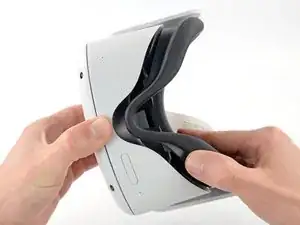
    • Grasp and pull on the top section of the facial interface to unclip it from the headset.

  3. uLFjxFFQlhXdWAtB
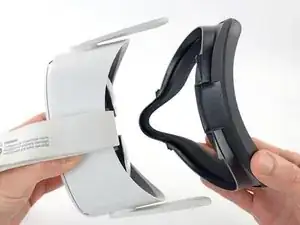
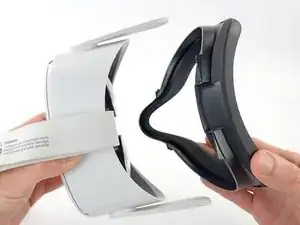
    • Remove the facial interface.

    • During reassembly, align the facial interface to the headset and use your fingers to press along the perimeter to clip it back in.

Conclusão

To reassemble your device, follow these instructions in reverse order.

Repair didn’t go as planned? Try some basic troubleshooting, or ask our Answers community for help.

Arthur Shi

Membro desde: 03/01/18

326111 Reputação

Um comentário

something to note: after removing it many times the facial interface may begin to crack

Tipsy The Cat -