Introdução

This guide shows how to remove the three lower feet on your Logitech K540 wireless keyboard. If you're opening the keyboard up, you only need to remove these feet.

  1. 3G3FwnJDaFEVhPOB
    3G3FwnJDaFEVhPOB
    A5PkNXuGVy5ixMNW
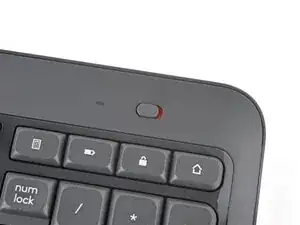
    • Slide the power switch on the top right corner to the OFF position.

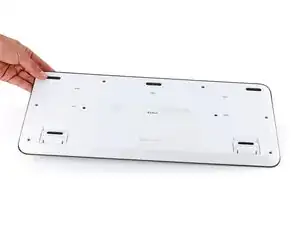
    • Flip your keyboard over and lay it down so the edge with the two tilt legs is closest to you.

    • If your work surface might scratch the keyboard, place a soft towel under it.

  2. jK1Pifa4XBjSjWIQ
    jK1Pifa4XBjSjWIQ
    Elr4iY6VvC3gMBua
    QyHxVBcKDh5kGEkj
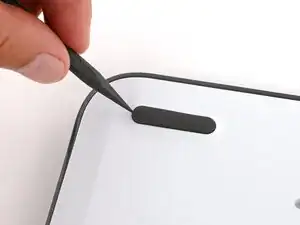
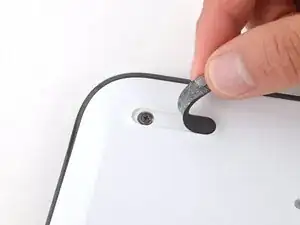
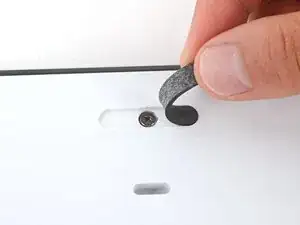
    • Light adhesive secures the three rubber feet along the edge of the keyboard. If you're having trouble removing them, use an iOpener or hair dryer to lightly heat them.

    • Insert the point of a spudger under an end of the foot.

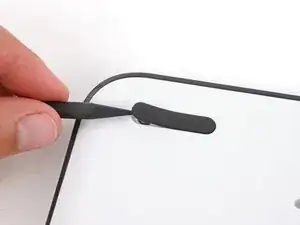
    • Push the spudger underneath the foot and lift until you can grip it with your fingers.

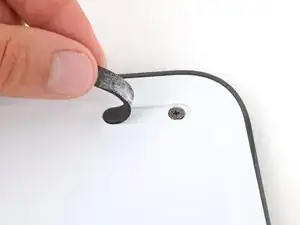
    • Peel the foot up and remove it.

  3. ThYabjxmJq5qO51L
    ThYabjxmJq5qO51L
    5ypIiwxyGXUTAZJI
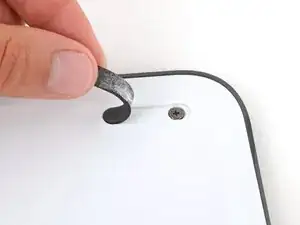
    • Repeat the previous step to remove the two remaining feet.

Spencer Day

Membro desde: 14/09/22

165254 Reputação

0 comentários