Introdução
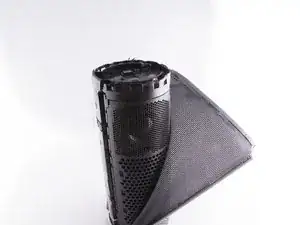
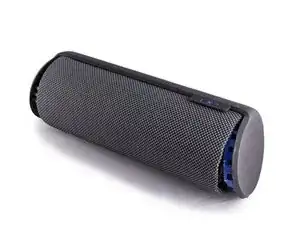
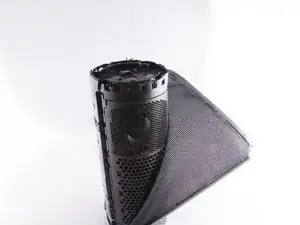
This is a guide designed to assist you in removing and replacing the Logitech UE Megaboom outer mesh.
Ferramentas


-
-
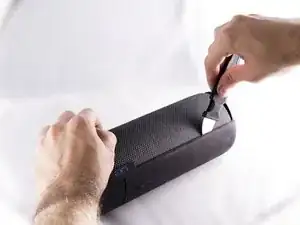
Locate the ends of the speaker.
-
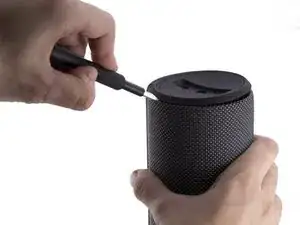
Put a plastic opening tool in-between the rubber end and the mesh.
-
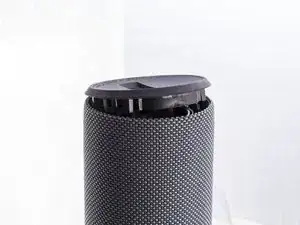
Apply a upward force in order to pry open the end.
-
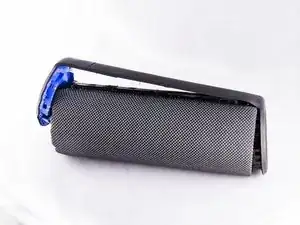
Apply this procedure to the other side as well.
-
-
-
Take the Jimmy and pry up the rubber strip that has the volume buttons on it.
-
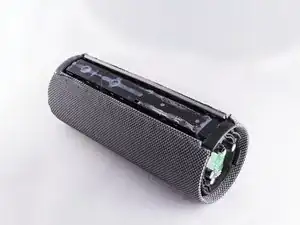
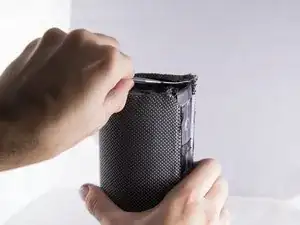
Remove all the rubber you pried off.
-
Conclusão
To reassemble your device, follow these instructions in reverse order.

2 comentários
You know where to buy a replacement mesh in custom colors
Bonjour merci pour le tuto mais ou trouve t-on le “outer mesh” de remplacemet????
Merci d’avance
Evan
Pry all the way around with the tool as there are “clips” that hold the cap in place all around beneath the cap. Avoid trying to “pull the lid open” from the opening of a half opened lid.
Jamin Hu -
Stop! Before you proceed, notice the comments at the end of the guide. You don't have to take apart both sides or remove the mesh fabric. Remove just the bottom cap (with the aux/charge plug).
Then carefully remove the glue securing the circuit board on the sides and gently pull the board out to reveal the battery under it.
Caleb Kelsay -
FWIW I had no luck opening these caps with the tools I bought on iFixit (plastic pry bar, metal Jimmy). I had a lot more luck using the flat edge of a butter knife! (it still took lots of work on my UE Megaboom 3)
Travis Taylor -
My megaboom berttrey doesn't charge it becomes like power defending
Lawrence Memsong -
1) You WILL ruin the cosmetics of your Megaboom.
2) Don't use any of the pry tools or long bars from your iFixit Toolkit. They will break. Even the metal bar bent. I ended up using flathead bits numbered 3 and 4 in the iFixit Pro Tech Toolkit.
3) You will need an insane amount of force to pry this bad boy open.
4) BE CAREFUL! (I sliced my palm open while trying to pry.)
5) There are these 'clips' that secure the endcaps down.
6) The USB side is MUCH easier to open than the Power Button side.
My advice:
Use a proper long flathead screwdriver to pry. Length is important so you will have leverage.
Locate the little gaps in the clips and PUSH your flathead in, then pry up. There are 4 sets of 2 clips on the USB side with 2 gaps in each set. The gaps are the clips. The Power Button side is a tougher to open. There are 2 sets of 4 clips. With the volume buttons facing away from you, the clips are between 1:30 - 4:30 and 7:30 - 10:30.
Once you've pried the caps, LIFT THE CAPS SLOWLY or you may tear the rubber strip at the 90deg bend.
Ian Arvin -