Introdução

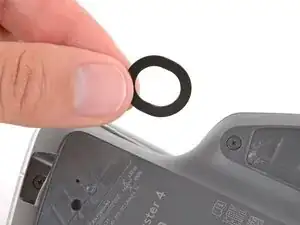
Follow this guide to replace worn‑out or damaged feet (also known as skates, glides, slides, or pads) on your Logitech MX Master 4.

  1. LGOtBqe1BXxST4vO
    LGOtBqe1BXxST4vO
    drMde6PI2KVguG1O
    XOEJjjaLWfhECJVc
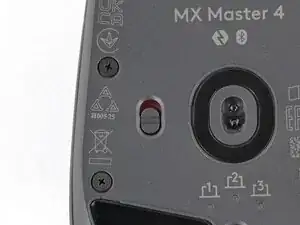
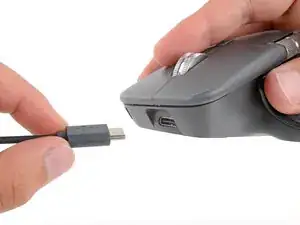
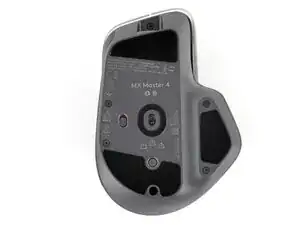
    • Flip the mouse's power switch down into the OFF position and unplug any cables.

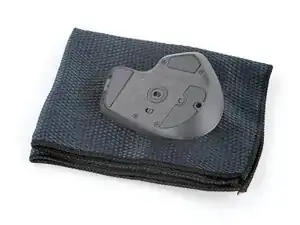
    • The mouse's unique shape prevents it from laying flat. If you need to, lay it down on a soft towel to prevent wobble.

  2. OvEfSDqfQrpw6KBH
    OvEfSDqfQrpw6KBH
    1JOQRuYmOgWxRd6V
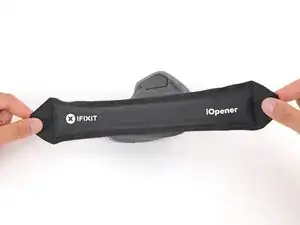
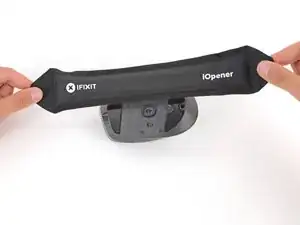
    • Mild adhesive secures the mouse feet. Heating them will soften the adhesive, making it easier to cleanly remove the feet.

    • Heat an iOpener and lay it on each of the mouse feet for one minute.

    • Alternatively, you can use a hair dryer to soften the mouse feet adhesive.

    • When using a hair dryer, don't heat the feet for more than a couple seconds at a time or you risk melting or warping the plastic case.

  3. i6YGlWAktRDAnyRH
    i6YGlWAktRDAnyRH
    xJWidmmJB6RxQym1
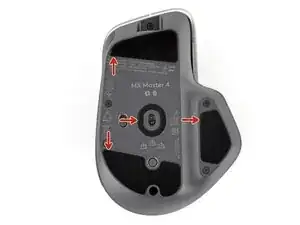
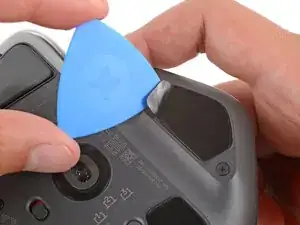
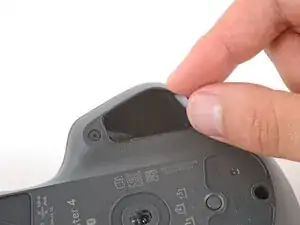
    • Each mouse foot recess has a small notch. Insert your tool near the notch to cleanly remove the feet.

  4. QWNLKxG6NXDTrFKd
    QWNLKxG6NXDTrFKd
    S4AEsDHyNVmNiClq
    3VRGpyvcU3PIWyrZ
    • If any of the feet feel stuck when removing them, apply more heat and try again.

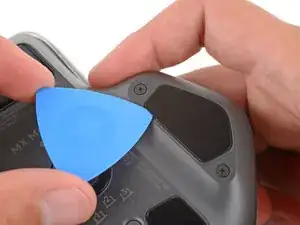
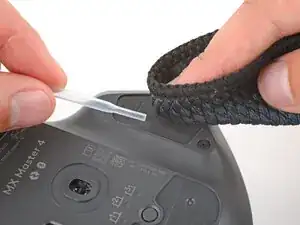
    • Slowly slide the tip of an opening pick under one of the feet.

    • Make sure the pick slides under both the foot and its adhesive pad—the two layers can easily separate.

    • Slide the pick farther under the foot and lift until you can grip the foot with your fingers.

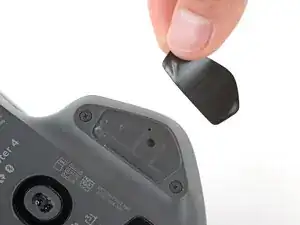
    • Use your fingers to peel up and remove the foot.

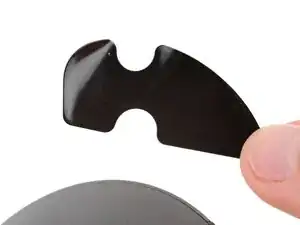
    • If the foot separated from its adhesive pad, use the same process to remove the pad.

  5. TK5pHWXRBAUigEoN
    TK5pHWXRBAUigEoN
    ZrAxLHbJjmudgKyH
    ICBfmle2BbpfxvFV
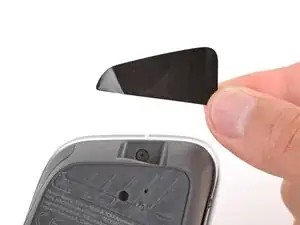
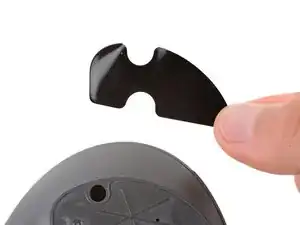
    • Repeat the previous step to remove the remaining mouse feet.

  6. qVYuZy1evKohuHOO
    qVYuZy1evKohuHOO
    4jsMKxLtSAUWTEKy
    • To install new mouse feet:

    • Thoroughly clean all the foot recesses with isopropyl alcohol and a lint‑free or microfiber cloth. Allow the surface to dry completely.

    • Peel your new mouse feet off their adhesive liners and press them firmly into place.

Conclusão

Congratulations on completing your repair!

Repair didn’t go as planned? Try some basic troubleshooting, or ask our Answers community for help.

Spencer Day

Membro desde: 14/09/22

165254 Reputação

0 comentários