Introdução

Use this guide to replace worn-out or damaged feet (also known as skates, glides, slides, or pads) on your Logitech MX Anywhere 3 for Mac.

While it’s possible to cleanly remove the feet, you may need replacements if one rips or separates from its adhesive pad.

  1. ibXKHNbiHOMFhbFs
    ibXKHNbiHOMFhbFs
    jUsBXeFx6SWgXKbA
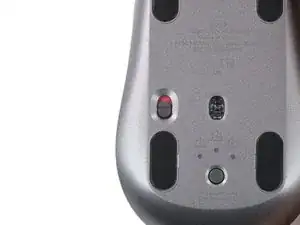
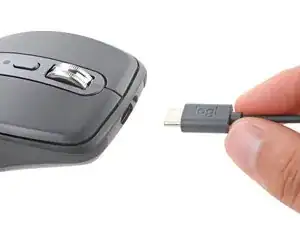
    • Slide the mouse's power switch to the OFF position and unplug any cables.

    • Flip the mouse over so the feet are facing up.

    • The unique shape of some mice can prevent them from laying flat. If you need to, lay your mouse on a soft towel to prevent wobble.

  2. RyUFDDkl3MVRCXKC
    • If you're planning to reuse your existing mouse feet, the adhesive needs to be thoroughly heated to cleanly remove them.

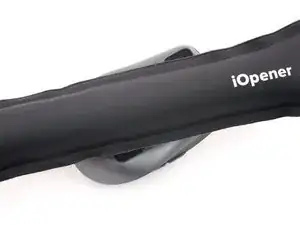
    • Heat an iOpener and lay it on the mouse feet for about two minutes to soften the adhesive.

    • Alternatively, you can use a hair dryer to soften the mouse feet adhesive.

    • When using a hair dryer, don't heat the feet for more than a couple seconds at a time—anything hotter than just warm to the touch risks melting or warping the plastic case.

  3. UAYxW4VMNHwsHtxo
    UAYxW4VMNHwsHtxo
    BykwlMZGBaun3VOW
    LlCwZeQAewKIs41n
    • While you wait for the adhesive to soften, note the following:

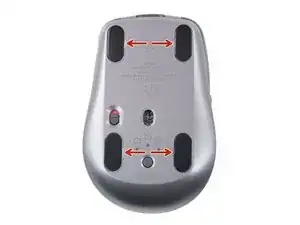
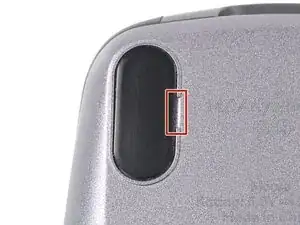
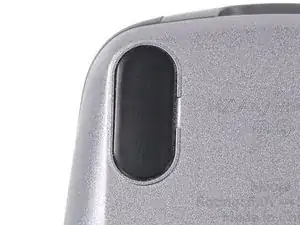
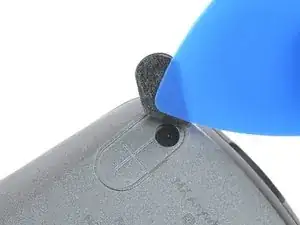
    • There are small gaps in the rims surrounding each foot. This is where to insert your tool when peeling up the feet.

  4. ScBiFTZdTAXiLrxP
    ScBiFTZdTAXiLrxP
    ERZDn6aI2XlU5aSV
    oGFMAv461mbmsdgI
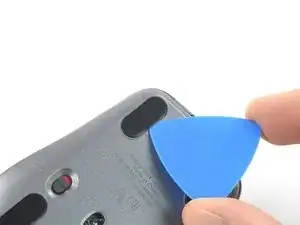
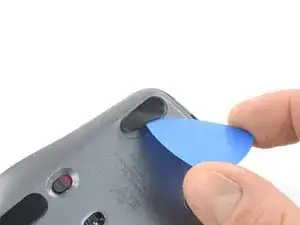
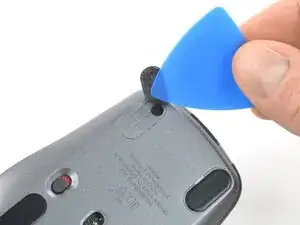
    • Push the tip of an opening pick (or spudger) underneath the mouse foot, into the gap in the rim.

    • Go slowly, and make sure the pick slides underneath both the foot and its adhesive pad—these layers separate easily.

    • If you plan on reusing your mouse feet, be careful not to crease them or separate them from their adhesive pads.

    • Slide your pick under the foot and lift to remove it.

    • Repeat the process to remove the three remaining mouse feet. If you're having trouble sliding the tool under a foot, reheat it and try again.

    • To install new mouse feet:

    • Use a pair of tweezers or a spudger to remove any large chunks of leftover adhesive. Thoroughly clean the bottom of the mouse with isopropyl alcohol and a lint-free of microfiber cloth. Allow the surface to dry completely.

    • Peel your new mouse feet off their adhesive liners and press them firmly into place.

    I would also suggest Tesa 61395 Tape as a replacement for the adhesive for the feet. It is extremely strong when applied.

    I use it on the back of a metal plate adhered to my phone for a magnet mount in my car. And is on a silicone case.

    Amazing tape and extremely thin.

    Paolo Alberto -

Conclusão

Compare your new replacement part to the original part—you may need to transfer remaining components or remove adhesive backings from the new part before you install it.

To reassemble your device, follow these instructions in reverse order.

Clay Eickemeyer

Membro desde: 19/09/22

99651 Reputação

0 comentários