Introdução
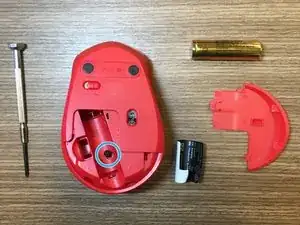
This guide is to help you disassemble Logitech M331/M330 mouse and clean the mouse wheel.
Ferramentas

-
-
Flip the mouse over so the power switch is facing up.
-
Slide the battery door towards the back of the mouse to release its clips and remove it.
-
Remove the battery (if installed).
-
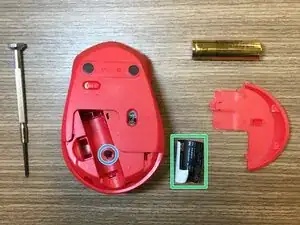
Remove the sticker from the battery well.
-
Use a Phillips screwdriver to remove the black screw in the battery well.
-
-
-
Carefully detach the upper case and the lower case of the mouse by holding the lower case and sliding the upper case forward.
-
-
-
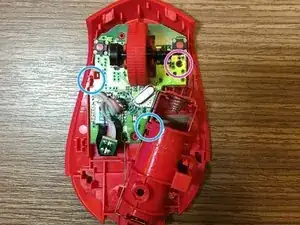
Unscrew the screw in the purple circle and unfasten the plastic pins in blue circles to remove the board from the plastic cover.
-
-
-
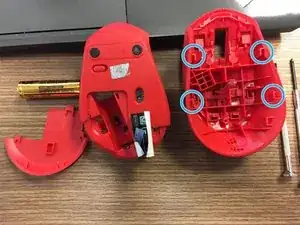
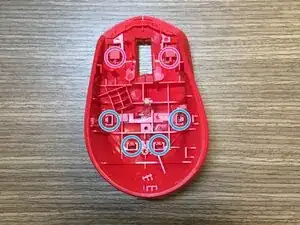
To disassemble the upper case of the mouse, detach the plastic pins located in the blue circles. The two pins located in purple circles will be automatically unfastened once the four blue pins are detached.
-
To disassemble the light propagator, detach the small plastic pin at the bottom of the mouse case and light propagator connection.
-
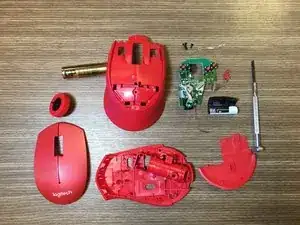
To reassemble your device, follow these instructions in reverse order.

8 comentários
first time using ifixit
this was just what i needed thanks!
Thanks for the guide! I was able to clean the scroll wheel properly and fixed the annoying inaccurate scroll issue.
Exactly what I needed, a clear and direct guide. Thank you so much!
To reassemble you need to angle it so that the front touches first, and then push the lower case up
Kiandra Salam -