Introdução

This guide will walk you through the process of replacing the gasket in a Logitech K270 wireless keyboard. Over time, the internal gasket may wear out or degrade, leading to reduced typing comfort, inconsistent key response, or increased noise. Replacing the gasket can restore the keyboard's performance and extend its lifespan.

  1. SMuTL2QEx2WQCWTg
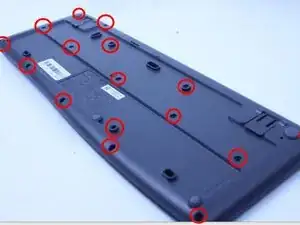
    • Flip the keyboard over and remove all screws with a Phillips #0 screwdriver.

  2. VWJANfP2lKUKuZWg
    VWJANfP2lKUKuZWg
    Lih463TISPOFCA3Y
    gjEEmkvAEXwZNBDS
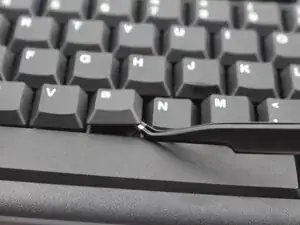
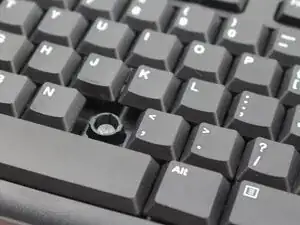
    • Flip the keyboard once again and use the angled tweezers to remove all keys.

    To change the gasket removal of the keycaps is not mandatory. It's not bad to do so to clean below the keys but the case can be opened with the keys still in place.

    Oliver Blankenstein -

  3. g6rAjjSCFZFlPyk1
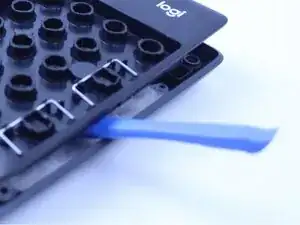
    • Use an opening tool to open the keyboard case.

    • Some force may need to be used to open the case.

  4. wTTShMwUQlJ4WWq6
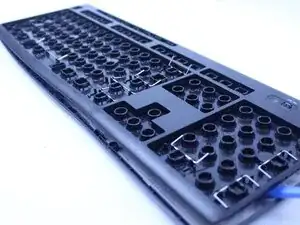
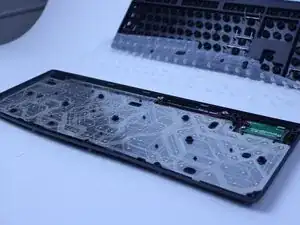
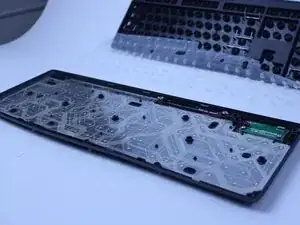
    • Remove the gasket.

Conclusão

To reassemble your device, follow these instructions in reverse order.

Anthony

Membro desde: 24/02/25

402 Reputação

0 comentários