Introdução
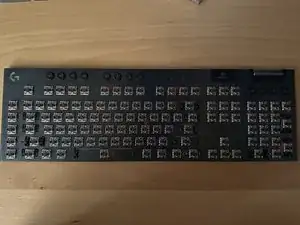
This is a guide used if a switch replacement is needed or in my case if a keycap breaks off inside of your switch, rendering the switch inoperable. I will be using colors to refer to different sets of screws. This is NOT a TKL model so the screws under the feet are in different places from the full size G915 in this guide.


-
-
Remove all of the screws (red set) on this keyboard using a PH1 size Philips bit.
-
You can remove all the keycaps or just remove the necessary keycaps surrounding the screw heads.
-
-
-
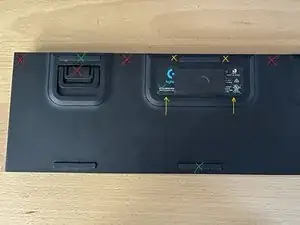
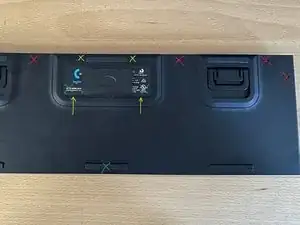
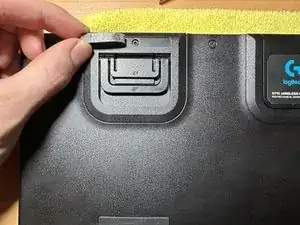
Continue removing (red set) screws, looking at the picture, remember to open up the left foot in order to gain access the screw underneath.
-
-
-
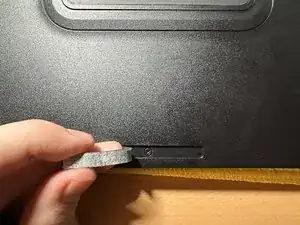
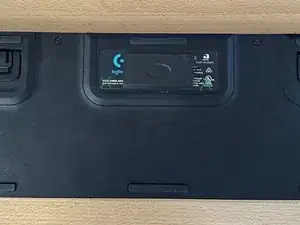
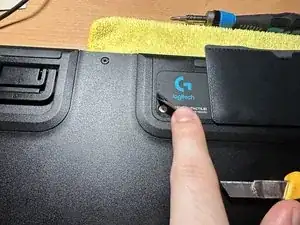
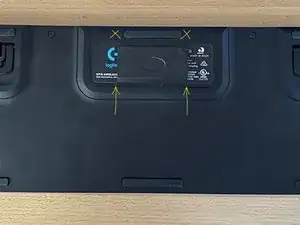
Using this same technique, heat the corners of the rear sticker (green set) and starting from the corner use the knife to get under the edge while not to crease or fold the sticker too much. Remove the two screws (green set) from under the label.
-
-
-
After removing all of the screws you are able to remove the back plastic and gain access to the rear of the circuit board.
-
-
-
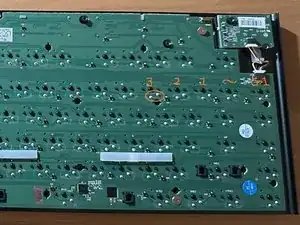
Now you need to find the key you want to replace (Which in my case was the number 3 key).
-
Locate the correct key and their corresponding contacts. Using the soldering iron, heat up the solder and remove it using a desoldering pump.
-
Once both contacts have their solder removed, you can flip the keyboard around and remove the key switch from the front of the keyboard.
-
-
-
Now if you're replacing a switch you need a new one. Or you can disassemble and clean/re-lubricate the switch.
-
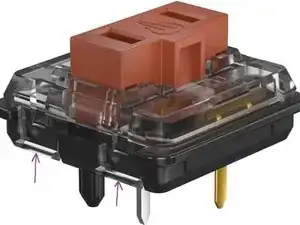
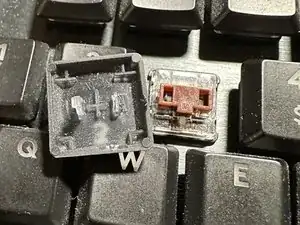
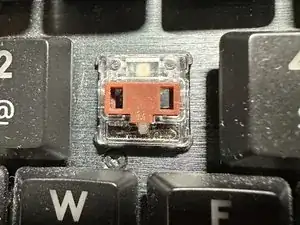
Or in my case you can disassemble the switch by releasing the 2 tabs on each side (purple set). Retrieve the broken keycap piece from inside and reassemble the switch.
-
Now with the switch ready to be soldered back onto the board you can take your solder, flux and soldering iron, insert the switch back through the front of the keyboard and re-solder the two contacts to the board.
-
To reassemble your device, follow these instructions in reverse order.

4 comentários
Keycaps which need to be extracted (minimum required) for clearing front screws, in text format:
f2 f3
f5 f6
f10 f11
sl ss
w 3
t 6
o l
ins del
num 7
* 9
+3
. 0
bot right arrows
r ctrl menu
l win alt
l shift
g1 g2
g4 g5
space
Superbe tutoriel le problème et de trouver les switch neuf
The clear plastic actually broke as I noticed my Y key was lopsided at first, so I took the key cover off, low and behold, the clear plastic tabs on one side had given away. I purchased replaced key mechanisms, and disassembled one key, to maybe just replacing the clear piece, while the case was still in tact, no taking it all apart. So far I've not been able to just place that new plastic piece over with the brown piece, and spring in their places, but it doesn't seem to "snap" into place, and I don't want to break this piece.
Any suggestions? Will I have to take the whole assembly apart? Will I have to desolder and add the whole new key?
I think to get best results you'll have to take it all apart. The clips that attach the top clear plastic half of the switch to the bottle black half of the switch are still there (Seen touching the purple arrows in the last tutorial picture). You'll need to remove the switch from the keyboard in order to clip in the new clear plastic half.