Introdução
Accessing and repairing the internal components of the Linksys WAP 11 requires the device to be opened. This will void your warranty.
Ferramentas


-
-
Disconnect the power cables and ethernet from the device.
-
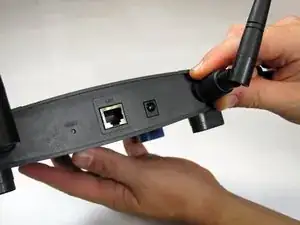
Unscrew the external plastic antennas. There is one antenna on each side of the device.
-
-
-
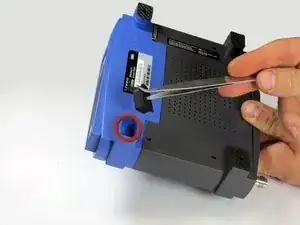
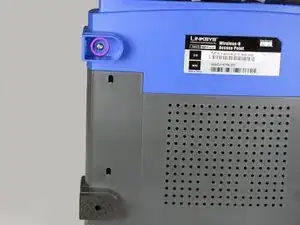
Use the tweezers to remove the two rubber boots from the front two legs. Insert the tweezers in the hole of the boot and pull outwards.
-
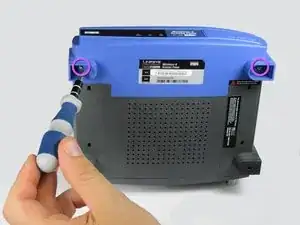
This will reveal two small Phillips-head screws. Remove them.
-
-
-
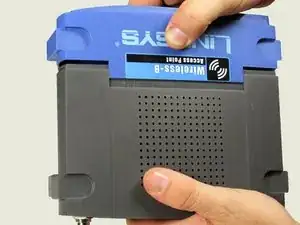
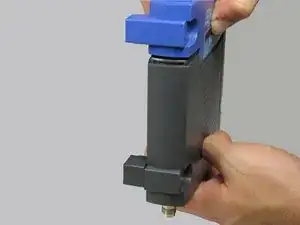
Using two hands, pull on the top and bottom sections to separate the blue and the black pieces.
-
The seal is located where the blue plastic meets the black plastic. This is where you will apply pressure.
-
-
-
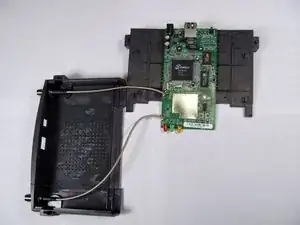
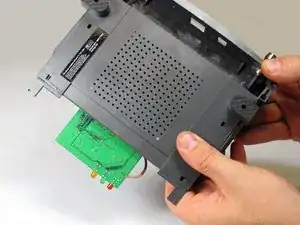
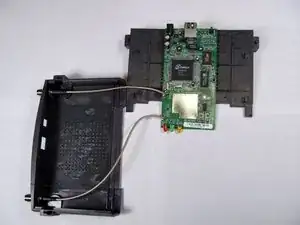
After the face of the device has been removed, slide the base of the device off to reveal the motherboard and other internal components.
-
To reassemble your device, follow these instructions in reverse order.
