Introdução


-
-
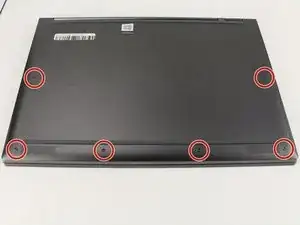
Flip the device over so that the underside is facing up.
-
Remove the six 3.5 mm T5 Torx screws.
-
-
-
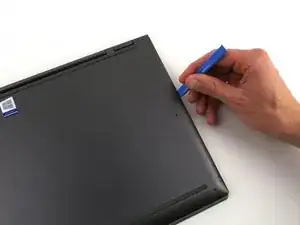
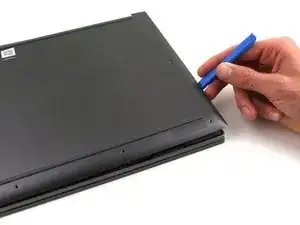
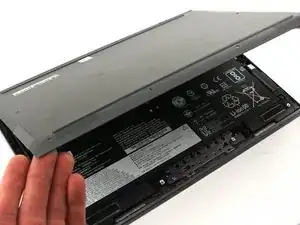
Pry off the back cover using the plastic opening tool.
-
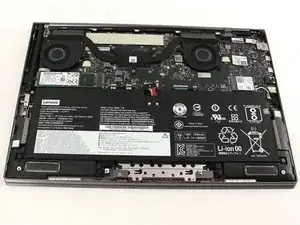
Loosen the back cover in multiple spots using the opening tool, then remove the whole back.
-
-
-
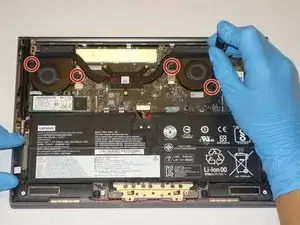
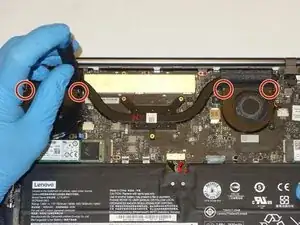
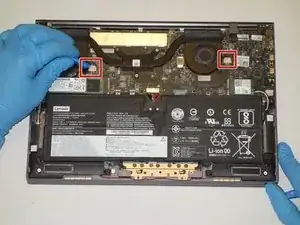
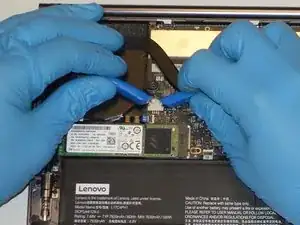
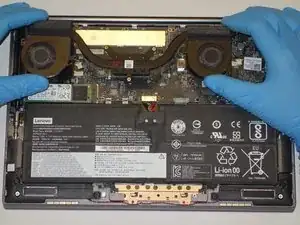
Use a plastic opening tool to remove the two small, white power cable connectors for each of the two fans.
-
Conclusão
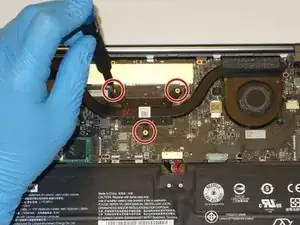
To reassemble your device, follow these instructions in reverse order. Remember to apply fresh thermal paste to the heatsink during reassembly.

From a shaky, vision impaired, 78-year-old. Provided tool kit is a must. READ ALL DIRECTIONS AND COMMENTS BEFORE STARTING! Lots of good advice. Remove stickers from top of old battery and pull to release battery adhesion. SLOWLY pull battery up and it will come out. Unplug harness AFTER freeing battery. I had most trouble installing the new battery on the two small posts under upper screw holes. Just be patient and it will work. Took me a total of 30 minutes to remove and install. Very happy with new battery and battery performance.
TVB -