Introdução
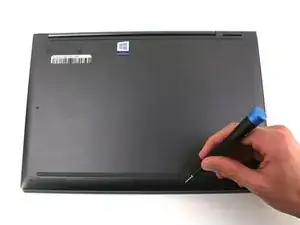
This guide can be used if the device’s back cover is damaged or replacement inside the device is needed. If you are unsure about what you need to replace underneath the back cover, visit this troubleshooting page.
Everything required to begin getting inside your device is here. For this guide, you will need a plastic opening tool and a T5 Torx screwdriver.
Make sure to turn off the device before taking it apart.
Ferramentas


Peças
-
-
Flip the device over so that the underside is facing up.
-
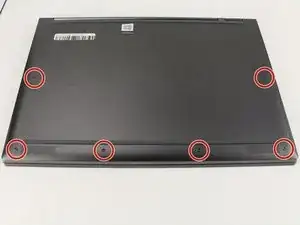
Remove the six 3.5 mm T5 Torx screws.
-
-
-
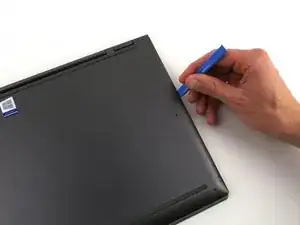
Pry off the back cover using the plastic opening tool.
-
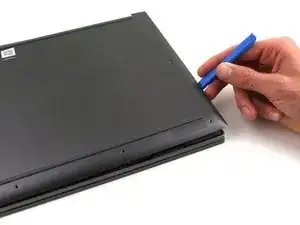
Loosen the back cover in multiple spots using the opening tool, then remove the whole back.
-
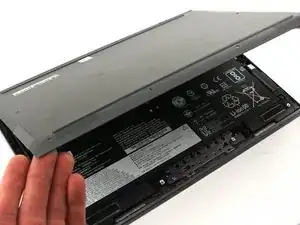
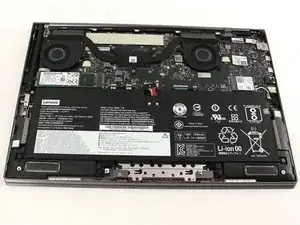
To reassemble your device, follow these instructions in reverse order.

Um comentário
On mine, not T5 but T4. Also screw holding the chip in is philips 000.
From a shaky, vision impaired, 78-year-old. Provided tool kit is a must. READ ALL DIRECTIONS AND COMMENTS BEFORE STARTING! Lots of good advice. Remove stickers from top of old battery and pull to release battery adhesion. SLOWLY pull battery up and it will come out. Unplug harness AFTER freeing battery. I had most trouble installing the new battery on the two small posts under upper screw holes. Just be patient and it will work. Took me a total of 30 minutes to remove and install. Very happy with new battery and battery performance.
TVB -