Introdução

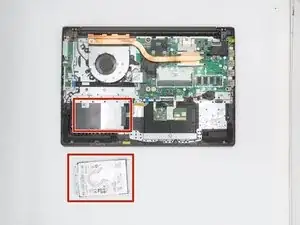
This guide will show how to access, disconnect, and remove the hard-disk drive from your Lenovo V15-ADA device.

  1. Y1nuV61TsLdGZVS5
    Y1nuV61TsLdGZVS5
    JeGFQDyDZMFDth4I
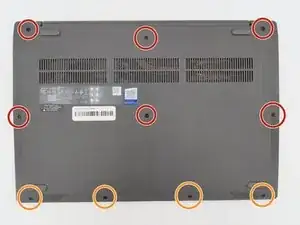
    • Remove the 10 marked screws using a Phillips #1 screwdriver from the back plate.

    • M2.5 × 7 mm, Phillips-head (6) (RED circles)

    • M2.5 × 4 mm, Phillips-head (4) (ORANGE circles)

    • The red circles show the longer screws, and the orange circles show the shorter screws.

    • Keep your screws organized. They’re different lengths and must go back in their original positions.

  2. raWXMOxLK4ORVVmw
    raWXMOxLK4ORVVmw
    tP2ii2LyDa3jAUkr
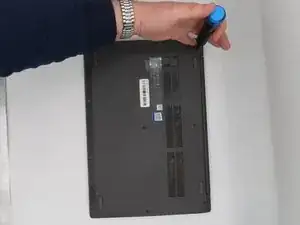
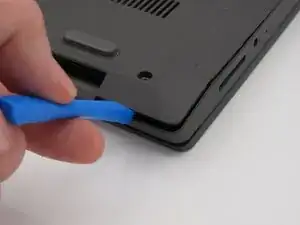
    • After removing all ten screws, use a plastic spudger to separate the bottom cover from the laptop.

    • Gently slide the tool around the edges until the clips begin to release.

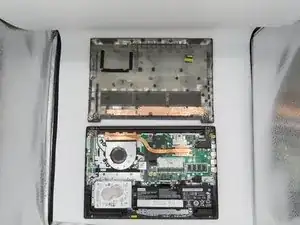
    • Once all the clips are loose, lift the cover off and set it aside.

    • The Wi-Fi card is located near one corner of the motherboard. It has two antenna wires connected to it (one black and one gray).

  3. GwglHa3QU5GIMOey
    GwglHa3QU5GIMOey
    TEmlJkSsdOUKV6DB
    B42iVfUxJTmZgfKN
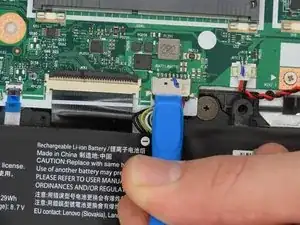
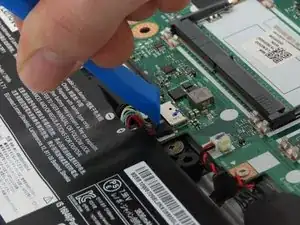
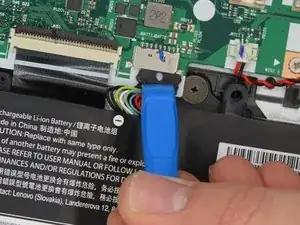
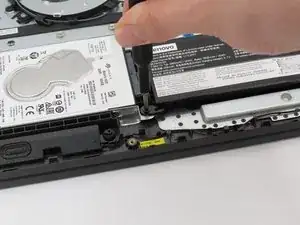
    • To start the removal of the battery, disconnect the ribbon cable connecting the battery to the computer.

  4. cvMieWBQZjPKIBNx
    cvMieWBQZjPKIBNx
    1QyICUqV2xo11aMV
    KtrxNgT6xL24Df1W
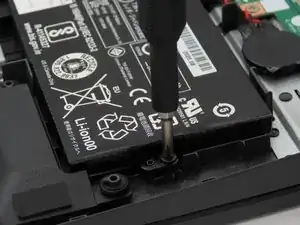
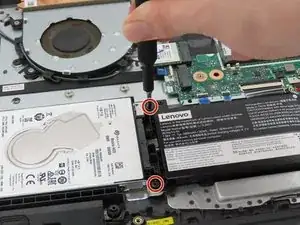
    • The battery is held in place by 3 screws. Use the Phillips #0 screwdriver to remove the screws that secure the battery.

    • M2 × 6 mm, Phillips-head, nylok-coated (3)

  5. 33HuRETPXDGuaMET
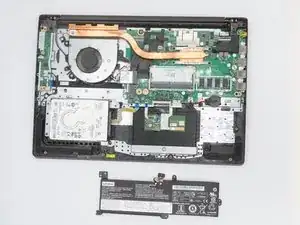
    • Remove the battery from the device after completing steps 1 and 2.

  6. AMPLIYQgvmPMBmyP
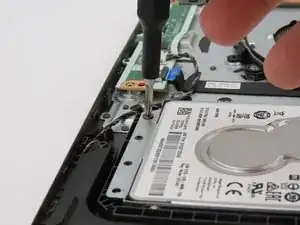
    • Attach a PH0 head onto the screwdriver and remove screw. (M2 × 6 mm, Phillips-head, nylok-coated)

  7. krlhhvYrkZAWZnQU
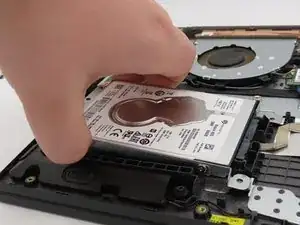
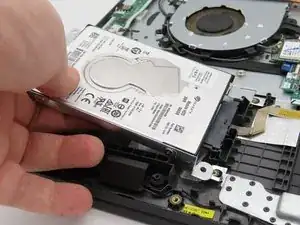
    • Grasp the hard drive and lift up.

  8. iSoc6MPEKaoYVhVj
    • Pull the hard drive from its port.

  9. qwkpXxdYEKHOtHQB
    • The hard drive has been successfully taken out.

Conclusão

To reassemble your device, follow these instructions in reverse order.

Jacob Schorr

Membro desde: 21/02/24

442 Reputação

0 comentários