Introdução
Ferramentas

Peças

-
-
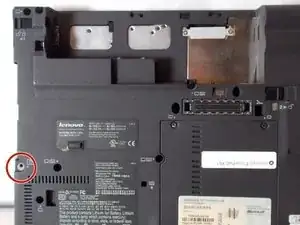
First flip the device so its bottom side is face up. and locate the Philip #00 screw that is marked in the image.
-
-
-
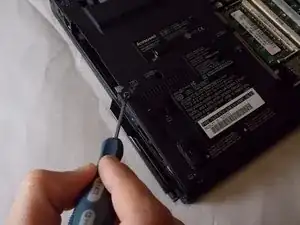
Take out the screw that you have located in step 1.
-
You can now remove the solid state drive and replace it with a new one.
-
Conclusão
To reassemble your device, follow these instructions in reverse order.
