Introdução

If your ThinkPad T540p laptop is performing slowly, crashing/freezing, or has problems booting, you can use this guide to upgrade or replace your system RAM with minimal effort.

As we utilize our ThinkPad T540p, we might drop or mishandle it, improperly install new RAM, or the laptop might have manufacturing defects that can hinder its performance. These are just a few reasons for a RAM replacement.

Before you begin, please make sure to power off the laptop completely and disconnect it from the charger.

  1. A4r2tSTYIcJYutqH
    A4r2tSTYIcJYutqH
    cKHJqSGClVfaSfFM
    • Before proceeding, power down the laptop and unplug the device from the power supply / charger.

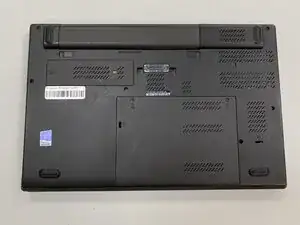
    • Flip the laptop over so the bottom is showing.

    • Orient the laptop so that the the battery bump is facing away from you.

  2. vYQ6D1lkkDXUOleY
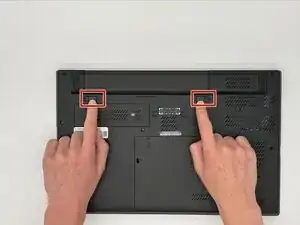
    • On the back of the laptop are two sliding locks for the battery. These are located just beneath the battery and are marked with a little lock icon on either end.

    • Using both hands, pull these sliding locks away from each other.

    • They will stay in place once they have been fully engaged.

  3. KeqVE4ZP16LPyK4c
    KeqVE4ZP16LPyK4c
    wFHfD5EBZWLBFUqF
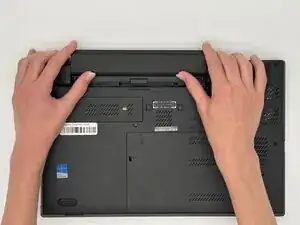
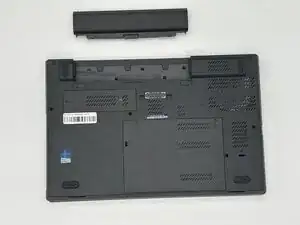
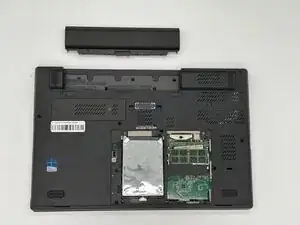
    • Push the battery in the direction away from where the sliding tabs are.

    • If the battery does not slide out, make sure the sliding locks are fully engaged.

    • To install a new battery, slide the battery back in with the sticker side of the battery facing down, and in the same orientation that it came out in.

  4. 55qWROhhs3KmILwb
    55qWROhhs3KmILwb
    IL24JJFwX6BXjkUO
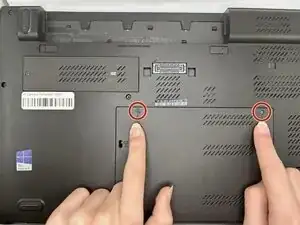
    • Loosen the two M2 x 5 mm captive screws on the large back panel with a Phillips #1 screwdriver.

  5. WWnxQ2sWyEEIysXp
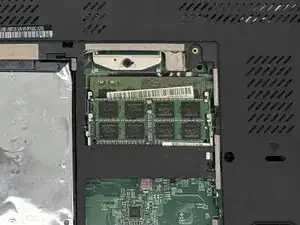
    • Locate the two RAM sticks and the latches holding them in place.

  6. DGJxEImljOAskUic
    • There are two populated RAM slots on this laptop, so you will have to do steps 6 and 7 twice.

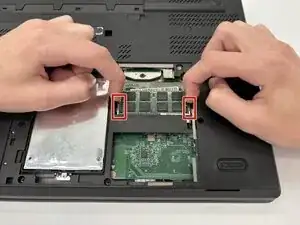
    • Two clips secure the RAM module in place, one on each side. Using your fingers, spread the clips away from the RAM module.

  7. HHRN2f54ERGQZZuf
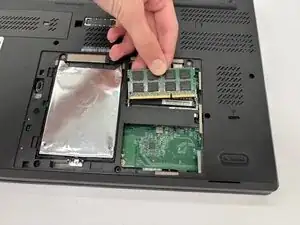
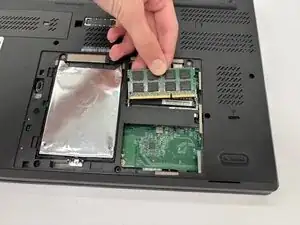
    • Pull the RAM module directly out of its socket from the same angle.

    • To reinstall a RAM module, line up the RAM stick’s groove with the notch in the slot, and insert the stick at a 45° angle. Then push down until clamps click into place.

Conclusão

To reassemble your device, follow the above steps in reverse order.
Take your e-waste to an R2 or e-Stewards certified recycler.
Repair didn’t go as planned? Try some basic troubleshooting or ask our Answers community for help.

AndrewH

Membro desde: 12/09/25

235 Reputação

0 comentários