Introdução
Are you dealing with crackling audio or complete silence on your Lenovo ThinkPad, even with the volume turned all the way up? If so, you’ve come to the right place, audio problems are common across all types of technology, but the good news is they’re usually fixable. This guide offers clear, step‑by‑step instructions to help you get your sound working again.
Ferramentas


-
-
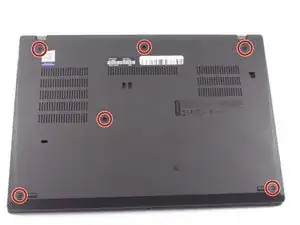
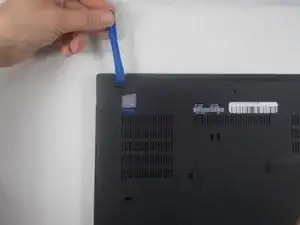
Use an iFixit opening tool to start prying under one of the hinges, between the baseplate and chassis, and work your way around the perimeter until the baseplate releases.
-
Lift off the baseplate.
-
-
-
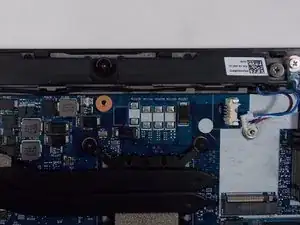
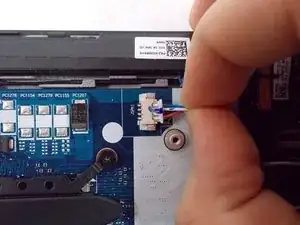
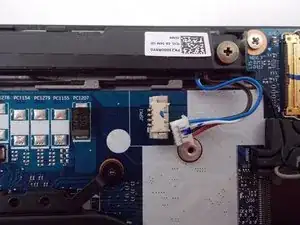
Grip the speaker cable as close as possible to its motherboard plug, and pull directly backwards, parallel to the motherboard, until the plug releases.
-
-
-
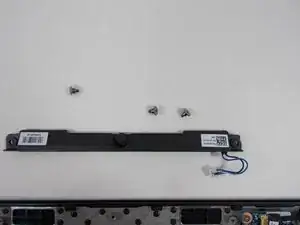
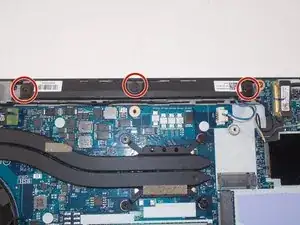
Use a Phillips #00 screwdriver to remove the three 1.6 mm screws.
-
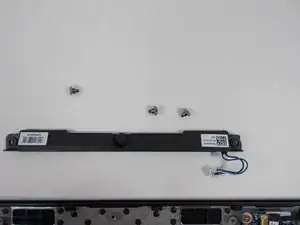
Holding both sides, lift the speaker up and out.
-
To reassemble your device, follow these instructions in reverse order.