Introdução

  1. OKmVIDKQrdtkdcGP
    OKmVIDKQrdtkdcGP
    NNdQyQpYMAT25HCR
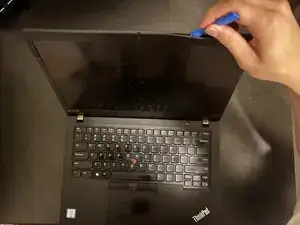
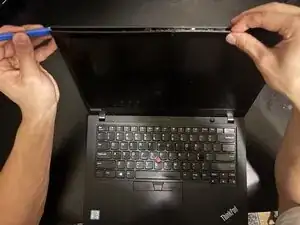
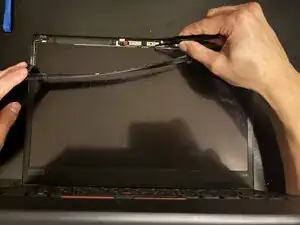
    • Insert an opening tool into the seam between the display assembly and bezel.

  2. pk5xCoVGU5QCoM1P
    pk5xCoVGU5QCoM1P
    sfPXE3uSYOTeRGR1
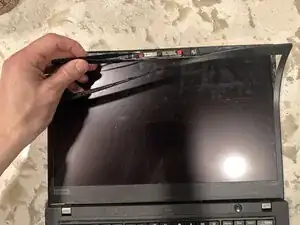
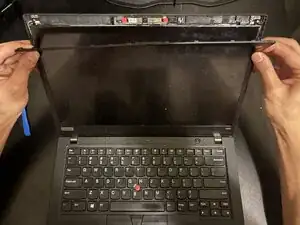
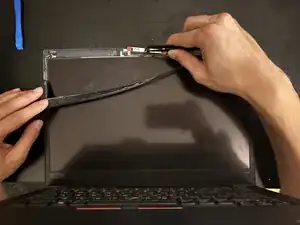
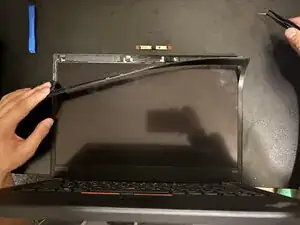
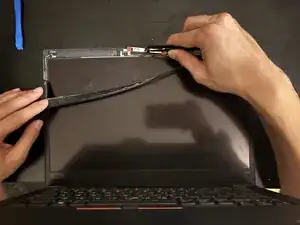
    • Remove the bezel.

  3. HbOrwWxWlUxMOvvR
    HbOrwWxWlUxMOvvR
    4eNnMiCU5H1WjOjO
    U4vjFBmiICYshIwY
    • Use tweezers or any tool to grab the web cam and remove it from the computer.

Conclusão

To reassemble your device, follow the above steps in reverse order.
Take your e-waste to an R2 or e-Stewards certified recycler.
Repair didn’t go as planned? Try some basic troubleshooting or ask our Answers community for help.

Bryce Scholten

Membro desde: 27/10/25

277 Reputação

0 comentários