Introdução
This is a guide to insert new RAM into T480s. I am using Kingston KCP424SS8/8 8GB Memory Module.
Ferramentas

-
-
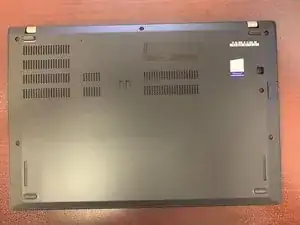
Loosen the six screws around the bottom of the laptop.
-
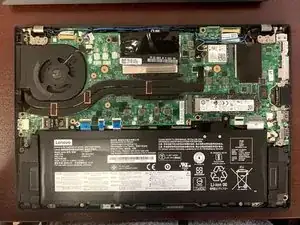
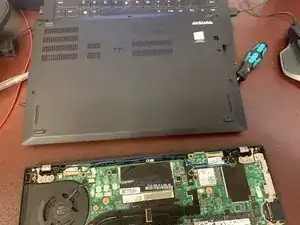
Lift the back off from the hinge side. Using a spudger may help with this.
-
-
-
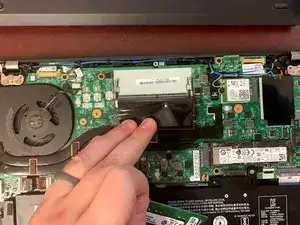
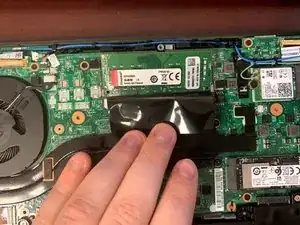
Fold back the black mylar cover over the SODIMM RAM slot.
-
Insert the RAM card at an angle.
-
Press down onto the RAM card until the clips on the side click into place.
-
Conclusão
To reassemble your device, follow these instructions in reverse order.
