Introdução

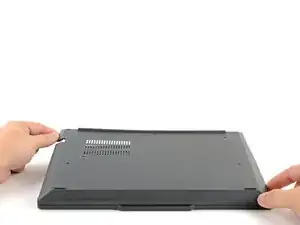
Follow this guide to remove and replace the LPCAMM2 memory module (aka RAM) on your Lenovo ThinkPad T14 Gen 7 laptop.

  1. T3ATlT1yJNmZNbuX
    T3ATlT1yJNmZNbuX
    oZ2hEHakoMbQTwBi
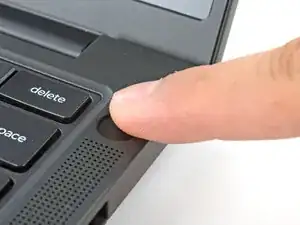
    • For your safety, discharge your battery below 25% before disassembling your laptop. A charged battery may catch fire if damaged. If your battery is swollen, take appropriate precautions.

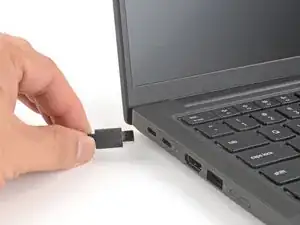
    • Completely shut down your laptop (don't just put it in sleep mode) and disconnect all cables.

  2. 1iLooflfpX2eXYBC
    1iLooflfpX2eXYBC
    5bKv46oGRSlkIwoS
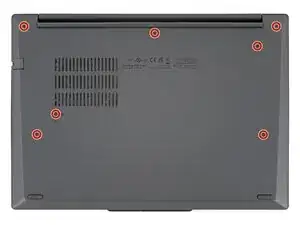
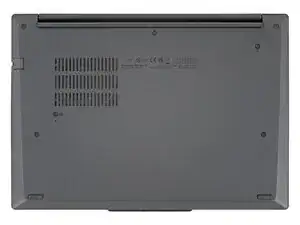
    • Use a Phillips screwdriver to fully loosen the seven captive screws securing the base cover.

  3. OpWeCgMhgcopOEMg
    OpWeCgMhgcopOEMg
    ePNVMLREUvTwqHV2
    nxLXMfFDIhdBnJOa
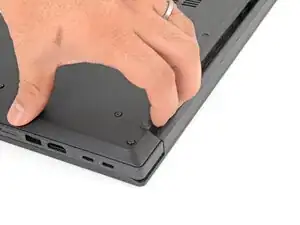
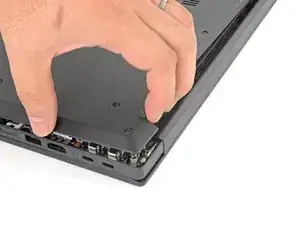
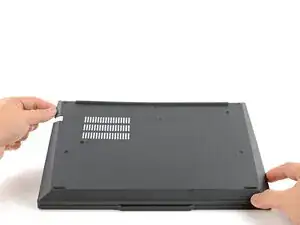
    • The base cover is still lightly clipped to the laptop.

    • Use your fingers to grab and lift the top-right corner of the base cover near the hinge.

    • Repeat at the top-left corner.

  4. Ley4msJlxPhTpqtV
    Ley4msJlxPhTpqtV
    TW4iLQPU5pQWkXja
    kvPQyVVQpmBPRmEj
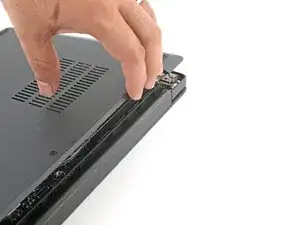
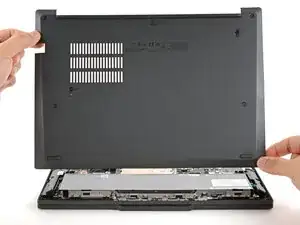
    • Slowly lift the hinge edge of the base cover until the remaining clips release.

    • Remove the base cover.

    • During reassembly, align the base cover's bottom edge tabs with the laptop, then lay the cover in place. Press around the perimeter to clip the base cover to the laptop.

  5. VVOrvobbuPf4WRDP
    VVOrvobbuPf4WRDP
    dAoUJlkpafjJKDS5
    TcWLyVWReRqyGmca
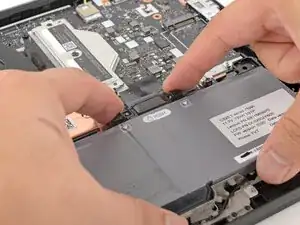
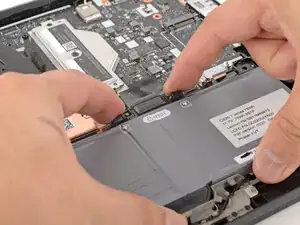
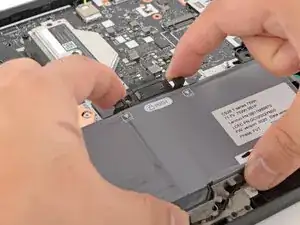
    • Use your fingers to squeeze the two latches on either side of the battery connector.

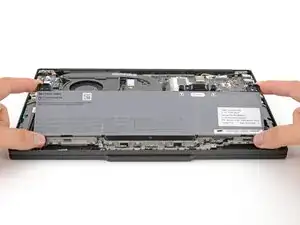
    • While squeezing the latches, lift the top edge of the battery up.

  6. CQ6KrPRtYYC3kgg3
    CQ6KrPRtYYC3kgg3
    b5TsTIsIfc2EqAvO
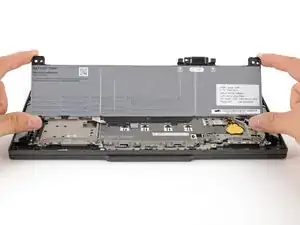
    • Remove the battery.

  7. y4pOWvwYpoAWrJlH
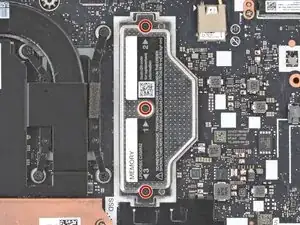
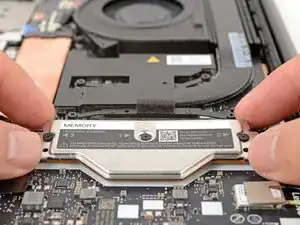
    • Use a Phillips screwdriver to loosen the three captive screws securing the LPCAMM2 cover.

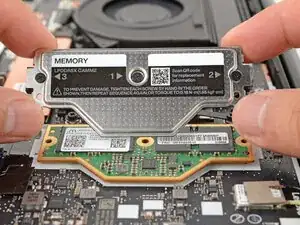
    • During reassembly, tighten the screws in the order printed on the cover.

  8. UZ4E3m3MPa4ctIMV
    UZ4E3m3MPa4ctIMV
    msemJPwCeT4GwIAu
    • Lift and remove the LPCAMM2 cover.

  9. AepC3QWAZD1KgmD6
    AepC3QWAZD1KgmD6
    qPM3jG63dOSvnglM
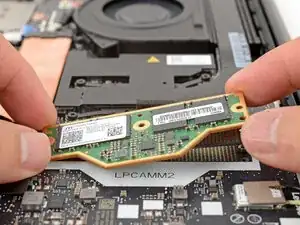
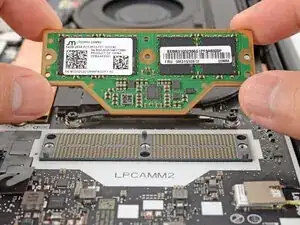
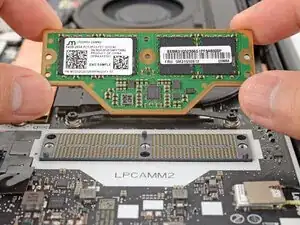
    • Grab the edges of the LPCAMM2 memory module and lift straight up to remove it.

    • Avoid touching the gold underside of the module—your skin oils can interfere with the electrical contacts. If you touch it by accident and plan to re-use it, clean it with high-concentration isopropyl alcohol (>90%) and a lint-free cloth before reinstalling it.

Conclusão

To reassemble your device, follow these instructions in reverse order.

Take your e-waste to an R2 or e-Stewards certified recycler.

Repair didn’t go as planned? Try some basic troubleshooting, or ask our Answers community for help.

Arthur Shi

Membro desde: 03/01/18

326111 Reputação

0 comentários