Introdução

In this guide, we will be replacing the screen on the Lenovo ThinkPad T14 Gen 3. This guide is suitable if you have a broken LCD, a cracked screen, or other issues.

Before you begin this guide, power off and unplug your laptop.

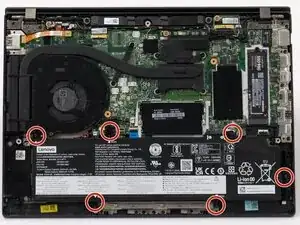
  1. iIkcRfyQjOtElYcB
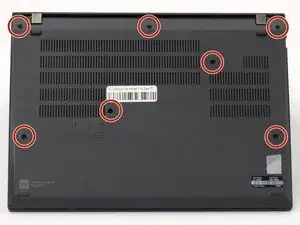
    • Use a Phillips #1 screwdriver to loosen the seven captive screws securing the back panel.

    • The screws are captive and will not come out of the panel.

  2. bBdBKpxqc5m2gmMM
    bBdBKpxqc5m2gmMM
    qp4fvjplehmtPSJo
    IEJ1MBMquFUVJGOD
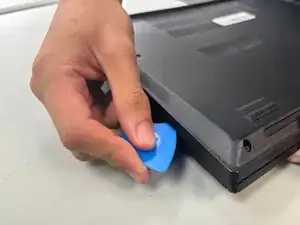
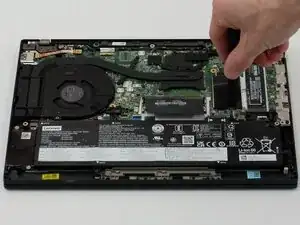
    • Insert an opening pick into the seam between the back panel and chassis.

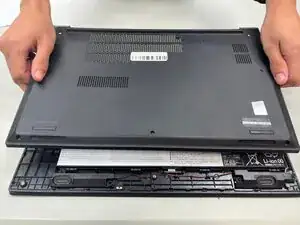
    • Slide the opening pick around the perimeter of the device to release the clips that hold the back panel to the device.

    • Remove the back panel.

  3. gSqgVLUQJMYD5Km4
    gSqgVLUQJMYD5Km4
    1e6FMkIoIkBTPiw3
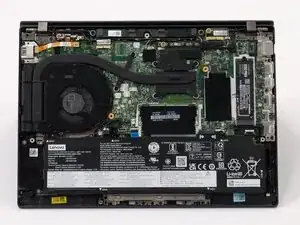
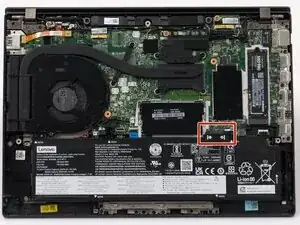
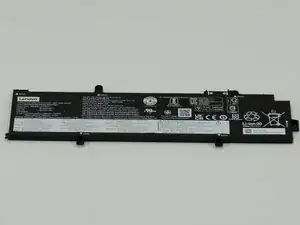
    • Use a JIS #1 screwdriver to remove six M2 x 5 mm screws that hold the battery in place.

    • There is a risk to your laptop if the battery is not discharged properly.

  4. ykCOUKWDVdWHE1vZ
    ykCOUKWDVdWHE1vZ
    FNOWcdXwbyVsOYnW
    bmpVU3WIYdOOpMCH
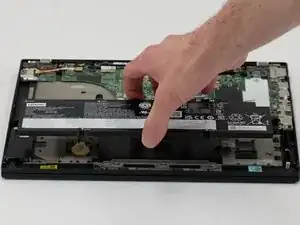
    • Slide the battery from the battery connector and remove it.

  5. pCtPA2Xs5F2IN3eB
    pCtPA2Xs5F2IN3eB
    ZKYpBKRbpM22teZX
    l3aJc6yekISZtqlf
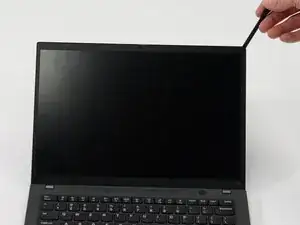
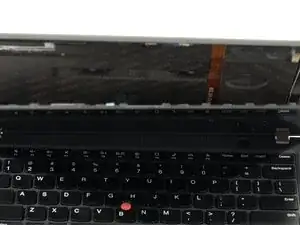
    • Use the spudger to gently pry the edges of the bezel, carefully removing it. Then, gently remove it and set it aside.

    • Be careful not to damage the bezel as it will be reused.

    • Flip the screen over to reveal the display connector.

  6. LheNPvtffCktmqP2
    LheNPvtffCktmqP2
    je4rtDL1ESW6vLmV
    NHgJaBXsdBAi6YGg
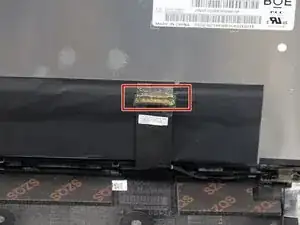
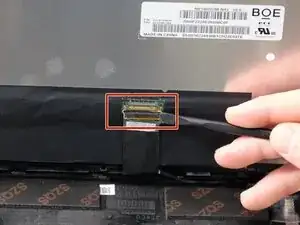
    • With a spudger, disconnect the screen from the connector.

    • Gently push the tip of a spudger under the metal buckle to unclip it, then swing it over the socket.

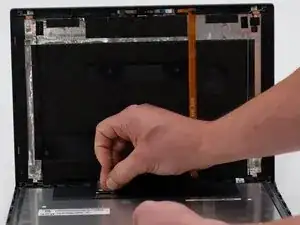
    • Lift screen up and away from device to remove fully

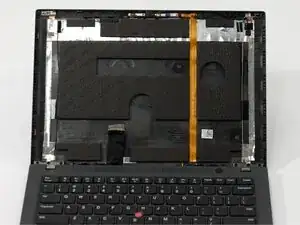
    • There are 2 lines of tape on either the back of the LCD or on the case. These strips of tape help secure the LCD to the case. The new tape included with your screen should be applied to the same location, if possible.

Conclusão

To reassemble your device, follow these instructions in reverse order. Take your e-waste to an R2 or e-Stewards certified recycler.

Abby Adams

Membro desde: 14/04/25

249 Reputação

0 comentários