Introdução
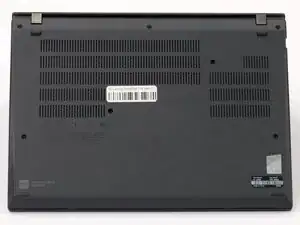
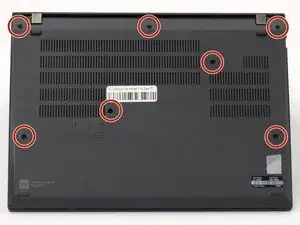
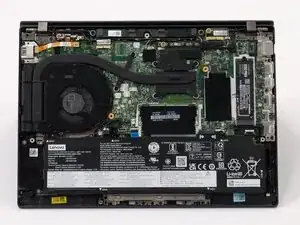
Whenever a repair is done to the internals of a device, or for cleaning, the cover will need to be removed. You may also need this guide if the bottom panel is damaged and need to replace it. This guide will help you remove the back panel of your Lenovo Thinkpad T14 Gen 3 to access the internals of the machine.
Before you begin this repair, power off and unplug your laptop.
Ferramentas


-
-
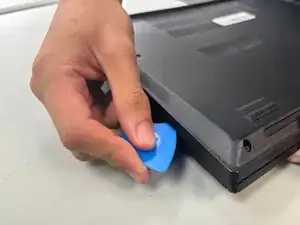
Insert an opening pick into the seam between the back panel and chassis.
-
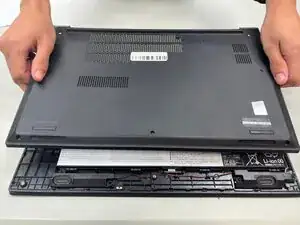
Slide the opening pick around the perimeter of the device to release the clips that hold the back panel to the device.
-
Remove the back panel.
-
Conclusão
To reassemble your device, follow these instructions in reverse order. Take your e-waste to an R2 or e-Stewards certified recycler.