Introdução
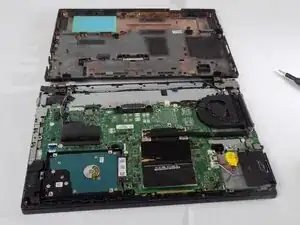
If you think your Lenovo ThinkPad L460 needs a RAM replacement or upgrade, needs a new hard drive (HDD) or solid-state drive (SSD), needs cleaning, needs a new battery, or you need to gain access to other components for repairs or troubleshooting purposes. Use this guide to remove the back cover of the Lenovo ThinkPad L460.
BEFORE YOU START:
- Save all your work
- Backup needed data from your laptop to an external hard disk
- Unplug and power off the device
- Find a clear workspace to avoid any electrical hazards
- Remove the SIM tray


-
-
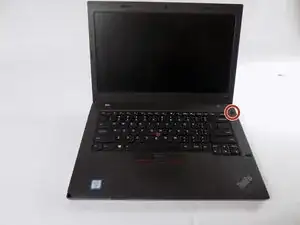
Shut down your Lenovo ThinkPad L460 completely.
-
Disconnect the AC power adapter.
-
Disconnect all connected cables and devices.
-
-
-
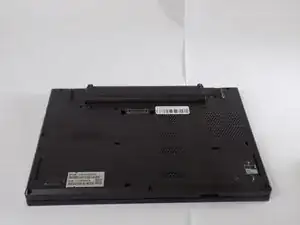
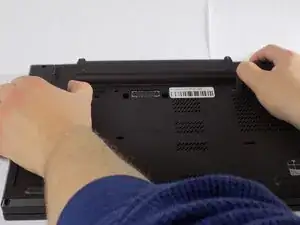
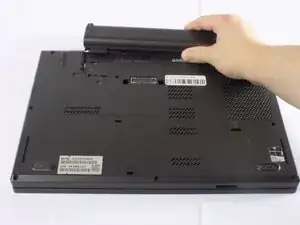
Use your two thumbs to push the two locking latches to the left and the right of the battery to the unlocked position.
-
While holding the latches open, slide the battery out of the connector to remove it.
-
-
-
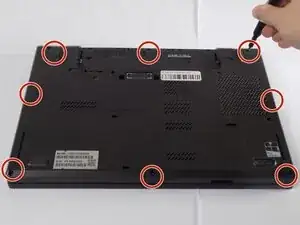
Use a Phillips #1 screwdriver to loosen the 8 captive screws on the back cover of the laptop.
-
Remove the SIM tray from the side of the laptop.
-
-
-
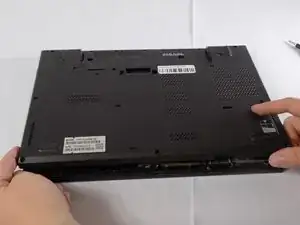
Use an opening tool to gently pry along the edges of the cover, releasing all the plastic clips of the laptop.
-
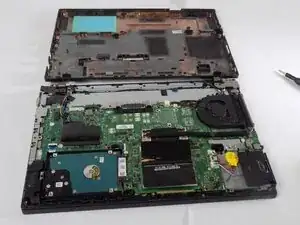
Carefully pull up and remove the back cover from the laptop.
-
To reassemble your device, follow these instructions in reverse order. Take your e-waste to an R2 or e-Stewards certified recycler.
