Introdução

If your ThinkPad A285 is having issues with Wi-Fi connections, it may be an issue with your WAN card. Before following this guide, refer to our troubleshooting page for any other possible solutions to your problems/

Before you begin this repair, make sure that the device is powered off and is disconnected from any external power sources.

  1. kpTRdkfFHSDTbpow
    kpTRdkfFHSDTbpow
    vJdfKlO5f23W2VQ1
    MGM4wyMPZRejRceR
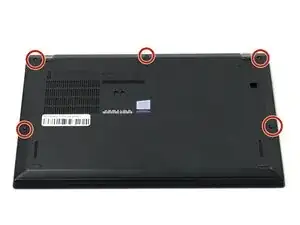
    • Flip your laptop over so the bottom panel is facing up.

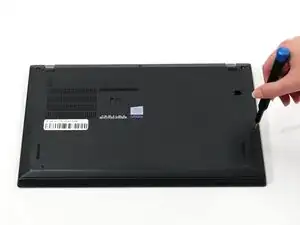
    • Use a Phillips #0 to loosen the five screws holding the back panel to the laptop.

    • These screws do not come all the way out, so loosen until free spinning.

    • Lift the bottom of the panel to separate the back panel away from the device.

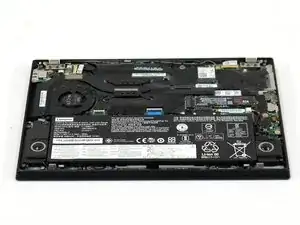
    • Remove the back panel.

  2. QRhvhWTdrxt1AHy5
    QRhvhWTdrxt1AHy5
    iPxWSqbPctbUr4fi
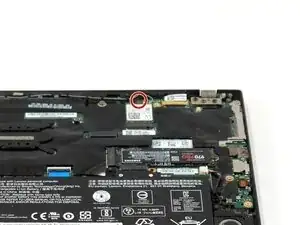
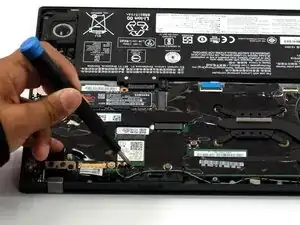
    • Use a Phillips #0 screwdriver to remove the single 2 mm screw.

  3. yNpLsYxIYtKZ63D1
    yNpLsYxIYtKZ63D1
    dBSQFEfGYGxAyJu1
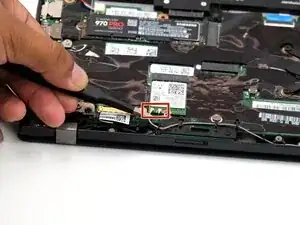
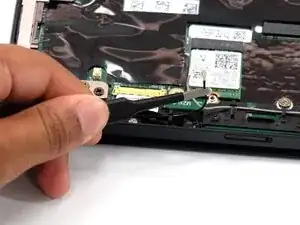
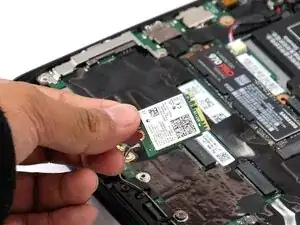
    • Slide a thin, ESD-safe pry tool or angled tweezers under the metal neck of the coaxial Wi-Fi connector (as close to the head as possible) and lift straight up from the board.

    • When working with these connectors, it's key to always lift the head straight up. If pried on at an odd angle, you risk breaking the socket off of the board underneath.

    • Reconnecting these can be tricky. Use tweezers to hold the connector in place over its socket and gently press down with your finger or a spudger—the connector should "snap" into place. If you're having trouble, reposition the head and try again.

    • Don't try to force the connector into place or you may permanently damage it.

    • Match the wires with the corresponding colored arrows on the WAN card when reinstalling the connectors.

  4. pKUeXN4Hq5jmXMQi
    pKUeXN4Hq5jmXMQi
    61a3yZI2MnBTZaxM
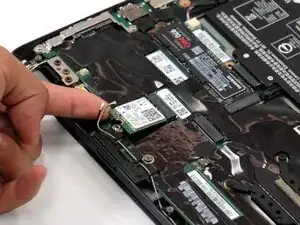
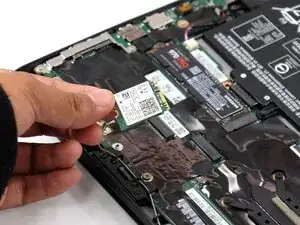
    • Slide the Wi-Fi card from the connector to remove it.

Conclusão

To reassemble your device, follow these instructions in reverse order. Take your e-waste to an R2 or e-Stewards certified recycler.

austin2006

Membro desde: 09/04/25

372 Reputação

0 comentários