Introdução
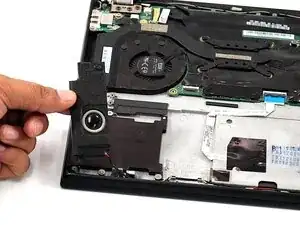
If your Lenovo is experiencing no sound, the speakers may need to be replaced to restore audio. Refer to our troubleshooting page for additional information regarding distorted audio. Follow the guide below if a speaker replacement is deemed necessary.
Before you begin this repair, ensure your laptop is fully powered off and disconnected from any power sources.


-
-
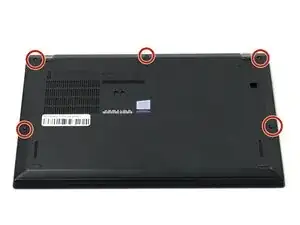
Flip your laptop over so the bottom panel is facing up.
-
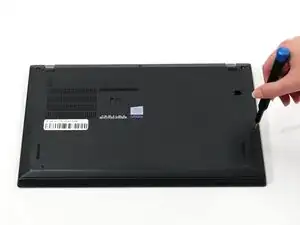
Use a Phillips #0 to loosen the five screws holding the back panel to the laptop.
-
Lift the bottom of the panel to separate the back panel away from the device.
-
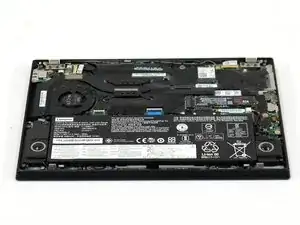
Remove the back panel.
-
-
-
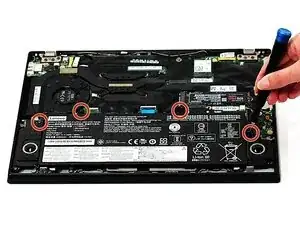
Use a Phillips #0 screwdriver to remove the four 5 mm screws connecting the battery to the device.
-
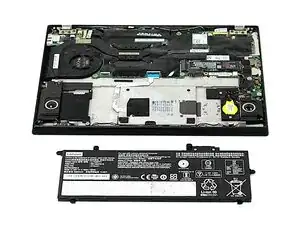
Slide the battery away from the connector on the motherboard to remove it.
-
-
-
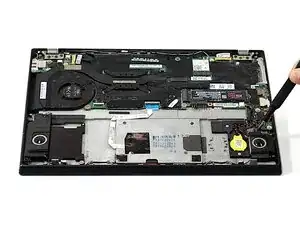
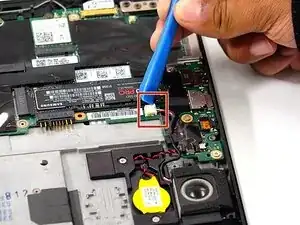
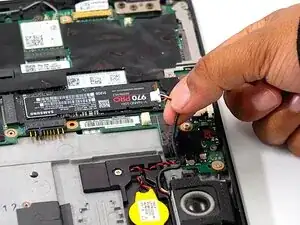
Use the point of a spudger to push on alternating sides of the sliding speaker connector to "walk" it out of its socket.
-
-
-
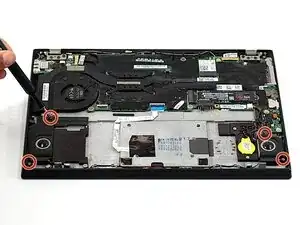
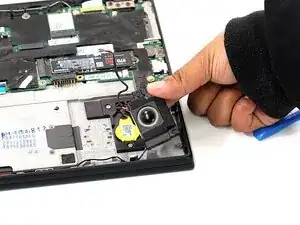
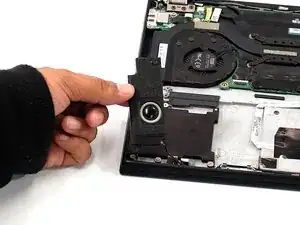
Remove the left and right speakers by gently lifting up from the computer.
-
Before removing the speakers completely, disconnect the speaker wires from the wire routing along the edge of the chassis.
-
To reassemble your device, follow these instructions in reverse order. Take your e-waste to an R2 or e-Stewards certified recycler.
