Introdução
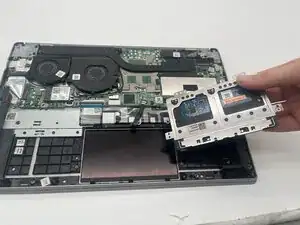
This guide will show you how to replace your Lenovo ThinkBook 13s-IML touchpad.
The touchpad is how you move your cursor around on the screen, so it is a very important part of the computer. If it stops working, you will need a way to replace it.


-
-
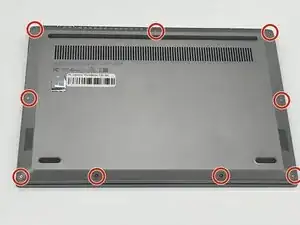
Remove the nine 4.2 mm-long T5 Torx screws that secure the lower case.
-
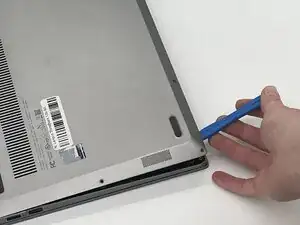
Insert an opening tool into the seam between the lower case and chassis.
-
Pry around the entire perimeter until the lower case fully releases.
-
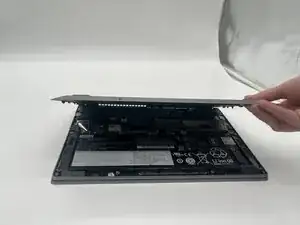
Remove the lower case.
-
-
-
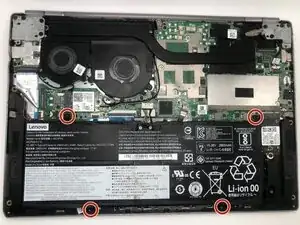
Remove the four 4 mm-long Phillips #00 screws securing the battery.
-
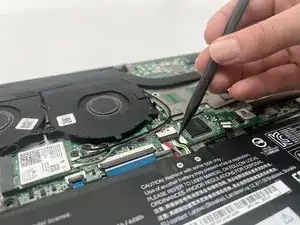
Use a spudger to push the battery connector out of its socket.
-
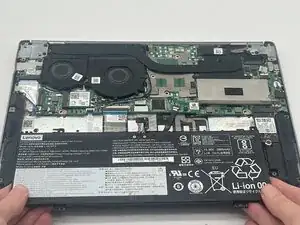
Remove the battery from the computer by pulling it up and out.
-
-
-
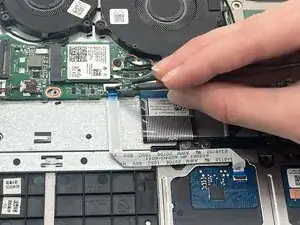
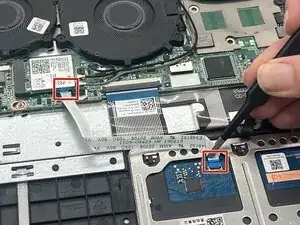
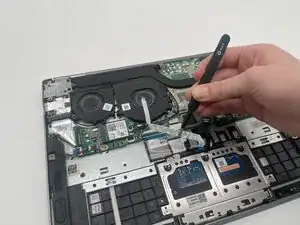
Flip up the locking flap securing the touchpad motherboard connection.
-
Disconnect the touchpad ribbon cable.
-
-
-
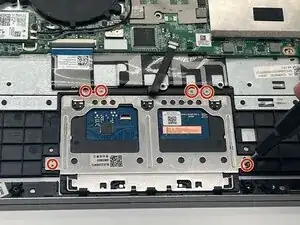
Remove the six 2.5 mm-long screws securing the touchpad with a Phillips #00 screwdriver.
-
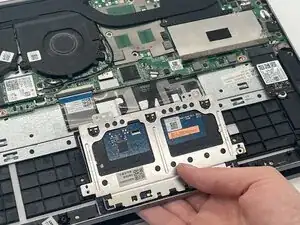
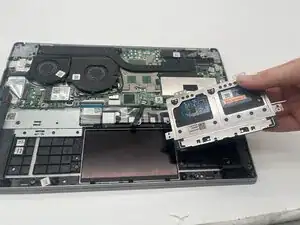
Lift the touchpad at a 45 degree angle.
-
Remove the touchpad.
-
To reassemble your device, follow the above steps in reverse order.
Take your e-waste to an R2 or e-Stewards certified recycler.
Repair didn’t go as planned? Try some basic troubleshooting or ask our Answers community for help.