Introdução
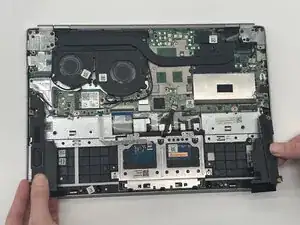
This guide will show you how to replace your Lenovo ThinkBook 13s-IML speakers.
If your speakers are not working, sound will not come out of the computer. This will teach you how to replace those speakers so that you can go back to listening to those sweet tunes.


-
-
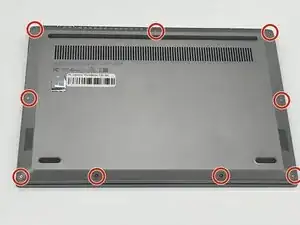
Remove the nine 4.2 mm-long T5 Torx screws that secure the lower case.
-
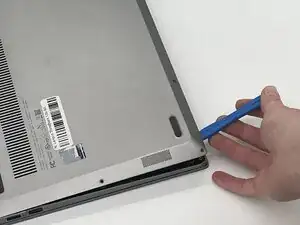
Insert an opening tool into the seam between the lower case and chassis.
-
Pry around the entire perimeter until the lower case fully releases.
-
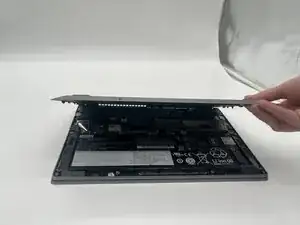
Remove the lower case.
-
-
-
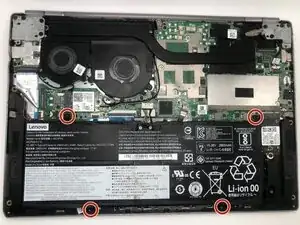
Remove the four 4 mm-long Phillips #00 screws securing the battery.
-
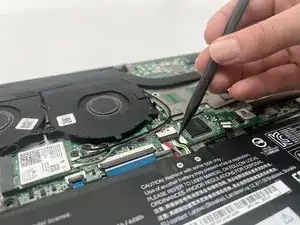
Use a spudger to push the battery connector out of its socket.
-
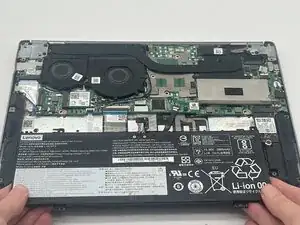
Remove the battery from the computer by pulling it up and out.
-
-
-
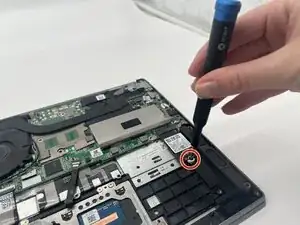
Use a Phillips #00 screwdriver to remove the 5.4 mm-long screw securing the SSD.
-
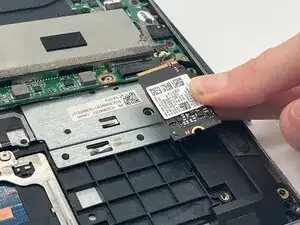
Pull the SSD directly out of its socket.
-
-
-
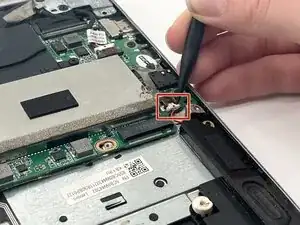
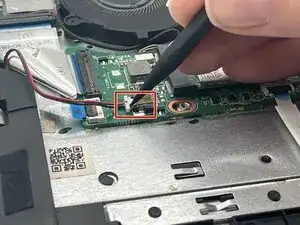
Disconnect each of the two speakers by using a spudger to carefully push each of the two speaker connectors out of their sockets.
-
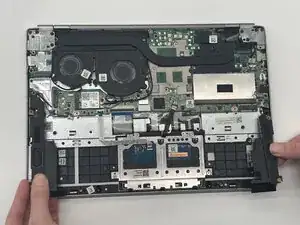
Carefully lift the speakers up and out of the chassis.
-
To reassemble your device, follow the above steps in reverse order.
Take your e-waste to an R2 or e-Stewards certified recycler.
Repair didn’t go as planned? Try some basic troubleshooting or ask our Answers community for help.