Introdução
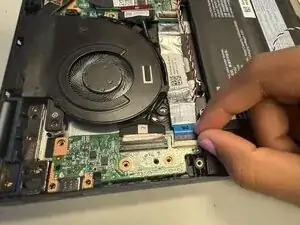
The I/O (Input/Output) board is a crucial component responsible for managing communication between a device’s internal systems and its external interfaces. When the I/O board malfunctions, it can lead to issues such as connectivity failures, unresponsive ports, or complete system inoperability. This guide provides step-by-step instructions for taking apart and removing a faulty I/O board.
Ferramentas


-
-
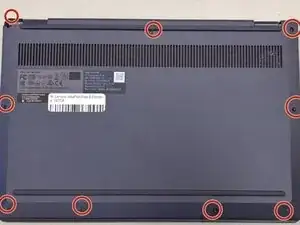
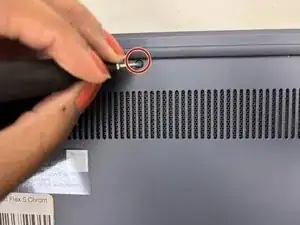
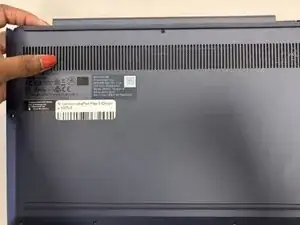
Remove the nine 6.2 mm-long screws securing the lower case with a Phillips #0 screwdriver.
-
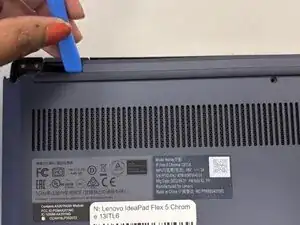
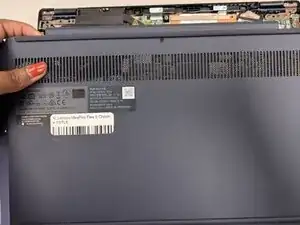
Insert an opening pick or opening tool into the seam between the lower case and chassis.
-
Pry around the entire perimeter until the lower case fully releases.
-
-
-
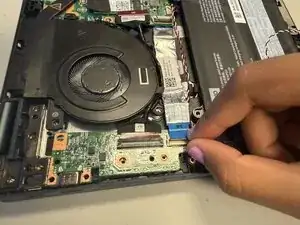
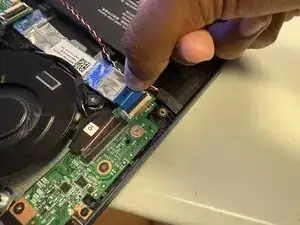
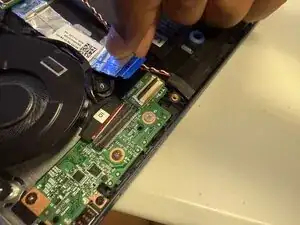
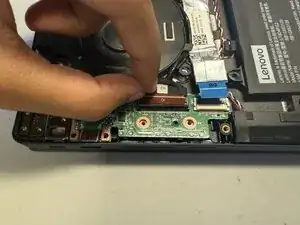
Place your fingers on the smaller locking flap.
-
Lift up the smaller locking flap on top of the smaller ribbon cable.
-
-
-
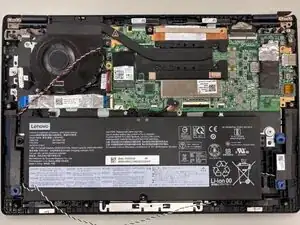
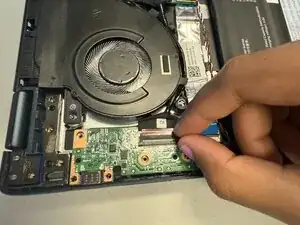
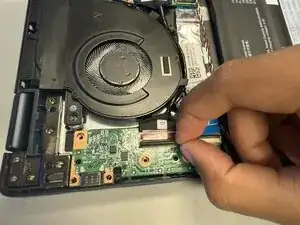
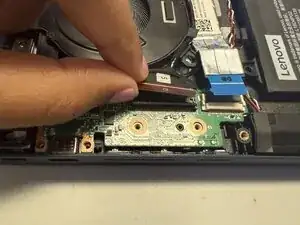
Hold the edge of the wide ribbon cable from the motherboard.
-
Pull away the wide ribbon cable from the wide locking flap on the motherboard.
-
-
-
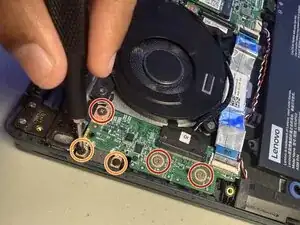
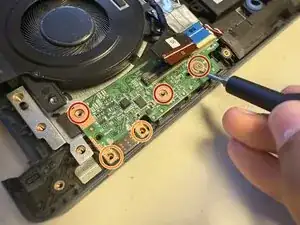
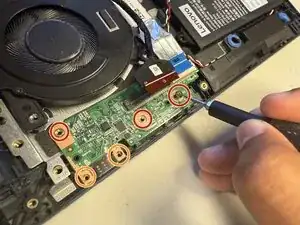
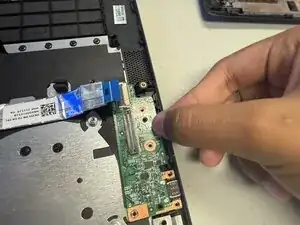
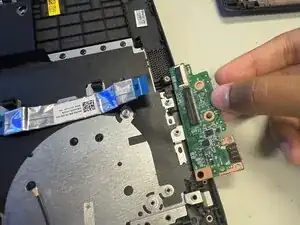
Remove three 2.4 mm-long screws with a Phillips #0 screwdriver.
-
Remove two 3.2 mm-long screws with a Phillips #0 screwdriver.
-
To reassemble your device, follow the above steps in reverse order.
Take your e-waste to an R2 or e-Stewards certified recycler.
Repair didn’t go as planned? Try some basic troubleshooting or ask our Answers community for help.