Introdução
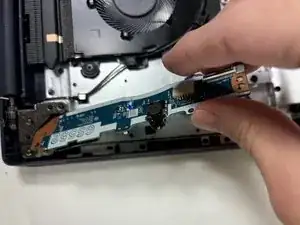
This guide will walk you through replacing the USB board in your Lenovo IdeaPad 3-15IML05. This repair is useful if your USB ports are malfunctioning or damaged, restoring your ability to connect peripherals such as flash drives or external hard drives.
Before you begin this repair, make sure your device is turned off and disconnected from the power adapter.


-
-
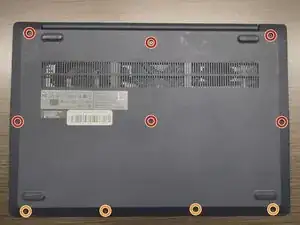
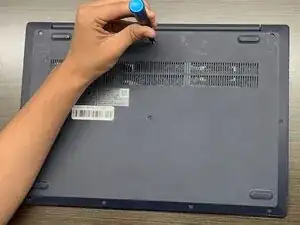
Use a Phillips #1 screwdriver to remove the following screws:
-
Six 7 mm screws
-
Four 4 mm screws
-
-
-
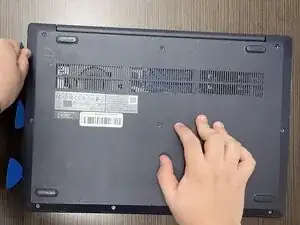
Insert an opening pick into the seam between the lower case and chassis.
-
Slide the pick around the entire perimeter until all of the plastic retaining clips release.
-
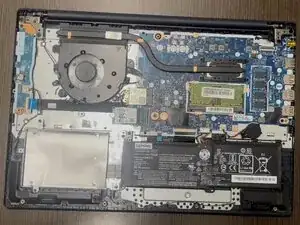
Remove the lower case.
-
-
-
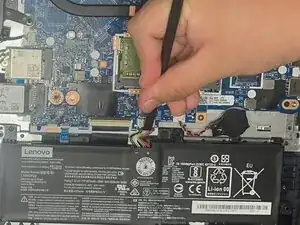
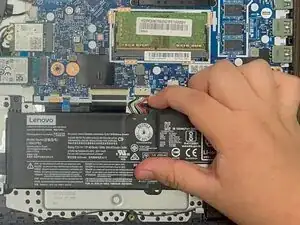
Use a plastic spudger or your fingernail to gently push the JST battery connector out of its socket.
-
-
-
Grip the tab at the end of the bundle cable and pull the connector slowly and steadily out of its socket to disconnect the fan cable.
-
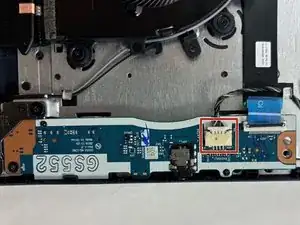
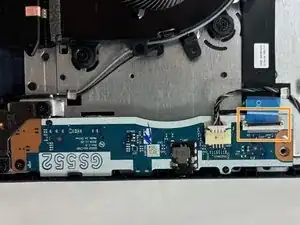
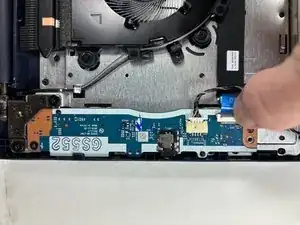
Use a spudger or a clean fingernail to flip up the locking flap of the ZIF connector—this is the unlocked position.
-
Use tweezers or your fingers to gently pull the cable out of its socket by the blue tab.
-
-
-
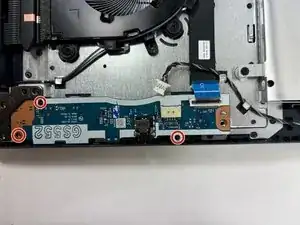
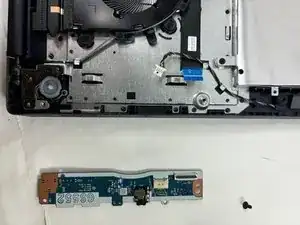
Use a Phillips #0 screwdriver to remove the three 3 mm screws securing the USB board to the chassis.
-
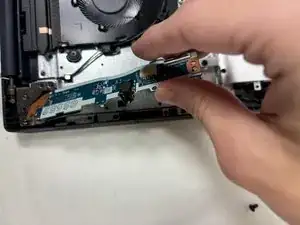
Gently remove the USB board from the frame.
-
To reassemble your device, follow the above steps in reverse order.
Take your e-waste to an R2 or e-Stewards certified recycler.
Repair didn’t go as planned? Try some basic troubleshooting or ask our Answers community for help.