Introdução
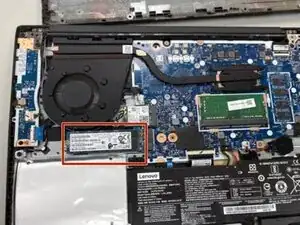
This guide shows how to replace or upgrade the SSD on the Lenovo IdeaPad 314IML05 to improve performance and storage.
Before beginning the repair, power off the laptop completely and disconnect the charger from the computer. Be slow, careful, and gentle while removing parts and/or replacing.
Component Damage: Do not force open plastic clips; they may break.
Before you begin, power off the laptop and disconnect the charging adapter and any peripheral devices.
Ferramentas

-
-
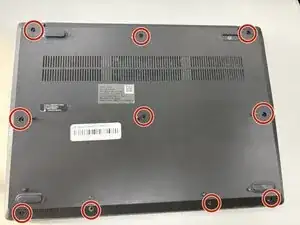
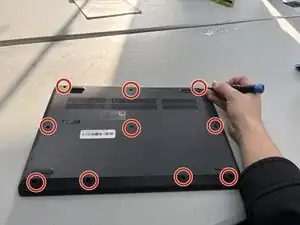
Use a Phillips screwdriver to loosen the ten captive screws securing the bottom cover.
-
Insert a plastic opening tool into the seam between the bottom and top cover and slide it around the perimeter to release the clips holding them together.
-
Remove the bottom panel.
-
-
-
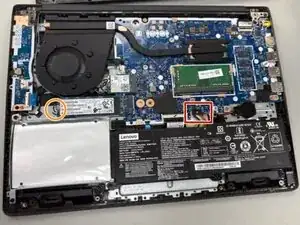
Use the point of a spudger to push on alternating sides of the battery connector to "walk" it out of its socket on the motherboard.
-
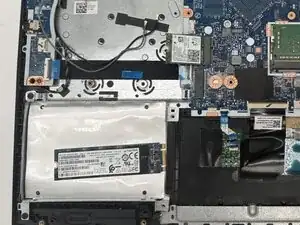
Remove the 4.0 mm Phillips screw securing the SSD.
-
Pull the SSD from the M.2 slot.
-
To reassemble your device, follow these instructions in reverse order. Take your e-waste to an R2 or e-Stewards certified recycler.