Introdução
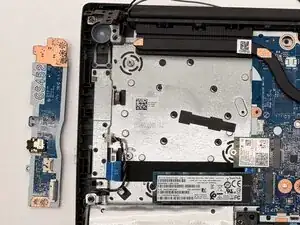
This guide shows how to replace the I/O board in the Lenovo IdeaPad 3 (14IML05). The I/O board includes the USB ports and audio jack. If these ports stop working or show physical damage, the board may need replacement.
Before you begin, power off the laptop and disconnect the charging adapter and any peripheral devices.
Ferramentas

-
-
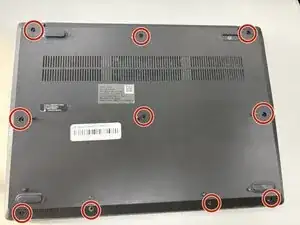
Use a Phillips screwdriver to loosen the ten captive screws securing the bottom cover.
-
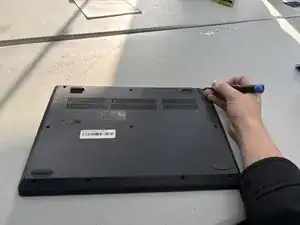
Insert a plastic opening tool into the seam between the bottom and top cover and slide it around the perimeter to release the clips holding them together.
-
Carefully remove the back panel.
-
-
-
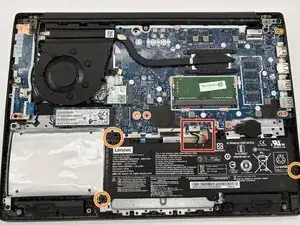
Locate the battery connector at the bottom of the motherboard.
-
Use the point of a spudger to push on alternating sides of the battery connector to "walk" it out of its socket on the motherboard.
-
Remove the three 6 mm Phillips screws securing the battery.
-
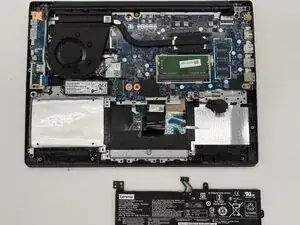
Remove the battery from the laptop.
-
-
-
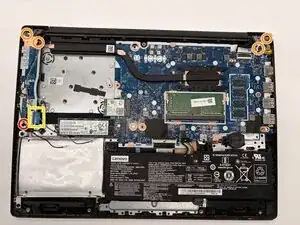
Remove the 3.0 mm Phillips head screw securing the I/O board.
-
Use a Phillips screwdriver to remove the screws from the hinges.
-
Lift and move the display to shift the hinges out of the way of the I/O board.
-
Use a spudger or a clean fingernail to flip up the locking flap on the ZIF connector—this is the unlocked position.
-
Use tweezers or your fingers to gently pull the cable out of its socket.
-
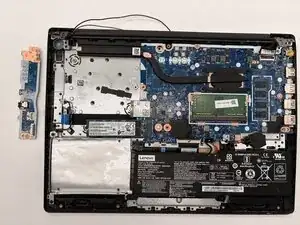
Remove the I/O board from the laptop.
-
To reassemble your device, follow these instructions in reverse order. Take your e-waste to an R2 or e-Stewards certified recycler.