Introdução
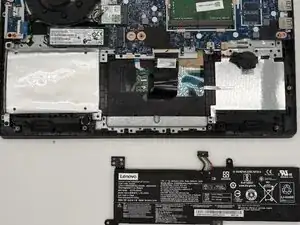
This guide shows you how to replace the battery in a Lenovo IdeaPad 3 14IML05. The battery powers your laptop when it isn’t plugged into a charger. If your battery drains quickly after a full charge or no longer holds a charge, it may be time to replace it.
Before you replace the battery, check the Lenovo Ideapad 3 14IML05 Troubleshooting page for possible solutions.
Before you begin, power off the laptop and disconnect the charging adapter and any peripheral devices.
Ferramentas


-
-
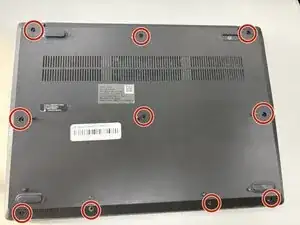
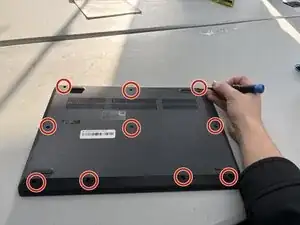
Use a Phillips screwdriver to loosen the ten captive screws securing the bottom cover.
-
Insert a plastic opening tool into the seam between the bottom and top cover and slide it around the perimeter to release the clips holding them together.
-
Remove the bottom panel.
-
-
-
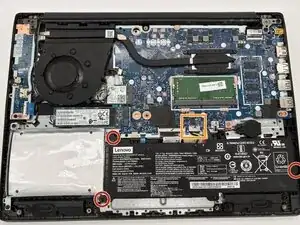
Use a Phillips screwdriver to remove the three 6x6 mm screws that secure the battery to the frame.
-
Use the point of a spudger to push on alternating sides of the battery connector to "walk" it out of its socket on the motherboard.
-
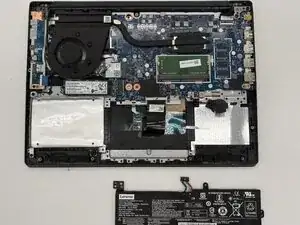
Carefully remove the battery.
-
To reassemble your device, follow these instructions in reverse order. Take your e-waste to an R2 or e-Stewards certified recycler.
For optimal performance, calibrate your newly installed battery after completing this guide.