Introdução
Ferramentas


-
-
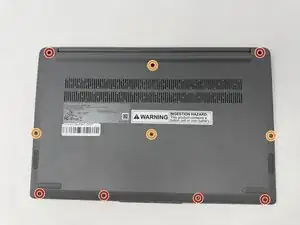
Using a T4 Torx screwdriver, remove the screws that secure the lower case:
-
Six 2.5 mm screws
-
Four 5 mm screws
-
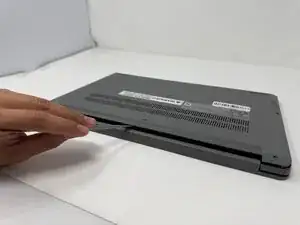
Insert a spudger into the seam between the lower case and chassis.
-
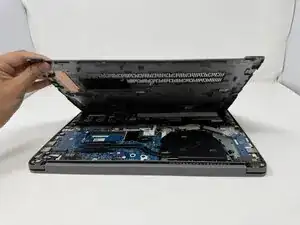
Pry around the entire perimeter until the lower case fully releases.
-
-
-
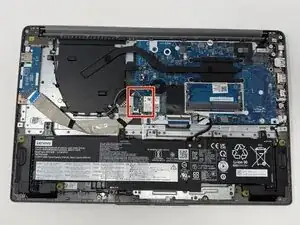
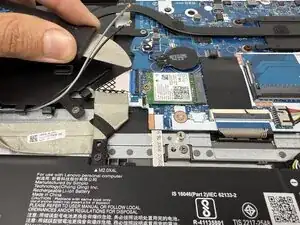
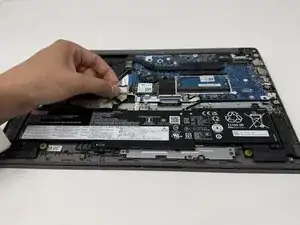
Unplug and remove the black and grey wires, and the I/O board ribbon cable from the Wi-Fi chip.
-
-
-
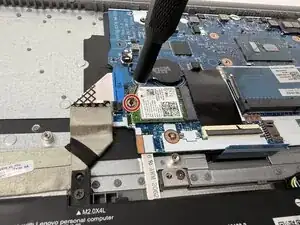
Using a Phillips #00 screwdriver, remove the 2mm screw that secures the Wi-Fi module.
-
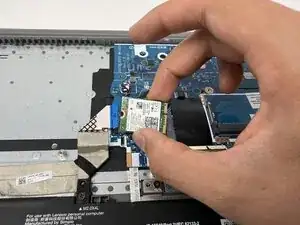
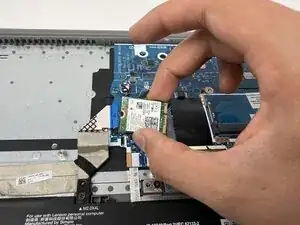
Lift the Wi-Fi module from its position.
-
Conclusão
To reassemble your device, follow these instructions in reverse order.